EasyManua.ls Logo

Jensen VX7020 - Page 123

Jensen VX7020
246 pages
Print Icon
To Next Page IconTo Next Page
To Previous Page IconTo Previous Page
Loading...
20
VX7020
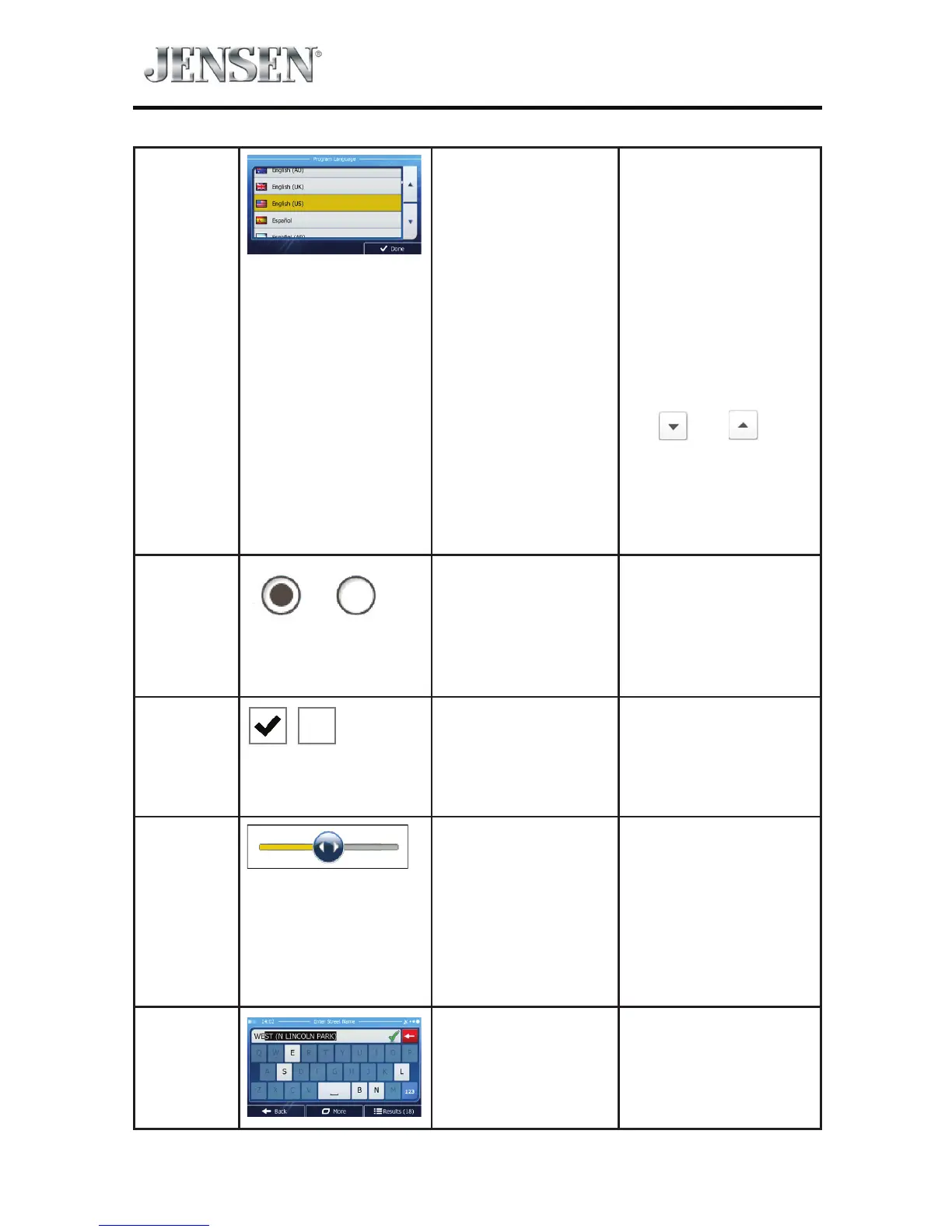
List When you need to
select from several
options, they
appear in a list.
Grab the list
anywhere and slide
your nger up or
down. Depending
on the speed of the
sliding, the list will
scroll fast or slow,
only a bit or until the
end.
Alternatively, move
between pages with
the
and
buttons and tap the
value that you want.
Radio
button
When there are only
a few choices, radio
buttons may be
used instead of lists.
Only one value can
be selected.
Tap one of the
buttons to select a
new value.
Switch
When there are
only two choices, a
checkmark shows
whether the feature
is enabled.
Tap it to turn the
switch on or o.
Slider
When a feature can
be set to dierent
values in a range,
iGO primo shows
an indicator on a
gauge that displays
and sets the value
t Drag the handle to
move the slider to
its new position.
t Tap the slider
where you want the
handle to appear;
the thumb jumps
there.
Virtual
keyboard
Alphabetic and
alphanumeric
keyboards to enter
text and numbers.
Each key is a touch
screen button.

Table of Contents

Other manuals for Jensen VX7020

Related product manuals