87
VX7020
Entering the Coordinates of the Destination
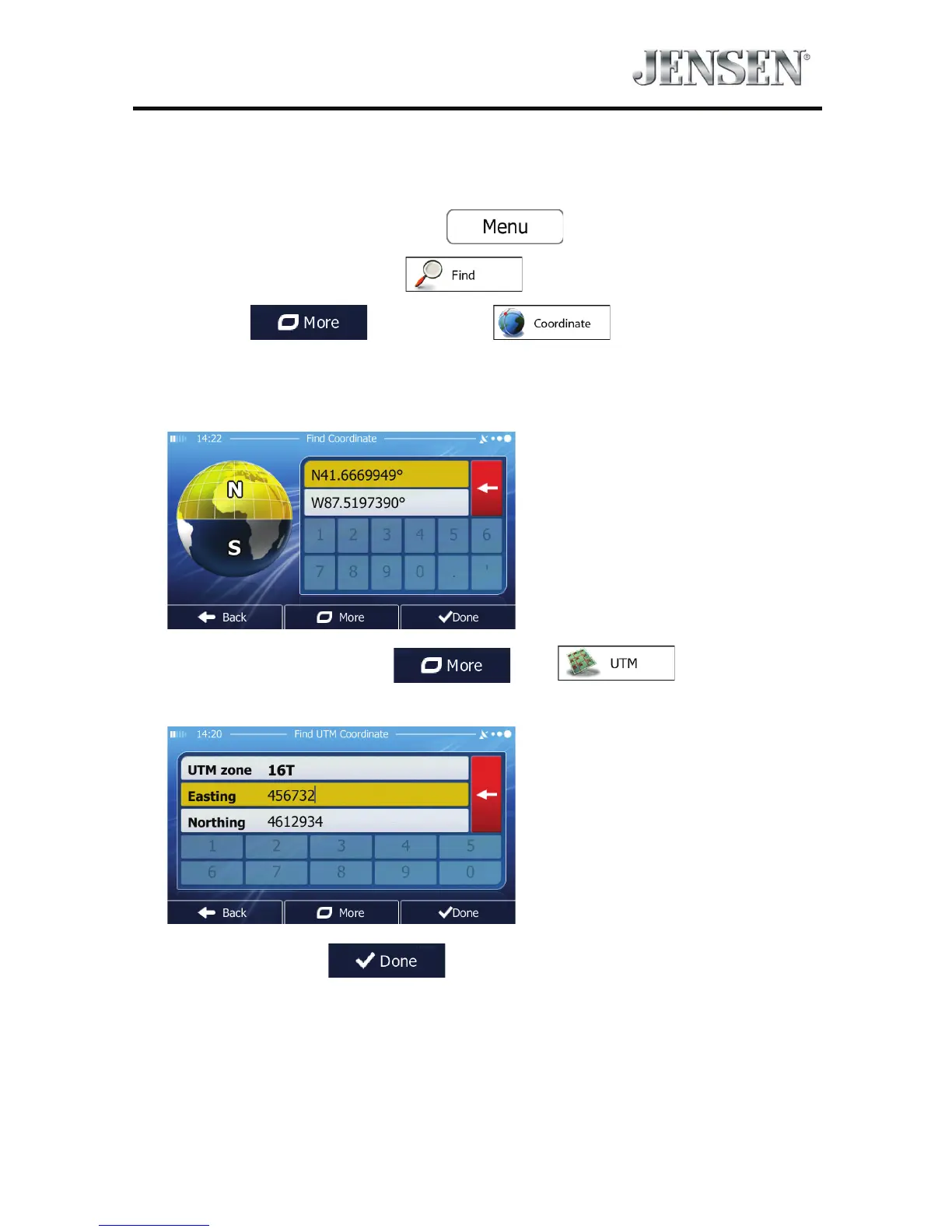
You can also select a destination by entering its coordinate. Do as follows:
1. If you are on the Map screen, tap
to return to the
Navigation menu.
2. In the Navigation menu, tap
.
3. Open the
menu and tap .
4. You can enter the latitude and longitude values in any of the following
formats: decimal degrees; degrees and decimal minutes; or degrees, minutes
and decimal seconds.
5. (Optional) If necessary, tap then and enter the
coordinate in UTM format.
6. When nished, tap .



 To Next Page