EasyManua.ls Logo

Jet 10 Plus - User Manual

Jet 10 Plus
24 pages
Print Icon
To Next Page IconTo Next Page
Loading...
Operating Instructions and Parts Manual
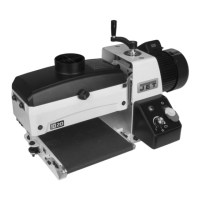
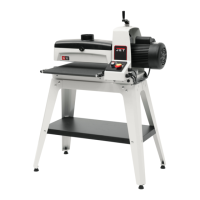
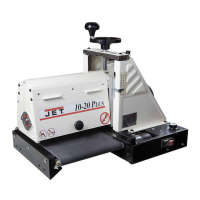
Drum Sander
Model: 10-20 Plus
Shown with optional accessories
WALTER MEIER (Manufacturing) Inc.
427 New Sanford Road
LaVergne, Tennessee 37086 Part No. M-628900
Ph.: 800-274-6848 Revision C1 01/2010
www.waltermeier.com Copyright © 2010 Walter Meier (Manufacturing) Inc.

Questions and Answers

  • R
    Robert StoneAug 17, 2025
    What to do if the motor overload protector trips on my Jet 10 Plus?
    • S
      Stefanie ThomasAug 17, 2025
      If the motor overload protector or shop wiring breaker trips, it could be due to excessive load on the sanding drum and motor, too many tools on the circuit, or an extension cord that's too long or not thick enough. Allow the motor to cool and reset the overload button. Have a certified electrician correct the shop-wiring problem. Use a shorter, heavier gauge extension cord.
  • M
    Martin MillsAug 19, 2025
    Why does the wood burn when using my Jet 10 Plus Sander?
    • H
      haustinAug 20, 2025
      Wood burning during sanding with your Jet Sander can occur due to several reasons: the abrasive strip is overlapped, the depth of cut is excessive, especially with fine grit, the feed rate is too slow, the abrasive is loaded, or the abrasives are worn. To resolve this, re-wrap the abrasive strip, reduce the depth of cut, use a coarser grit or reduce the depth of cut, increase the feed rate, clean the abrasives, or replace the abrasives.
  • W
    waltonmatthewAug 22, 2025
    Why does my Jet 10 Plus Sander motor slow down or stall?
    • R
      Robert BrennanAug 22, 2025
      If the Jet Sander motor slows or stalls, it may be caused by improper conveyor belt tension, excessive depth of cut, or excessive feed rate. To fix this, adjust the belt tension, reduce the depth of cut, and reduce the feed rate.
  • B
    brandoncameronAug 26, 2025
    Why does the abrasive load up prematurely on my Jet Sander?
    • M
      Melanie CruzAug 26, 2025
      Premature loading of the abrasive on your Jet Sander can be attributed to excessive depth of cut, excessive feed rate, inadequate dust collection, or using an inadequate abrasive. You can solve this by reducing the depth of cut, using a slower feed rate, increasing airflow at the dust ports, or using an open-coat abrasive.
  • A
    angelajohnsonAug 28, 2025
    What to do if the board slips on the conveyor belt of my Jet 10 Plus?
    • A
      Alex ReedAug 28, 2025
      If the board slips on the conveyor belt of your Jet Sander, it could be because the tension rollers are too high, the feed rate is excessive, or the conveyor belt is dirty or worn. Try lowering the tension rollers, reducing the feed rate, or replacing the conveyor belt.
  • N
    Nathan BrownAug 30, 2025
    Why does my Jet 10 Plus leave a rippled surface?
    • A
      Amanda SimsAug 30, 2025
      A rippled sanded surface on your Jet Sander can be due to an uneven feed rate or conveyor bed flexing or vibration. See above for conveyor belt slipping or board slips on conveyor. Also, check for loose bolts, shaft-coupling setscrews, or an out of balance drum. Reduce the depth of cut and the feed rate. Power feed gear motor stalls, see above.
  • V
    Victor CarrollSep 2, 2025
    What should I do if the abrasive strip is loose on my Jet 10 Plus?
    • G
      Gordon BowmanSep 2, 2025
      A loose abrasive strip on your Jet Sander may be caused by the strip catching on the inside edge of the slot or on the inboard side of the drum, or if the strip wasn't cut properly. To fix this, re-adjust the strip end in the slot and/or trim the abrasive edge. Re-cut and re-install the abrasive strip.
  • S
    Sarah PowellSep 5, 2025
    Why is there a line or groove in the stock after using my Jet 10 Plus?
    • R
      robbinsmadisonSep 5, 2025
      A line or groove appearing in the stock when using the Jet Sander is caused by an inconsistent feed rate. Avoid stopping or changing the feed rate.
  • T
    Tyler CharlesSep 7, 2025
    Why do the conveyor rollers on my Jet 10 Plus Sander run intermittently?
    • S
      sawyerdanaSep 8, 2025
      If the conveyor rollers on your Jet Sander run intermittently, the shaft coupling may be loose. Align the shaft flats of the gear motor and the drive roller and tighten the shaft-coupling setscrews.
  • T
    Todd JonesSep 10, 2025
    Why does the abrasive strip come off the drum of my Jet Sander?
    • M
      matthewwrightSep 12, 2025
      If the abrasive strip comes off the drum of your Jet Sander, it's likely due to slack in the abrasive strip or the abrasive being improperly wrapped. Remove the slack in the strip. Read the section on wrapping abrasive strips.

Summary

Warranty and Service

Warranty Coverage

Details what is covered and excluded under the product warranty.

Obtaining Service

Outlines the process for requesting warranty service and repairs.

Warranty Limitations

Specifies limitations and disclaimers related to the product warranty.

General Safety Warnings

Operational Safety Precautions

Lists essential safety rules for operating the drum sander.

Personal Safety Gear

Emphasizes the importance of safety glasses and protective clothing.

Material and Environmental Safety

Covers safe use with wood and potential chemical hazards in dust.

Installing Conveyor Trackers

Electrical Connections and Safety

Controls and Operation

Adjustments and Settings

Drum Alignment Procedures

Aligning the Drum

Steps to correct drum alignment issues.

Fine Tuning Drum Alignment

Advanced adjustments for specific sanding needs.

Wrapping Abrasive Strips

Abrasive Strip Preparation

How to cut and taper abrasive strips for installation.

Abrasive Strip Installation

Step-by-step guide for wrapping sandpaper onto the drum.

Using the TUF Tool

Setup and Calibration

Depth Gauge and Cut Settings

Procedures for setting the depth gauge and depth of cut.

Abrasives: Selection and Care

Sanding Techniques

Maintenance Overview

Conveyor Belt Replacement

Troubleshooting Guide

Jet 10 Plus Specifications

General IconGeneral
BrandJet
Model10 Plus
CategorySander
LanguageEnglish

Related product manuals