EasyManua.ls Logo

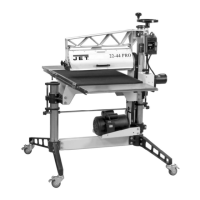
Jet 22-44 Pro-3 - User Manual

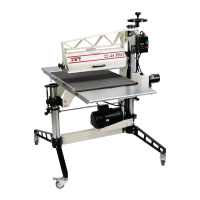
Jet 22-44 Pro-3
40 pages
Print Icon
To Next Page IconTo Next Page
Loading...
Operating Instructions and Parts Manual
Drum Sander
Model 22-44 Pro-3
JET
427 New Sanford Road Part No. M-649600
LaVergne, Tennessee 37086 Revision B
03/2016
P
h.: 800-274-6848 ECR 16020409184
www.jettools.com Copyright © 2014 JET
This .pdf document is bookmarked

Other manuals for Jet 22-44 Pro-3

Questions and Answers

  • M
    Michelle BruceAug 21, 2025
    What to do if the motor overload protector trips on my Jet 22-44 Pro-3 Sander?
    • A
      Annette GibsonAug 22, 2025
      If the Jet Sander motor overload protector trips or the shop wiring breaker trips, first allow the motor to cool and reset the overload button. Also, the sander may have excessive load on the sanding drum and motor, or there may be too many tools on the circuit. Connect the sander to a dedicated circuit and have a certified electrician correct any shop wiring problems. Using a shorter or heavier gauge extension cord might also help if the current one is too long or inadequate in size.
  • M
    Mr. Dale VanceSep 4, 2025
    Why is my Jet 22-44 Pro-3 making a knocking sound?
    • R
      Rebecca JacobsSep 4, 2025
      If you hear a knocking sound while your Jet Sander is running, realign the bearings. Replace the v-belt if it's worn. Remove any material inside the drum. Replace the pulley if it's wobbling or out of round. Retighten any loose set-screws in the pulley or bearing. Insert an abrasive strip or replace the fastener if the abrasive fastener on the drum is loose. Replace the drum bearings if they are worn.
  • D
    donnamcgeeSep 2, 2025
    What causes the conveyor belt to not move on my Jet 22-44 Pro-3 Sander?
    • M
      matthewsmikaylaSep 2, 2025
      If the conveyor belt on your Jet Sander does not move or runs intermittently, align the shaft flats of the gear motor and the drive roller and tighten the shaft-coupling setscrews.
  • N
    nicholasnelsonSep 1, 2025
    Why does the drum motor overload on my Jet 22-44 Pro-3 Sander?
    • C
      Cynthia EllisSep 1, 2025
      If the Jet Sander drum motor overloads, check the electrical requirements of the circuit. Reduce the feed rate and/or depth of cut.
  • B
    brookebakerAug 30, 2025
    What to do if boards slip on the conveyor belt of my Jet 22-44 Pro-3?
    • M
      Michael BryantAug 30, 2025
      If boards slip on the conveyor belt of your Jet Sander, lower the tension rollers. Reduce the feed rate. If the conveyor belt is dirty or worn, replace it. If the abrasive is improperly wrapped, reinstall it correctly.
  • A
    Amanda PetersonAug 29, 2025
    How to fix sniping of wood on my Jet 22-44 Pro-3?
    • N
      Natasha Smith MDAug 29, 2025
      If you notice sniping (gouging near the end of the board) when using your Jet Sander, try resetting the tension rollers. Ensure that the stock is properly supported with roller stands, tables, or benches during infeed and outfeed. Also, check if the conveyor drive roller or driven roller is higher than the conveyor belt surface and readjust the roller(s) if necessary.
  • F
    fkellerAug 27, 2025
    What causes the conveyor belt to slip on the drive roller of my Jet 22-44 Pro-3?
    • S
      Seth MarshAug 28, 2025
      If the conveyor belt on your Jet Sander slips on the drive roller, adjust the belt tension. Also, reduce the depth of cut and feed rate.
  • A
    Andrew HallAug 26, 2025
    How to stop the abrasive from loading up prematurely on my Jet 22-44 Pro-3?
    • C
      Christina ButlerAug 26, 2025
      If the abrasive on your Jet Sander loads up prematurely, reduce the depth of cut and feed rate. Also, increase airflow at the dust port to improve dust collection, and consider using an open-coat abrasive. If possible, angle the stock at 60° to avoid resin line buildup.
  • P
    pcarterAug 25, 2025
    How to prevent burning of wood with my Jet 22-44 Pro-3?
    • S
      Seth HallAug 25, 2025
      If you're experiencing burning of wood with your Jet Sander, try increasing the feed rate. Additionally, reduce the depth of cut, use abrasive of coarser grit, clean or replace strips, and angle stock when feeding. Check if abrasive strips are overlapped and rewrap strip without overlap. Ensure the drum is properly aligned.
  • V
    Vickie WilkinsonAug 23, 2025
    How to troubleshoot a Jet 22-44 Pro-3 that will not start?
    • M
      morrisonsandraAug 23, 2025
      If your Jet Sander will not start, check the plug connections to ensure the main cord is connected to a power source and the motor cord is properly inserted into the control box receptacle. Also, check if a circuit fuse has blown or a breaker has tripped, and replace the fuse or reset the breaker if necessary. A malfunctioning switch could also be the culprit, in which case you should replace it.

Summary

Safety Warnings and Precautions

General Operational Safety Guidelines

Essential safety instructions to prevent injury during operation and assembly.

Specific Hazard and Symbol Definitions

Warnings for specific actions and definitions of CAUTION/WARNING symbols.

Unpacking and Assembly

Assembly Procedures

Step-by-step instructions for assembling stand legs, tables, and handwheel.

Abrasive Installation

Installing Abrasive Strips

Guide to properly wrapping and securing abrasive strips on the drum.

Machine Adjustments

Alignment Procedures

Drum and Belt Alignment

Procedures for initial and fine-tuning drum alignment.

Conveyor Belt Tension and Tracking

Adjusting conveyor belt tension and tracking for optimal performance.

Maintenance and Troubleshooting

Troubleshooting Common Problems

Solutions for common motor, mechanical, and operational problems.

Operation and Performance

Jet 22-44 Pro-3 Specifications

General IconGeneral
TypeDrum Sander
Drum Length44 inches
Voltage230V
Max Sanding Width44 in (2 passes)
Dust Port Diameter4 inches

Related product manuals