EasyManua.ls Logo

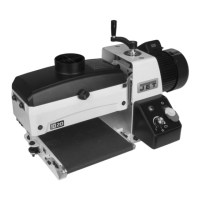
Jet 22-44OSC - User Manual

Jet 22-44OSC
36 pages
Print Icon
To Next Page IconTo Next Page
Loading...
Operating Instructions and Parts Manual
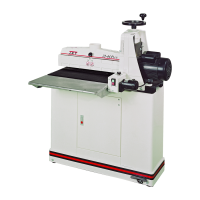
Oscillating Drum Sander
Model 22-44OSC
JET
427 New Sanford Road Part No. M-659006K
LaVergne, Tennessee 37086 Revision D 03/2016
Ph.: 800-274-6848 ECR 16020409184
www.jettools.com Copyright © 2015 JET

Other manuals for Jet 22-44OSC

Questions and Answers

  • D
    daniel84Sep 9, 2025
    What causes a knocking sound while running Jet Sander?
    • J
      Jeremy BurnsSep 9, 2025
      A knocking sound while the sander is running can be caused by several issues: bearings out of alignment (re-align bearings), a worn V-belt (replace V-belt), dust in the drum (remove material inside drum), a pulley wobbling or out of round (replace pulley), set-screws loose in the pulley or bearing (re-tighten set-screws), an abrasive fastener on the drum loose (insert abrasive strip, or replace fastener), or worn drum bearings (replace drum bearings).
  • H
    hsparksAug 23, 2025
    How to troubleshoot Jet 22-44OSC that will not start?
    • B
      Brian DavisAug 23, 2025
      If your sander won't start, first check the plug connections, ensuring the main cord is connected to a power source and the motor cord is properly inserted into the control box receptacle. If the connections are good, check if a circuit fuse has blown or a breaker has tripped and replace the fuse or reset the breaker if needed. If neither of these steps resolves the issue, the switch might be malfunctioning and require replacement.
  • C
    Carrie JensenAug 25, 2025
    What to do if the Jet 22-44OSC Sander is burning wood?
    • E
      Eric JacksonAug 25, 2025
      Wood burning can occur for several reasons. The feed rate might be too slow, so try increasing it. The depth of cut might be too deep for the grit you're using, so reduce the depth or use a coarser grit. There could be excessive build-up on the abrasive strips, so reduce the depth of cut, clean or replace the strips, and angle the stock when feeding. The abrasive might be too fine, so replace it with a coarser grit. Also, ensure the abrasive strips aren't overlapped and the drum is properly aligned.
  • D
    Donna AndersonAug 27, 2025
    Why is my Jet 22-44OSC Sander conveyor belt slipping on the drive roller?
    • J
      Jeremy RichardAug 27, 2025
      The conveyor belt might be slipping due to improper belt tension. Adjust the belt tension to resolve this. Also, check for excessive depth of cut or feed rate, and reduce them if necessary.
  • S
    Steven HarrellAug 27, 2025
    Why is my Jet 22-44OSC Sander abrasive loading up prematurely?
    • C
      Catherine MorganAug 28, 2025
      Premature abrasive loading can happen due to several factors. Reduce the depth of cut if it's excessive. Also, reduce the feed rate if it's too high. Ensure you have adequate dust collection by increasing airflow at the dust port. The abrasive itself might be inadequate, so try using an open-coat abrasive. Finally, if possible, angle the stock 60° to avoid resin line buildup if the stock is fed at a 90° angle to the drum.
  • R
    romankimberlyAug 29, 2025
    How to fix ripples in sanded surface on Jet Sander?
    • P
      patricia87Aug 29, 2025
      Uniformly spaced ripples on the sanded surface may be due to an excessive feed rate or excessive depth of cut. Reduce the depth of cut and/or feed rate. Sander vibration can also cause this issue. Check for loose bolts, loose bearing and pulley set-screws and re-tighten them. Clean a dirty drum inside. Reduce excessive v-belt tension and replace a worn v-belt. Replace a warped drive pulley. If the drum is out of balance, contact your dealer or JET authorized service center.
  • J
    Joseph WelchSep 18, 2025
    What to do if there is line or groove in stock while in oscillation mode on Jet Sander?
    • S
      stevesandovalSep 18, 2025
      To avoid lines or grooves in stock while in oscillation mode, set the feed rate to maximum.
  • S
    Shelby McguireSep 18, 2025
    What to do if there is unsanded ridge along length of piece from Jet Sander?
    • M
      Martha MorganSep 22, 2025
      If there's an unsanded ridge along the length of the piece and the sandpaper appears clean, avoid this area of the drum, or replace the abrasive strip, as the grit may have been removed from the backing.
  • B
    Brittany FieldsSep 8, 2025
    What causes the drum or conveyor motor to stall on my Jet Sander?
    • S
      Sandra BrownSep 8, 2025
      If the drum motor or conveyor motor stalls, it could be due to an excessive depth of cut. Reduce the depth of cut, use a coarser grit, and reduce the feed rate. Another cause could be improper conveyor belt tension, so adjust the tension.
  • C
    coledanielleSep 4, 2025
    Why does the Jet 22-44OSC Sander drum motor overload?
    • C
      cruzmatthewSep 4, 2025
      Drum motor overloads can occur due to an inadequate circuit, so check the electrical requirements. Also, if the feed rate is too fast or the depth of cut is too large, reduce both the feed rate and depth of cut.

Summary

General Safety Warnings

Safety Notice Definitions

Explains the meaning of CAUTION and WARNING labels used in the manual.

Machine Assembly

Stand Assembly Procedure

Step-by-step guide for assembling the sander's support stand.

Assembly Continued

Drum Head Installation

Procedures for mounting the sander unit onto the assembled stand.

Conveyor Table Installation

Steps for attaching the conveyor assembly to the sander base.

Dust Cover and Collection System

Installing Abrasive Strips

Detailed steps for properly applying abrasive strips to the sanding drum.

Electrical Safety: Grounding & Extension Cords

Grounding Instructions

Critical information on ensuring the machine is properly grounded to prevent electrical shock.

Operating Controls Overview

Sander Operation

Basic Operation and Setup

Covers basic operation, depth of cut, and drum height settings.

SandSmart Feed Rate Selection

Information on using the SandSmart system for optimal feed rate control.

Abrasives Selection and Care

Troubleshooting: Motor and Electrical Issues

Troubleshooting: Mechanical Problems

Troubleshooting: Operational Issues

Sander Wiring Diagram

Jet 22-44OSC Specifications

General IconGeneral
TypeOscillating Drum Sander
Voltage115V
Dust Port Diameter4 In.
Phase1
Sanding Width22 in.
Spindle Sizes Included1-1/2, 2, 3 in.

Related product manuals