15
¤ For best voice quality, hold the microphone about
2 IN (5 cm) away from your mouth and speak
normally.
¤ A red LED indicates that the transmitter is active.
Function Menu Operation
To modify settings in the transceiver’s settings menu,
follow these steps:
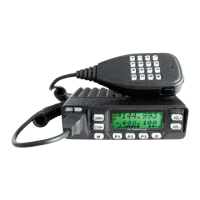
1) Press the “M” key.
2) a, Use the “CHA+” and “CHA-“ keys, or the
“VOL+” and “VOL-“ keys to select the menu
option you wish to modify. Hold the key to go fast
b, You can also input menu number directly by
using the numeric keypad to select desired menu.
3) Press the “M” key to select the menu for
modification.
4) Use the “CHA+” and “CHA-‘ keys, or the
“VOL+” and “VOL-“ keys to select the desired
value.
5) Press the “M” key to confirm your changes,
6) Repeat steps 2-5 above to modify other menu
options.
7) Finally, when you have made all of your changes,
press any of the front panel keys, except “CHA+”,
“CHA-“, “VOL+”, or “VOL-“, to exit the menu.


 To Next Page