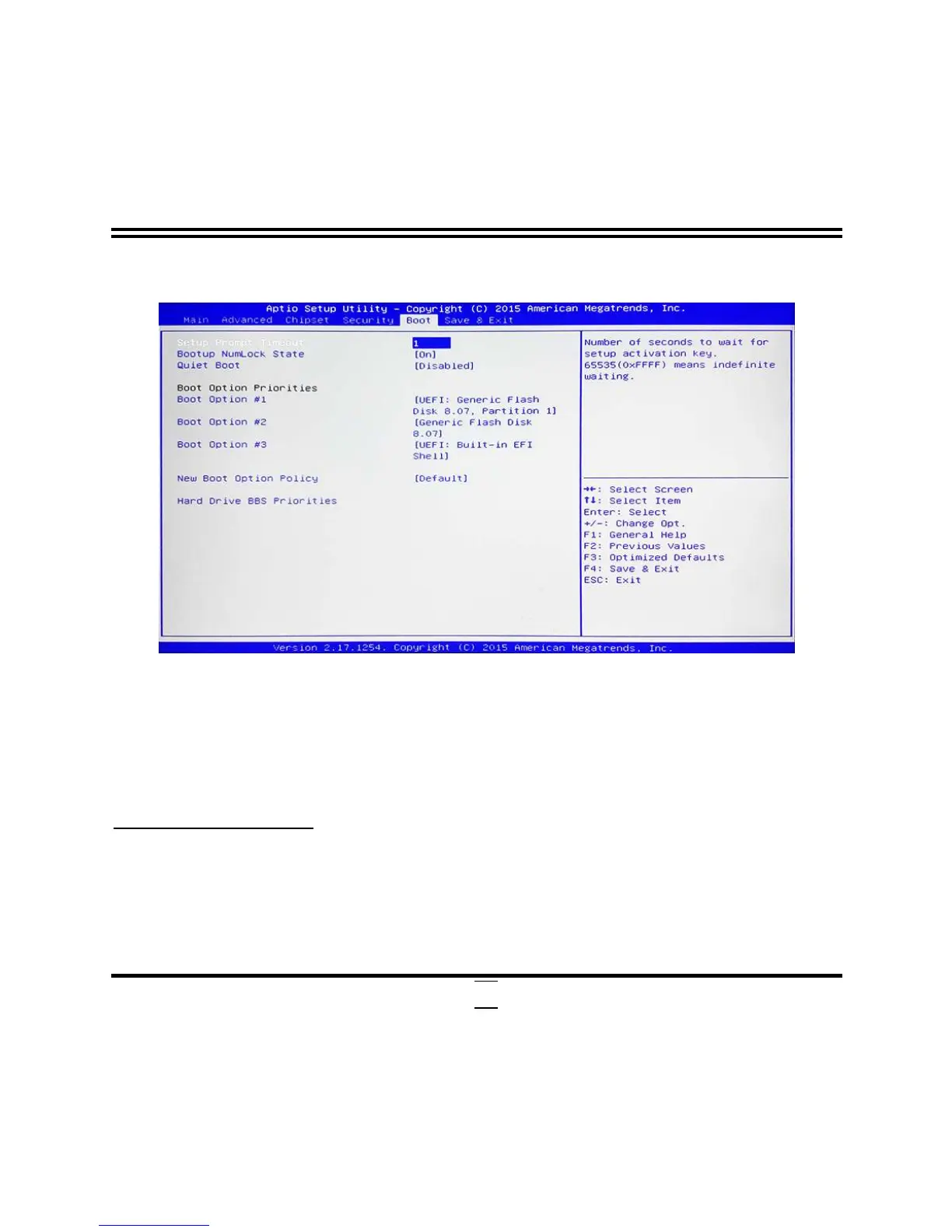
3-10 Boot Menu
Setup Prompt Timeout
Use this item to set number of seconds to wait for setup activation key.
Bootup Numlock State
Use this item to select keyboard numlock state.
The optional settings are: [On]; [Off].
Quiet Boot
The optional settings are: [Disabled]; [Enabled].
Boot Option Priorities
Boot Option #1( Boot Option #2/…)
Use this item to decide system boot order from available options.
New Boot Option Policy
Use this item to control the placement of newly detected UEFI boot options.
The optional settings are: [Default]; [Place First]; [Place Last].


 To Next Page