12
Home
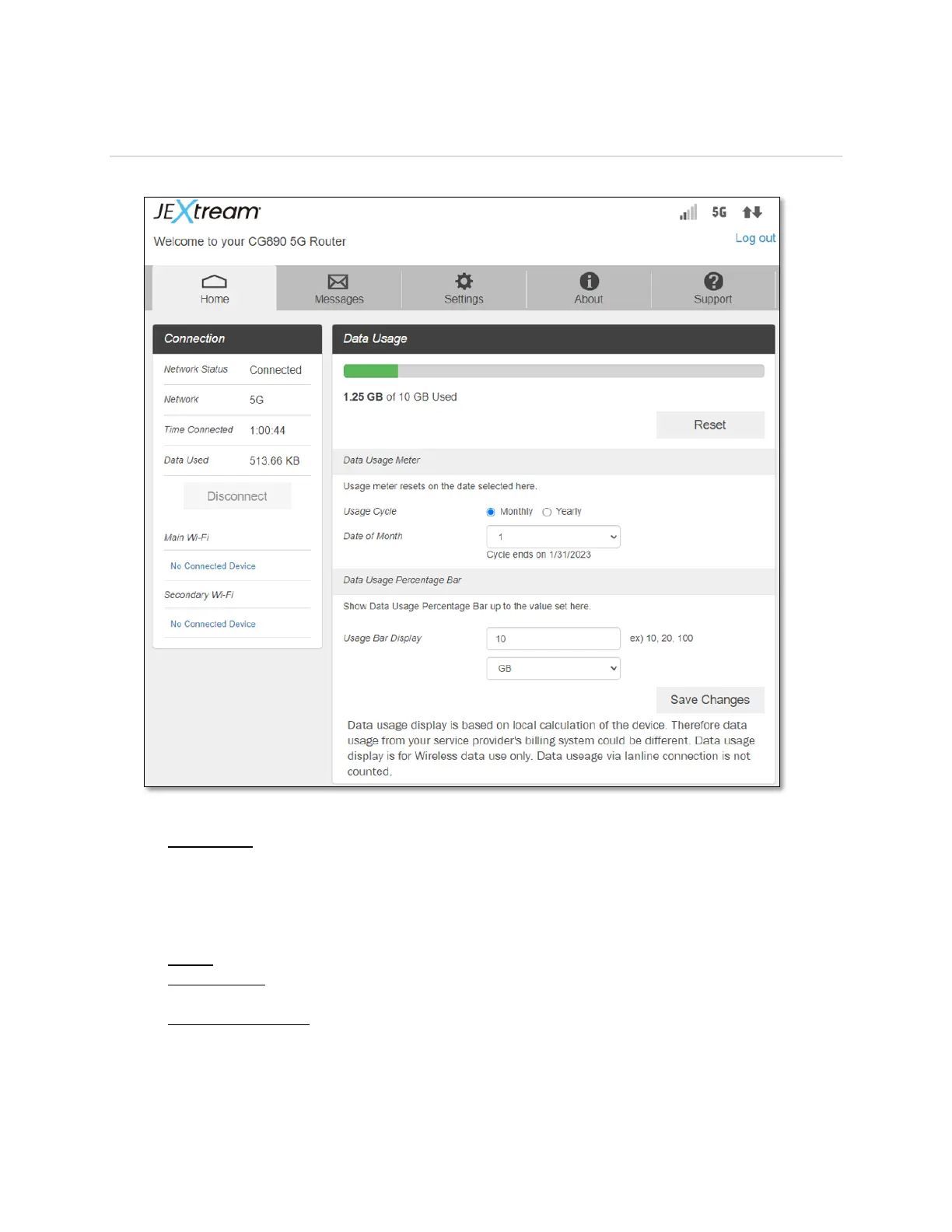
Check status of network connection and data usage on the Web Admin Home page.
Connection:
- Disconnect: Click Disconnect to disconnect the Internet. This button works only when
Auto Connect function is disabled (Settings > Mobile Network > Mobile Settings).
NOTE: Auto Connect function is enabled by default. If disabled, you need to login Web
Admin Home page and press Connect button every time you power on the device.
Data Usage:
- Reset: Click Reset to run data usage meter from zero again.
- Usage Cycle: Select Monthly or Yearly date for data usage meter to reset periodically.
Press Save Changes to save the change made.
- Usage Bar Display: Enter the total amount of data for the data usage bar to display.
Press Save Changes to save the change made. The data usage bar will be enabled and
shows the data used / total amount of data. This is for display only and does not limit
data usage.



 To Next Page