29
- Port Whitelist – You can allow inbound forward packet of specific port number by
setting up Port Whitelist. To set up Port Whitelist,
1. Turn ON Port Whitelist.
2. Press Add to create a line to set up a rule.
3. Enter the name of the rule you want to create.
4. Enter the port number you want to allow inbound forward packet.
5. Select Protocol and Status ON/OFF: ON means the rule is in active. OFF means
the rule is not active.
6. Press OK to complete set up, then press Save Changes.
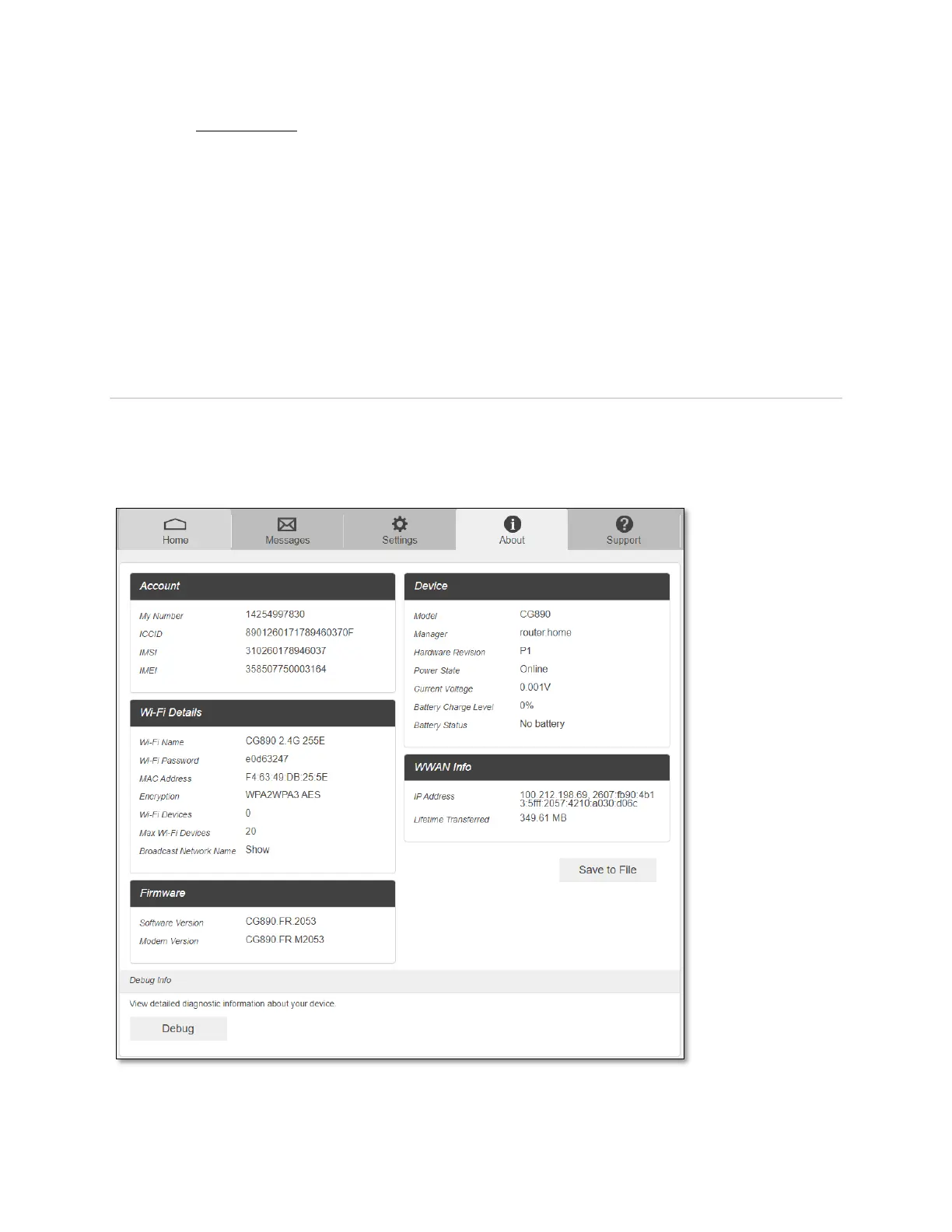
About
View your device's connection information, firmware information, WWAN information, Wi-Fi
details and device information.
From the Web Admin Home page main screen, click the About tab to view the available
information.



 To Next Page