8
QUATTRO MANUAL
577 SERVO PREPARATION
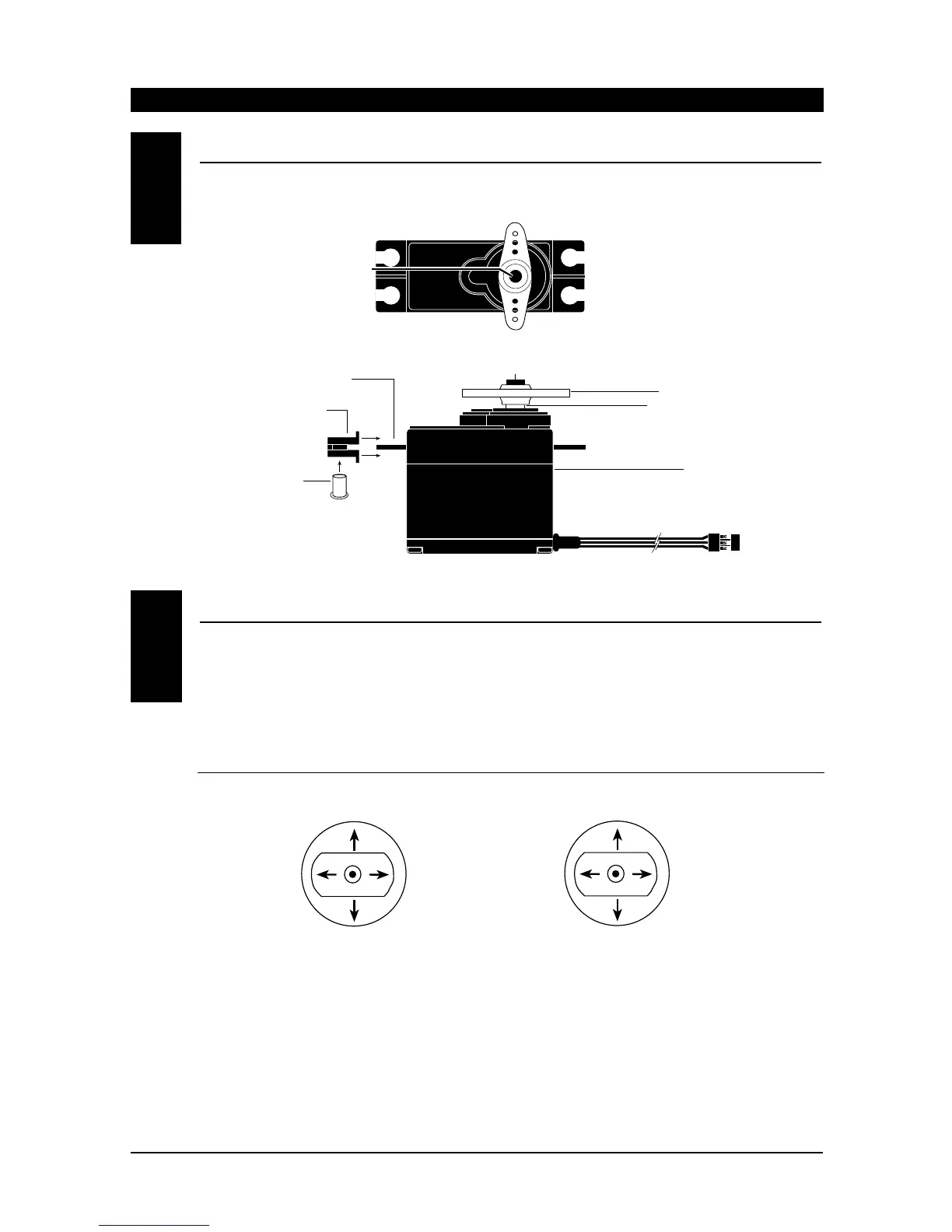
Using a Phillips screwdriver, remove the servo arm retaining screws from each of the 577 servos as shown
in Figure 1. Next, install 4 servo grommets and 4 servo eyelets to each 577 servo as shown in Figure 2.
SYSTEM CHECK
Slide the power ON/OFF switch on your Quattro
Transmitter to the “ON” position.
Next, slide the ON/OFF switch on your flight pack
switch harness to the “ON” position.
By moving each of the two transmitter sticks in a
fore-aft, left-right motion, the corresponding
throttle, rudder, elevator, and aileron (optional)
servo arm/wheel will rotate. Please refer to the
transmitter stick function chart below.
With the system still activated (ON), move the
throttle stick to the neutral (center) position.
Double check to be sure that the four transmitter
trim levers are still in their neutral position.
Next, with the power still activated to the
transmitter and flight pack, remove the servo
arm/horn from each of the 577 servos. Then, turn
the power “OFF” to the flight pack first, then the
transmitter. By doing this, the 577 servos will be left
in their neutral position, and they are now ready to
be installed into your model.
NOTE: Save the servo arms/horns; they will be
reattached to the servos after installation.
9.3
9.4
Throttle
Throttle
Rudder
Elevator
Elevator
Aileron
(w/optional servo)
Aileron
(w/optional servo)
Rudder
Rubber Grommet
Servo Case
Servo Lead w/Connector
Servo Output Shaft
Servo Mounting Flange
Servo Arm/Horn
Servo Arm Retaining Screw
Servo Eyelet
Figure 2
Figure 1
Servo Arm Retaining Screw
(Phillips Head).



 To Next Page