14
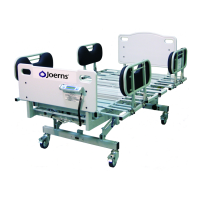
Joerns Bariatric Beds
Model Bari10A
© 2015 Joerns Healthcare • 6110089 RevF • 15-2235
Scale System Functions and
Weighing Procedures
Caution: Steer Wheel function must be disengaged to
obtain an accurate resident/patient weight.
On
Button refreshes display or initiates power for
scale use.
0.0 Zero
With all bed linens in place and without resident/
patient in bed, press and hold Zero button. Displayed
message will read “PLEASE WAIT - HANDS OFF”.
Be sure nothing touches weight-sensitive portion of
integrated Scale System while performing zeroing
function. In a few seconds, display will indicate
“WEIGHT = 0.0 LB”.
Lb/Kg
Weight data may be viewed in either pounds or
kilograms. Pressing this button allows you to switch
between display modes quickly and easily. Both
modes will display resident/patient’s weight within 0.1
units of resolution (0.1 Lb. or 0.1 Kg.).
Freeze/Resume
Freeze/Resume mode button provides ability to add
or remove pillows, blankets or ancillary equipment,
without affecting resident/patient’s displayed weight.
Press Freeze/Resume button. The display will read
“FREEZE = (resident/patient’s weight).” Make all
necessary adjustments to bed or resident/patient.
When done, press Freeze/Resume button again to
resume normal weighing.
Weight Change Mode
This mode is used to monitor resident/patient’s weight
changes. Note: To enable this function initially, press
Weight Change Mode button with resident/patient in
bed and then press Zero button to zero out weight.
Display will read
“ WT CHG = (resident/patient weight)”.
Any variation in weight will now be viewed as a
“+” or “-” gure relative to zero.
Weight Mode
If display shuts off before you can view weight data,
simply press the On button to refresh display and
view resident/patient’s weight. Display will indicate
“WEIGHT = XXX.X LB”(or KG).
Caution: After initialization process is complete and
Scale System is still in Weight Change Mode, do not
press Zero button again, or you will lose all stored
resident/patient’s weight history.
Pressing Weight Mode button will switch back to the
Weight Mode allowing you to view resident/patient’s
total weight again.
Caution: If you do not press Freeze/Resume button
before adding/removing items from bed, the weight of
those items will be reected in the displayed weight.
Note: You can correct any weight discrepancy
described above, by using Weight Mode (for
increases) and Weight Change Mode (for decreases)
buttons, to manually adjust displayed weight reading.
You will need to know the weight of added/removed
items to add/subtract from total weight.
If Freeze/Resume mode is left unattended for
more than three minutes, display will read “LEFT IN
FREEZE - REFER TO MANUAL.” You must press
Freeze/Resume button to exit this mode.




 To Next Page