vision
Snack Plus/Easy Combo
//
Vending
MNP86V03GBV00 Date: 2010/06/14 Rev. 0 PAGE 29 OF 62
NOTE:
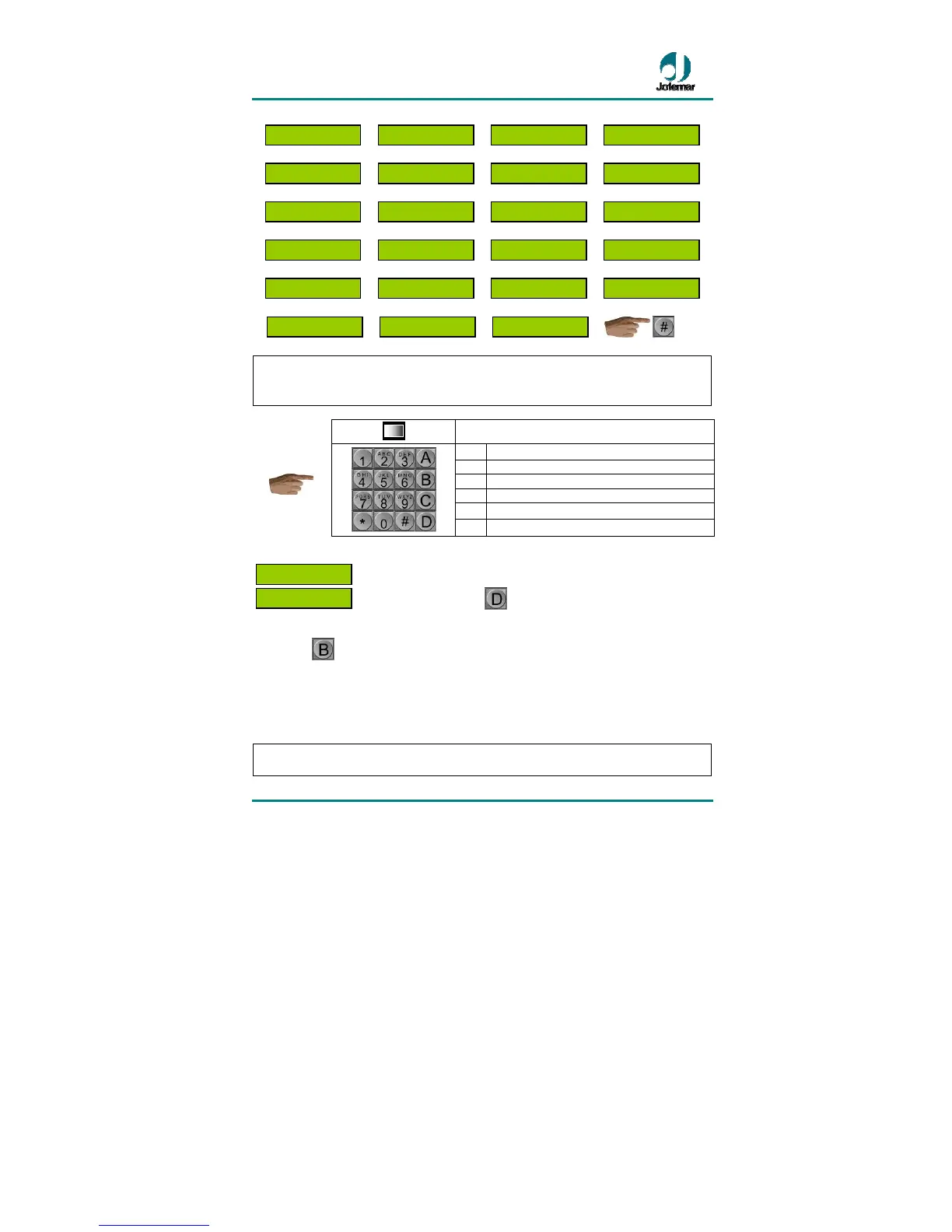
To modify the content of programming addresses, use the machine selection
pushbuttons. These should be used in the order and in the way indicated below for
each address.
Access to programming
A
to access the menu
B
to exit programming mode
C
to cancel the option
D
to view the option on the display
*
to go to the next function
Press…
#
to go to the previous function
You can choose whether you wish the programming address shown as descriptive text
( )
or whether you wish the display to show the address number
( ). To do this, press key
to toggle between the two modes of
operation. The descriptive one is used by default.
Press key
to automatically exit programming mode. A small check of machine
mechanisms will be performed and the machine will return to vending mode.
The machine can also exit programming mode automatically and return to standby
without credit mode if the door is closed and 40 seconds elapse without any key being
pressed or without any coin being inserted (in the case of tube reloading).
NOTE: The addresses marked with the text
(MDB) are only available for program
versions for the J-2000 MDB coin changer. The other addresses are common to all
aDDRESS 00
*-


 To Next Page