FW-14 Quick Start Guide
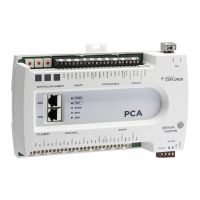
FW-14 overview
The FW-14 is an input/output controller with IP network,
Ethernet, and Wi-Fi connectivity. Use this guide to
complete the following tasks:
• Understand the controller components.
• Mount the controller on a DIN rail or enclosure base
plate.
• Install the antennas.
• View a wiring diagram of the controller in a system.
• Connect to the controller with a LAN or Wi-Fi
connection.
• Connect to the controller with the Controller
Programming Tools (CPT) application.
• Connect to the controller's web server dashboard with
CPT Graphics.
Figure 1: Legend, front view
Figure 2: Legend, back and side view
LIT-12013878
Version 1.0
2023-04-25

 Need help?
 General





 To Next Page