S321-IP Network Controller Hardware Installation
24-10239-480 Rev. F
14
To determine the IP address assigned to the S321-IP by the DHCP
server:
1. Insert the S321-IP Network Controller CD into the computer that will
run the utility.
NOTE: The S321-IP and the computer that will run the DeviceInstaller utility
must be connected to the same network interface.
2. Install the DeviceInstaller utility.
3. From the Windows taskbar, select Start>All Programs (or
Programs)>Lantronix>DeviceInstaller>DeviceInstaller to launch
the DeviceInstaller software utility.
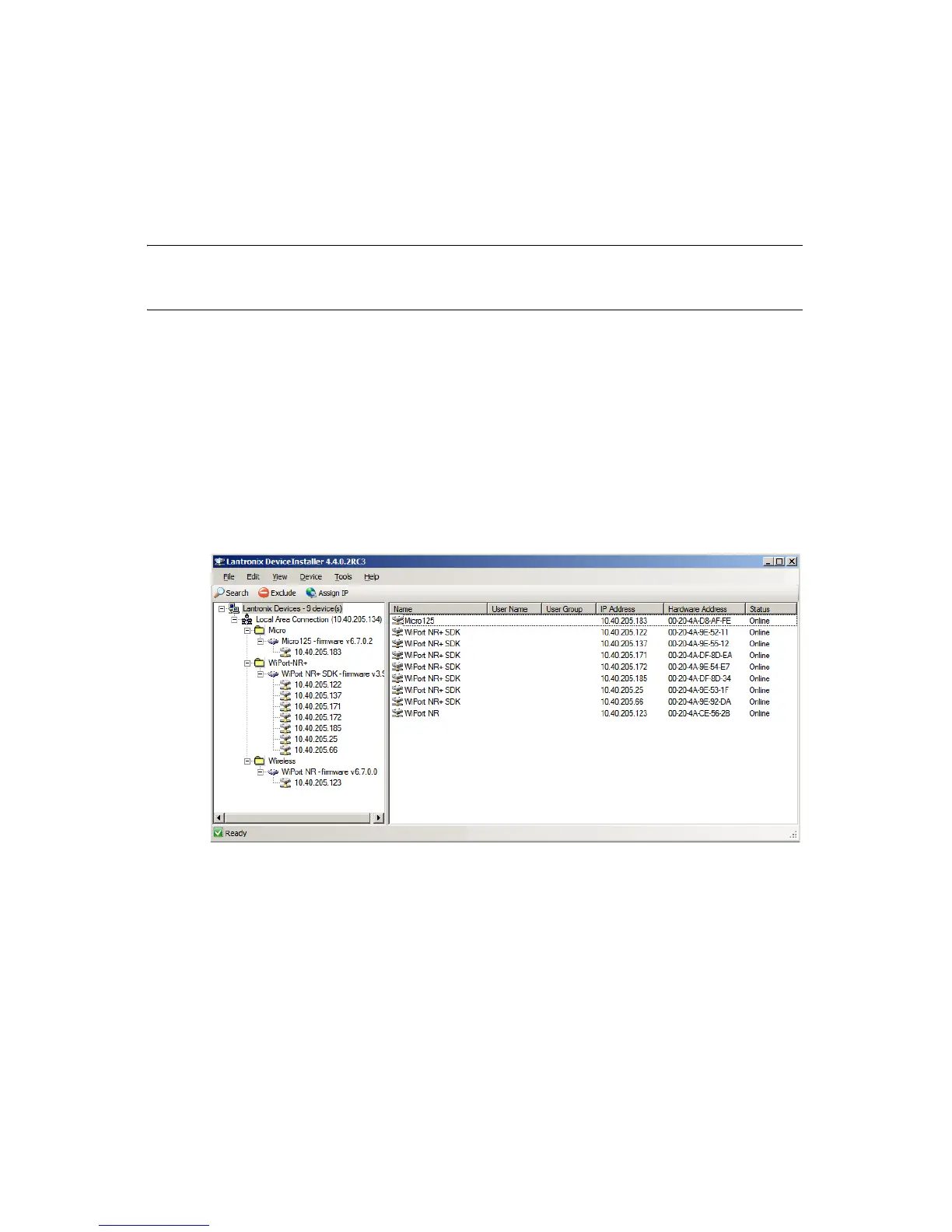
4. When DeviceInstaller launches, the utility automatically searches for
all S321-IP controllers on the network and lists them in the right pane.
5. Locate the S321-IP controller’s MAC address under the Hardware
Address column.
6. Once you locate a match, use the IP address assigned to the controller
when logging on to the S321-IP controller’s user interface.







 To Next Page