V Range 502 l 652 l 802 Maintenance Manual
MA6:6
Chapter - Wearing Items
M02MA-034
A
B
D
G
E
C
F
H
M02MA-035
Plastic Disposable StockReplaceable Segment
F1 F2 F3
F4
F4 F1 F2 F3
F4
F4
Channel Brush
Removal
Loosen nuts securing brush stock assembly drive plate.
Remove via key hole slot.
Refitting
Reverse of removal procedure. Any loops of steel tines which project above the head of the stock
should be hammered flush before offering up brush stock assembly to driving plate.
Wide Sweep Brush
Wide Sweep Core Assembly - Brush Fills
There are two types of brush fills:
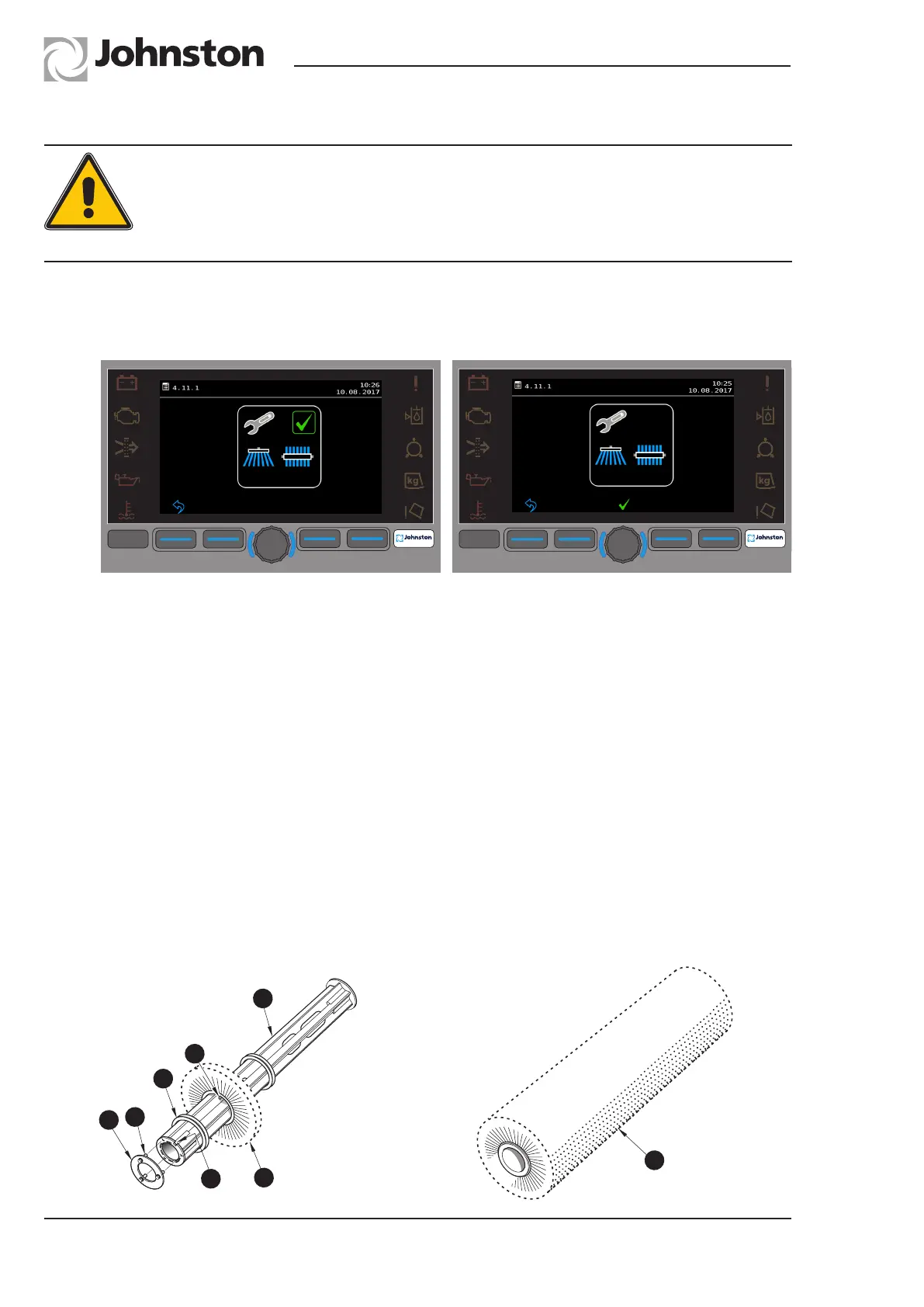
Menu 4.1.11 - Channel and W.S.B. Removal
Channel Brush and Wide Sweep Brush
Removal
It is preferable to have brushes in working position with auxiliary engine stopped. Use JVM menu
4.1.11 to position brush, then loosen nuts securing brush stock assembly drive plate.
Remove via key hole slot.
CAUTION:
The use of needle stick gloves is recommended when working with this equipment.
Ensure the auxiliary engine is not running and isolated before brush adjustment or
replacement is attempted.



 To Next Page