V Range 502 l 652 l 802 Maintenance Manual
MA3:6
Chapter - Electrical System
How To Update Control System Software
Step One: Prepare USB Flash Drive
1.1. Obtain the “TMS_SoftwareServicePackage_partnumber_x.zip” from Johnston Customer Service
at: http://www.johnstonsweepers.co.uk/after-sales/software_updates.php
The last digit of the le name will indicate the Software Pack Revision level.
For example: TMS_SoftwareServicePackage_partnumber_C.zip = Revision level C.
1.2. Unzip the le: “TMS_SoftwareServicePackage_partnumber_x.zip”
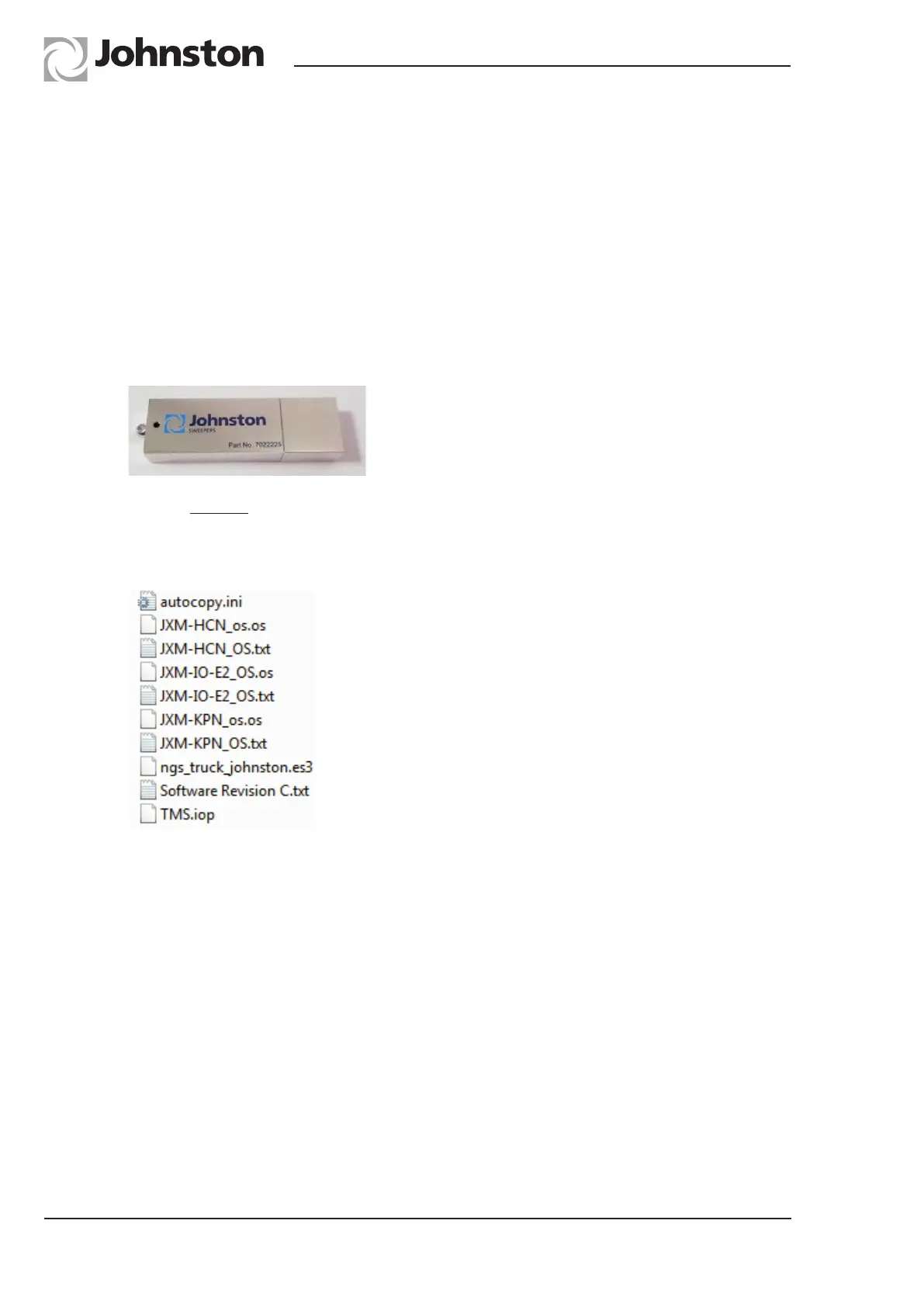
1.3. Erase ALL data contained on the USB Flash drive (Part No: 7022225) see below.
1.4. Add the contents of the folder “TMS_SoftwareServicePackage_partnumber_x.zip” to the USB
ash drive.
1.5. Check to ensure that the USB ash drive le structure is identical to the image shown below.



 To Next Page