V Range 502 l 652 l 802 Maintenance Manual
MA8:10
Chapter - Fault Diagnosis
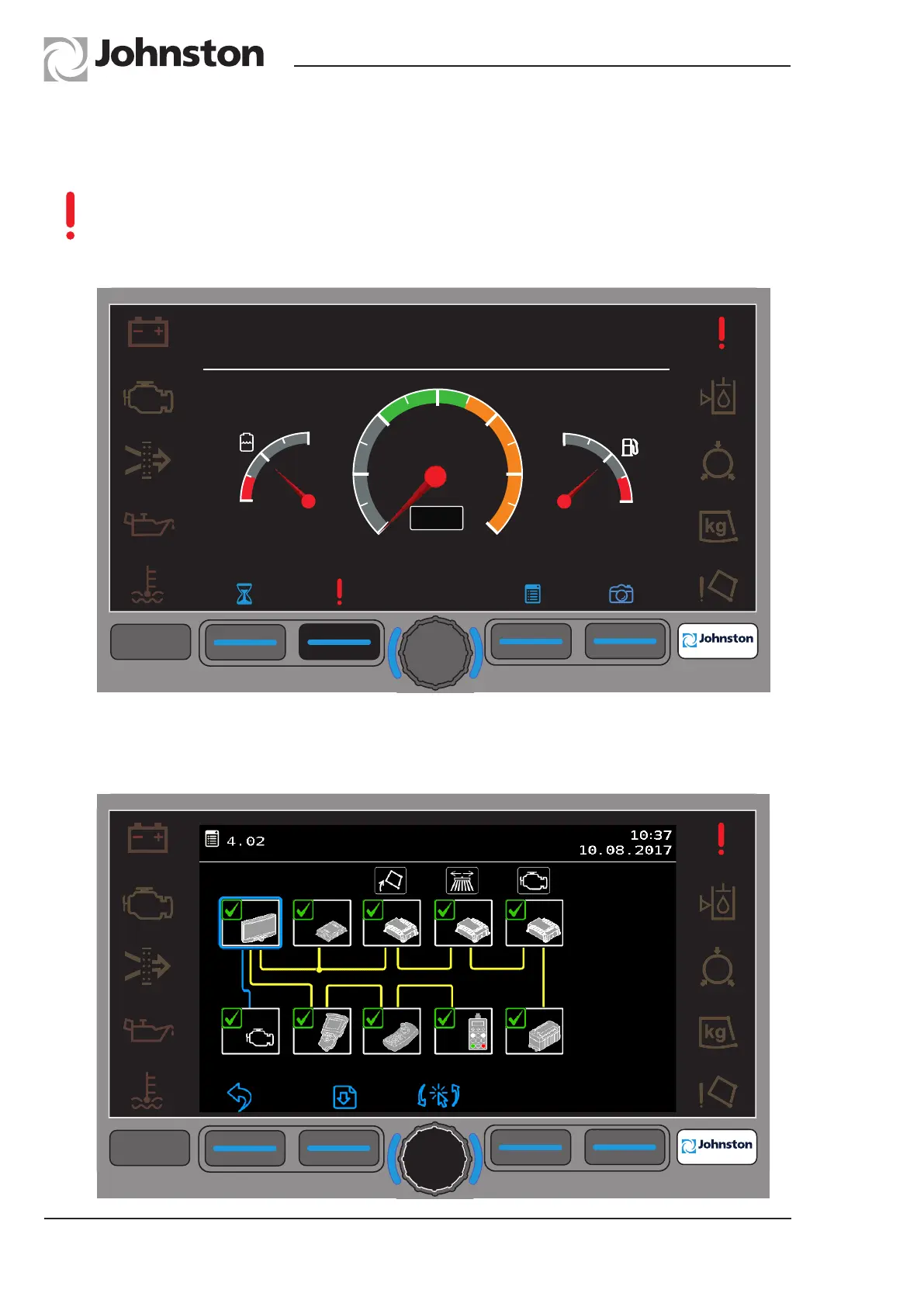
Should a fault occur in any of the equipment operating systems the fault icon (!) is
displayed over soft key F2.
Selecting F2 automatically opens Menu 4.2 (CANbus Network) which highlights the
location of the affected Node.
Menu 4.2 - CANbus Network Faults
Rotate the encoder to highlight the indicated area (Powapak).
Press the encoder to display the fault.
F1 F2 F3
F4
F4
09:45
20.01.2016
4.2
JVM Emergency Codes
F1
F3
F4
F4
8
10
12
14
16
18
20
n/min
0
1
½
1
0
0
1
½
09:45
20.01.2016
F2
JOHNSTON VISUAL MODULE (JVM)



 To Next Page