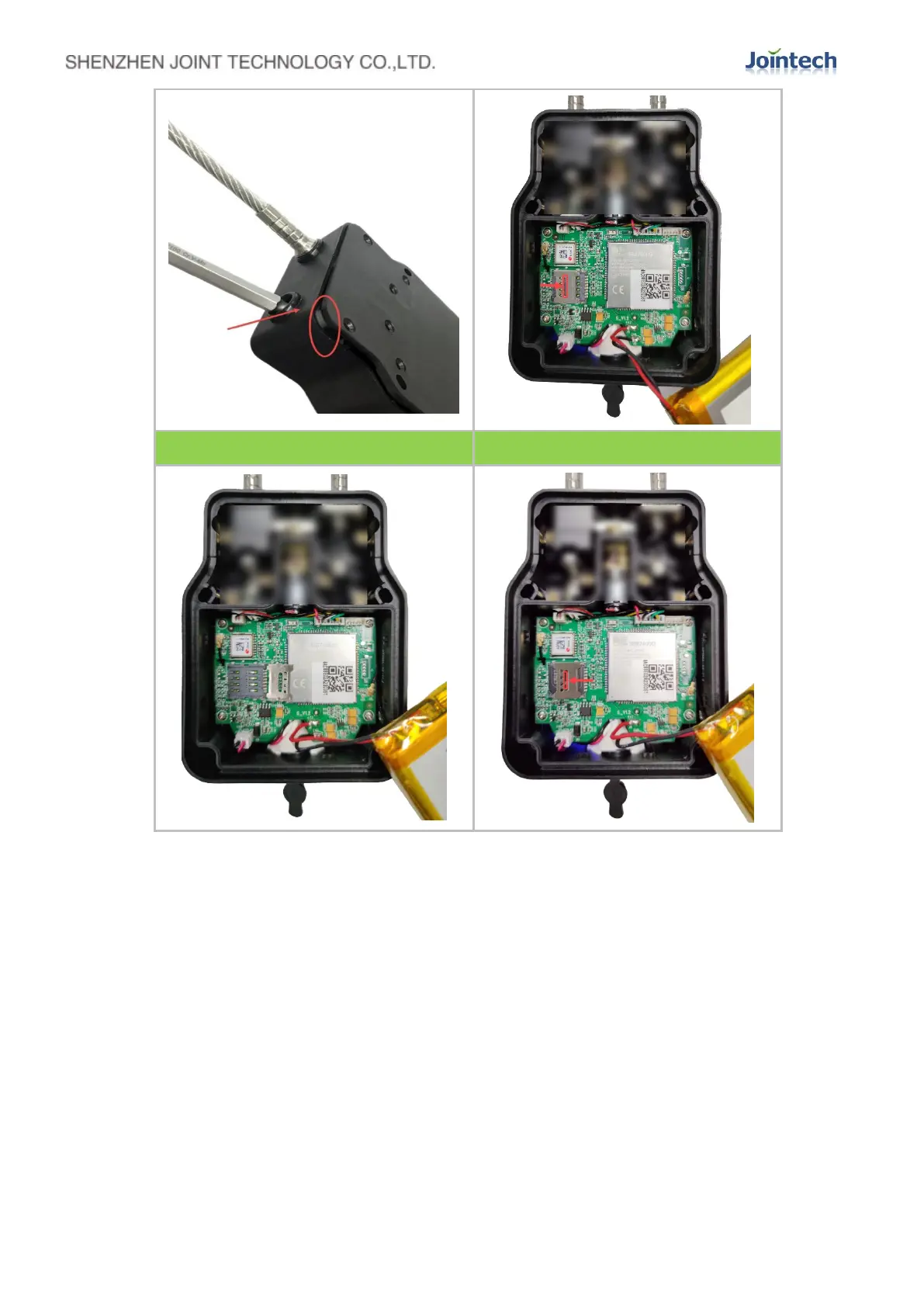
① Tear off the entire back cover rubber shockproof pad
② Use a special hexagonal screwdriver to remove the 8 screws on the back cover
③ Use a flat-blade screwdriver to insert into the lock hole, push it toward the back cover, open
the gap of the back cover, and pry open the back cover with a screwdriver
④ Press the left end of the metal cover with your fingers (or the place where your thumb nail is
embedded in the middle ring frame of the metal cover), and push the metal cover to the
right;
⑤Open the metal cover of the SIM card slot
⑥Place the SIM card in the SIM card slot, press the metal cover, and push the metal cover to
the left until the SIM card is stabilized.The SIM card is mounted.
In the end,Install and restore all disassembled parts.


 To Next Page