30 / 41
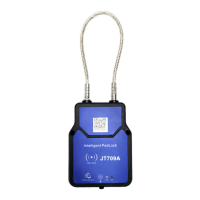
If there is no sound prompt on the JT709A device, check whether it is in deep sleep mode or whether the
battery is exhausted, and please charge battery of the device in time.
Lock
Under normal circumstances, after the cable is pulled out, insert the pull-out end of the cable into the bottom
of the lock hole. When the device detects that the cable is inserted, it will automatically lock.
Normal locking steps:
Insert the cable into the lock hole to the end;
Keep the cable at the bottom of the lock hole until the buzzer ends;
Pull out the cable. If the cable cannot be pulled out, it is confirmed that it is normally locked.
Wrong lock operation:
If the cable is inserted halfway into the lock hole and does not reach the bottom, or the buzzer has not sounded
or the sound has not ended, quickly pull out the cable;
Wrong locking may cause the motor to be locked, and the cable is not locked. You need to unlock the lock before
re-operating.
SMS Related Configuration
Refer to section <Manage device setting in “Joint MO” app>
Configure VIP phone numbers to receive command response or
alert message


 To Next Page