15
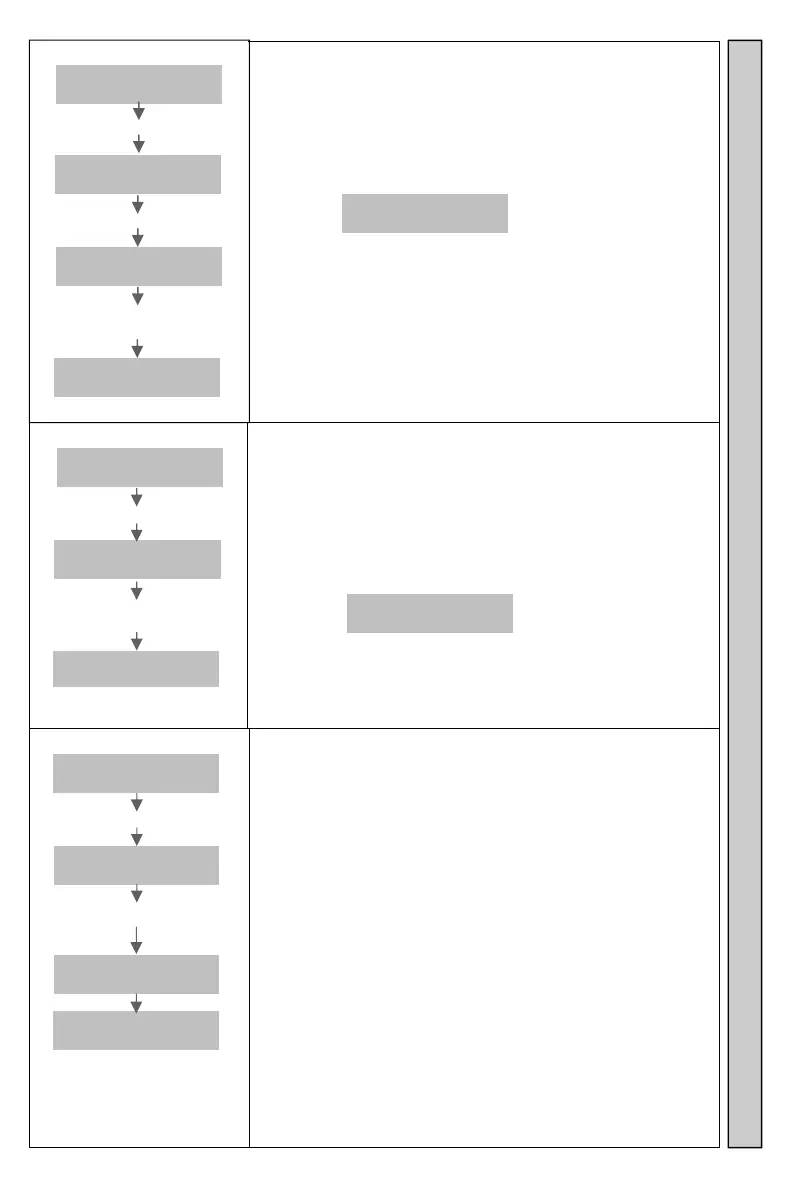
Display Group?
Enter
Pager #
Enter **1234*********#
Which
Group? GG
Enter Group GG
Group GG
NNNN TTT
Enter # for Next Pager
Enter 0 for previous Pager
End of
Group
Display Pagers in a Dynamic Group.
Displays Pagers of a specific Dynamic Group.
To view next Pager in the Dynamic Group, press #
again.
After last Pager is displayed, pressing # will show:
End of
Group
Press 0 to view previous Pager in the Dynamic Group.
To Exit, press * button.
GG=Pager Group
NNNN=Pager Number
TTT=Type Of Pager
Active Groups?
Enter
Pager #
Enter **1234*********#
Active
Group? GG
Enter # view next
Enter 0 view previous
End of
Group
Display Dynamic groups in use.
Used to display all Dynamic Groups that have been
created.
To view next Group in the active Dynamic Groups,
press # again.
After last Group is displayed, pressing # will show:
End of
Group
Press 0 to view previous Dynamic Group.
To Exit, press * button.
Power Level?
Enter
Pager #
Enter **1234*************#
RF POWER
1mn>5MxY
Enter Y
RF POWER
1mn>5MxY
JTECHuhf
Ver V.VV
Changes Transmitter Power Output.
Changes the output power level of the Transmitter.
Settings are 1-5. Factory default setting is 5 (maximum).
Used to increase/reduce signal output, limiting Transmitter
range.
See Out Of Range for more information.
1 = Minimum = Approx 0.1 watt
2 = Approx 0.4 watt
3 = Approx 0.8watt
4 = Approx 1.4watt
5 = Maximum = 2.0watt
Range may vary depending on installation.
See installation for more information.
V.VV = JTECH Software Version displays at reset.
Y = Output Power Level
Power Level Active Groups Display Groups


 To Next Page