23
7. CHECKING PATTERN SHAPE
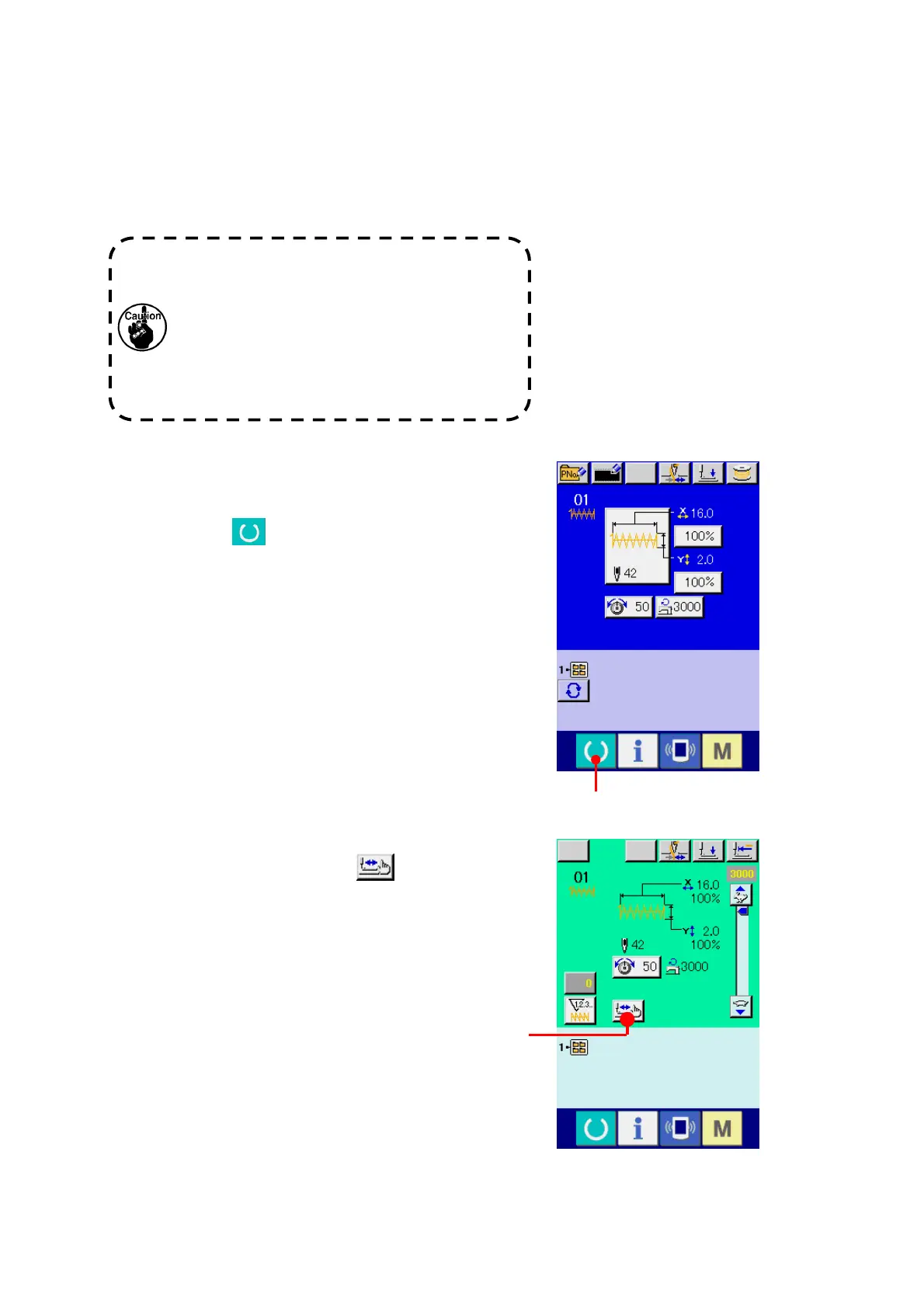
① Display the sewing screen.
Display the data input screen (blue) and press
READY key
(A). Then the back-light of
LCD changes to green and sewing is possible.
② Display the step sewing screen.
When STEP SEWING button
(B) is
pressed, the step sewing screen is displayed.
Make sure without fail of the contour of the
sewing pattern after selection of the sewing
pattern. If the sewing pattern extends outside
the work clamp feet, the needle will interfere with
the work clamp feet during sewing, causing
dangerous troubles including needle breakage.
A
B



 To Next Page
 Loading...