51
17. CHANGING CONTENTS OF PATTERN BUTTON
①
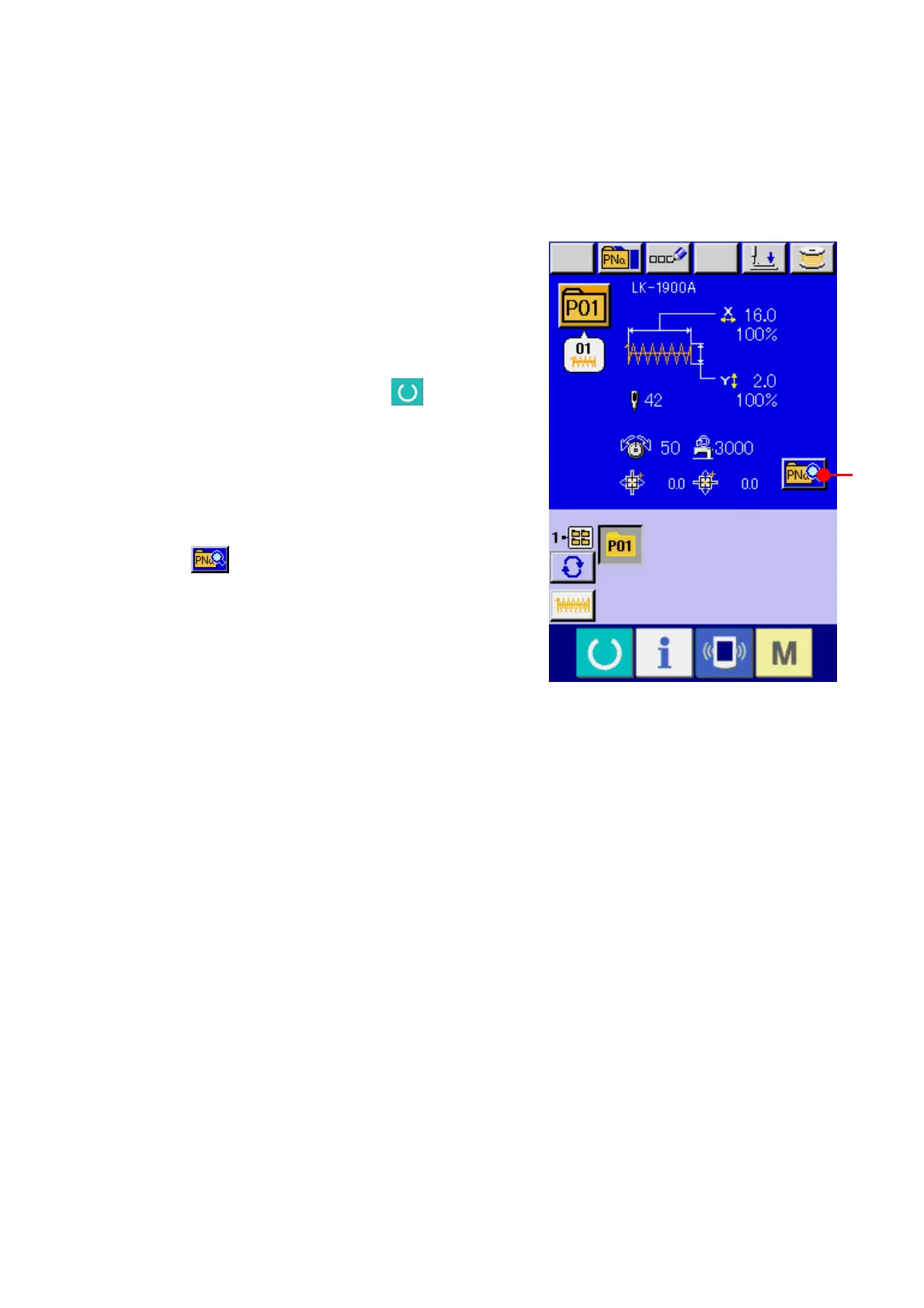
Display the data input screen at the time of
pattern button selection.
Only in case of the data input screen (blue) at the
time of pattern selection, it is possible to change
the contents of pattern. In case of the sewing
screen (green), press READY key
to display
the data input screen at the time of the pattern
button selection.
② Display the pattern button data change screen.
When PATTERN BUTTON DATA CHANGE
button
(A) is pressed, the pattern button
data change screen is displayed.



 To Next Page
 Loading...