18
Adjusting the system parameters
To access Parameters Adjustment Menu:
(Within 5 seconds after turning the LCD
controller On)
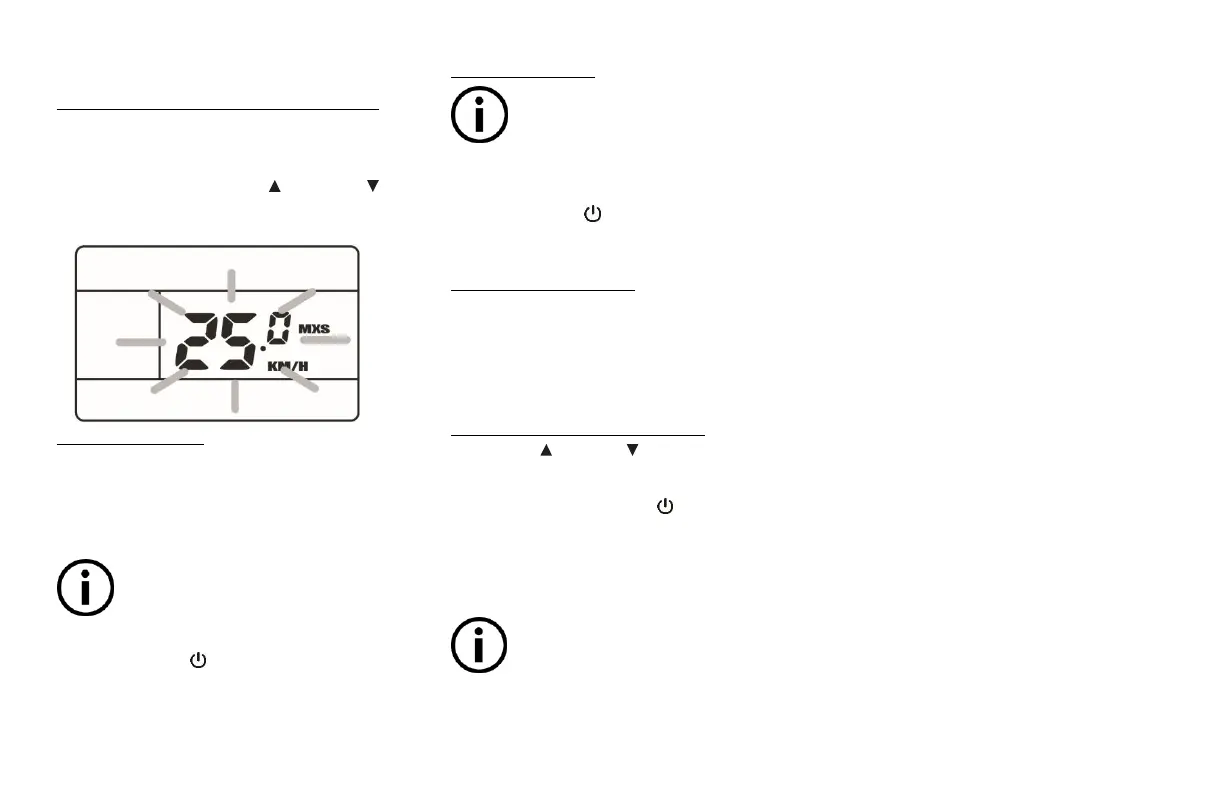
Press and hold both the Up and Down
buttons for 2 seconds to access the first
parameter menu: Maximum speed
1. Maximum speed
This is the system’s cut-off speed limit.
When this speed value is reached when
riding, the motor will stop providing
power assistance.
The maximum speed value has been
set at the factory according to the
Country, State or Province your bike
has been distributed.
Press the Power button to proceed to
the next parameter (Wheel diameter)
2. Wheel diameter
The wheel diameter value has been set
at the factory according to your bike’s
specific configuration. Do not modify
the default value of this parameter. Proceed to the
next parameter.
Press the Power button to proceed to
the next parameter (Speed/Distance unit)
3. Speed / Distance unit
The unit used to measure and display
speed and distance on the LCD screen can
be adjusted to the user’s preference in
between Metric (KM/H – KM) and
Imperial (MPH – Mil) standards.
To set the speed / distance unit:
Use the Up or Down button to set the
desired value while it is flicking.
Press and hold the Power button for 2
seconds to exit the Parameters
Adjustment Menu.
Parameters adjustment mode quits
automatically when there is no input
given to the controller for 1 minute.


 To Next Page