
 Need help?
Do you have a question about the Junction Powertrail and is the answer not in the manual?
Guidelines for storing the bicycle battery to prevent damage from temperature extremes.
Step-by-step instructions for connecting and charging the bicycle battery.
Procedure to power on the electric assist system, including battery and controller activation.
How to adjust the power assistance level using the LCD controller for optimal riding.
Instructions on how to safely begin riding the bicycle after turning on the system.
Overview of the charger unit and its constituent parts.
Overview of the battery unit and its constituent parts.
Overview of the motor unit and its constituent parts.
Overview of the LCD controller unit and its constituent parts.
Key features and functions of the charger unit.
Key features and functions of the battery unit.
Key features and functions of the motor unit.
Key features and functions of the LCD controller unit.
Key features and functions of the sensor unit.
Technical specifications for the bicycle's battery, including voltage and capacity.
Technical specifications for the bicycle's motor unit, including power rating.
Important precautions and guidelines for safely handling and operating the power assisted bicycle.
Guidance on selecting appropriate power assistance levels for different riding situations.
Description of Level 0 power assistance, providing no motor support.
Description of Level 1 power assistance for low-resistance riding.
Description of Mode 2 power assistance for slightly higher steady speeds.
Description of Level 3 power assistance for variable inclines.
Description of Level 4 power assistance for steep inclines and headwinds.
Description of Level 5 power assistance for maximum hill climbing assistance.
Explanation of the Walk Mode for assisting the rider while walking the bicycle.
Instructions on how to activate the Walk Mode feature on the bicycle.
Recommendations for mounting the LCD controller on the handlebar for optimal visibility.
Explanation of the various icons displayed on the LCD screen.
Description of the functions of each button on the LCD controller.
Key commands and operations for the LCD controller, including power and mode changes.
Setting the system's cut-off speed limit for motor assistance.
Information on the wheel diameter setting for system calibration.
How to change between metric and imperial units for speed and distance display.
Guidelines on professional servicing and maintenance for the power assist system.
Essential practices for maintaining the battery's health and lifespan.
Proper methods for cleaning the bicycle while protecting the electronic components.
Guidance on the environmentally responsible disposal of system components.
Specific battery care instructions for storing the bicycle for extended periods.
Recommended conditions for storing the bicycle and its battery to prevent damage.
Identification of error codes displayed on the LCD and their meanings.
Causes and solutions for stiff pedaling, possibly related to tire pressure or system status.
Troubleshooting steps for when the pedal assist system fails to engage.
Diagnosing and resolving issues with rapid battery discharge.
Steps to take if the battery fails to charge properly.
Immediate actions and safety precautions if the battery emits odor, smoke, or fluid.
Troubleshooting steps if the LCD controller fails to power on.
Addressing issues related to shorter than expected riding range per battery charge.
 General
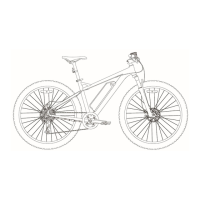
| Frame | Aluminum |
|---|---|
| Fork | 100mm travel |
| Brakes | Shimano MT200 hydraulic disc |
| Tires | 29x2.25" |
| Gears | Shimano Deore |

 To Next Page
