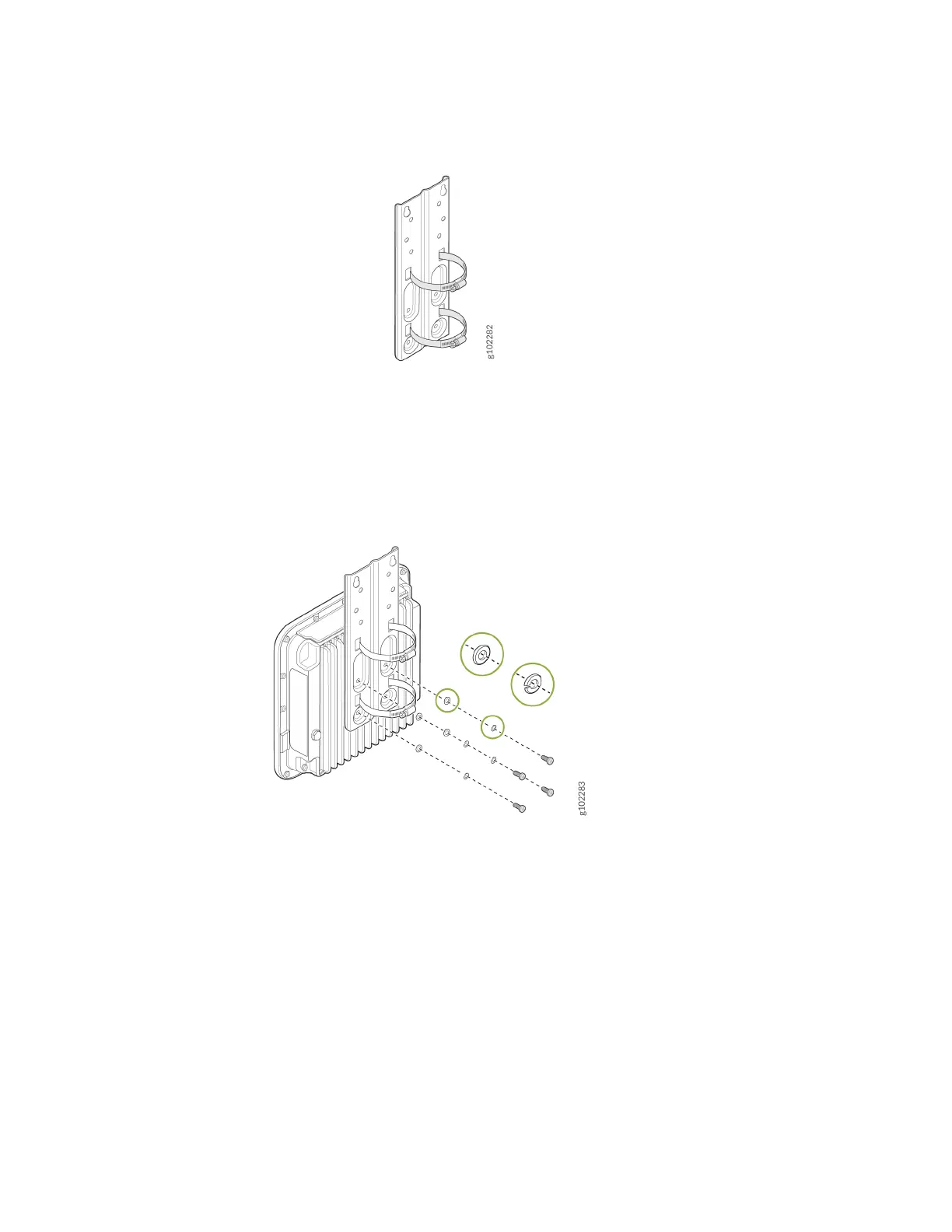
Figure 7: Aach Hose Clamps to the APOUTBR-FM Flush Mount Bracket
2. Aach the APOUTBR-FM ush mount bracket to the AP by using the four screws, washers, and lock
washers provided along with the AP.
Figure 8: Aach the APOUTBR-FM Flush Mount Bracket to an AP64
3. Mount the AP on the pole. Wind the open end of the hose clamps around the pole and ghten the
hose clamp screws by using a screwdriver. Tighten the screws unl the AP and bracket assembly are
secured in place.
15



 To Next Page