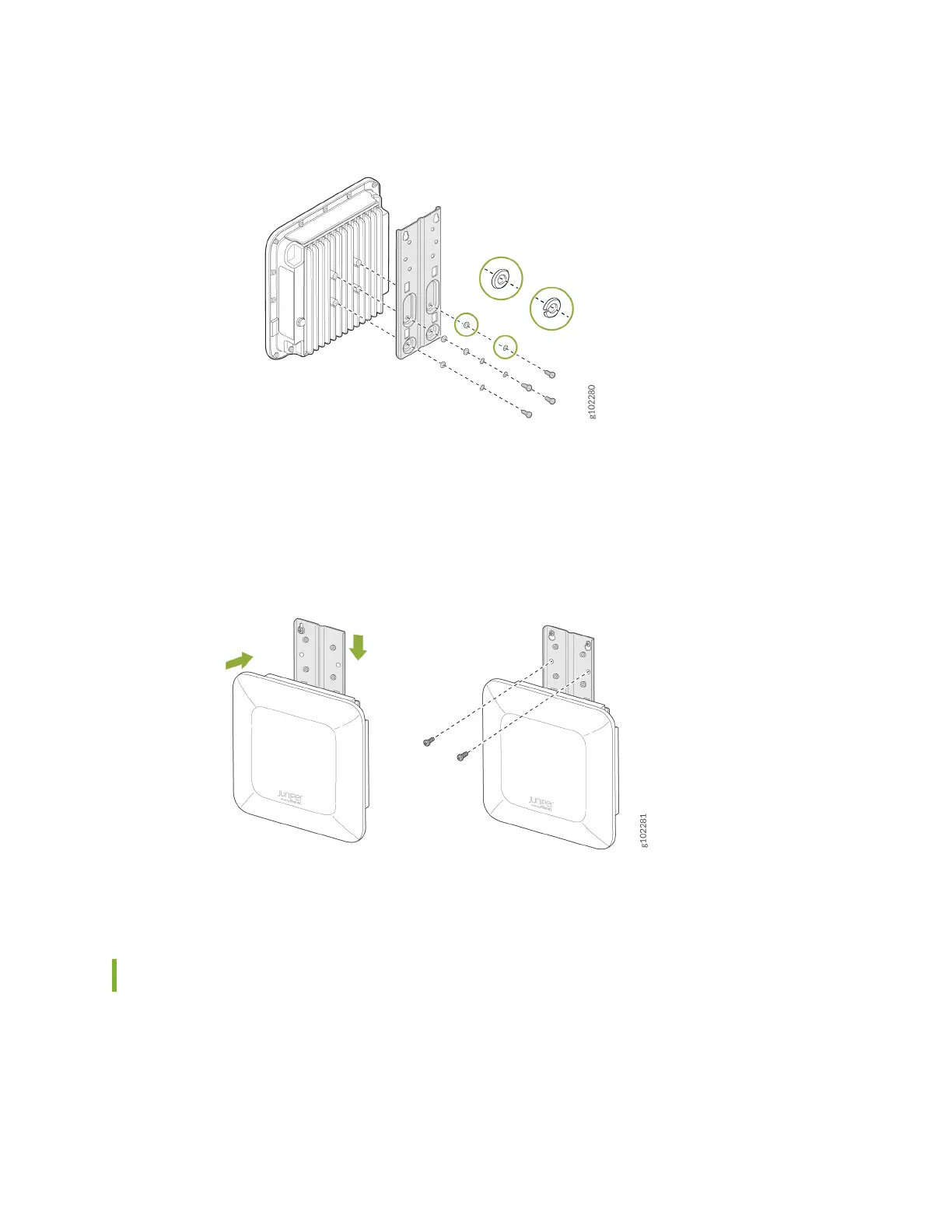
Figure 5: Aach the APOUTBR-FM Flush Mount Bracket to an AP64
4. Posion the AP such that the two screws that you inserted in Step 1 t into the holes in the bracket.
Slide the AP downward so that the screws lock in place.
Figure 6: Mount an AP64 on a Wall (Flush Mount)
5. Insert the other two screws and then ghten all the four screws.
Mount the AP64 on a Pole Using APOUTBR-FM (Flush Mount)
To ush mount the AP64 on a pole:
1. Aach the hose clamps to the APOUTBR-FM ush mount bracket. Use a screwdriver to release the
hose clamps and then pass the hose clamps through the slots in the ush mount bracket.
14



 To Next Page