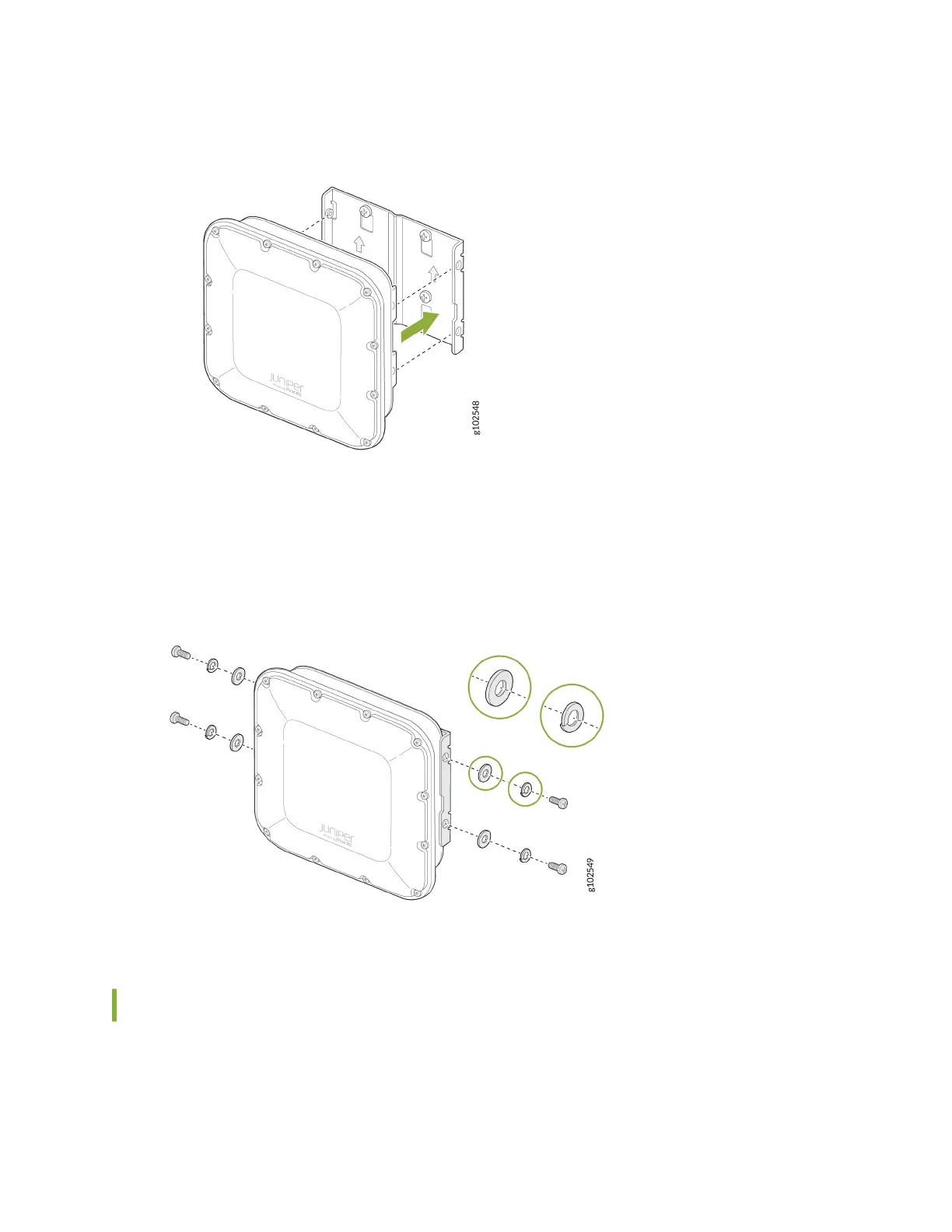
Figure 11: Aach the AP64 to the APOUTBR-FM2
4. Secure the AP64 by using the four M6 screws, washers, and lock washers provided along with the
AP.
Figure 12: Mount the AP64 on a Wall (Flush Mount)
Mount the AP64 on a Pole Using APOUTBR-FM2 (Flush Mount)
To ush mount the AP64 on a pole:
1. Aach the hose clamps to the APOUTBR-FM2 mounng bracket. Use a screwdriver to release the
hose clamps and then pass the hose clamps through the slots in the ush mount bracket.
17



 To Next Page