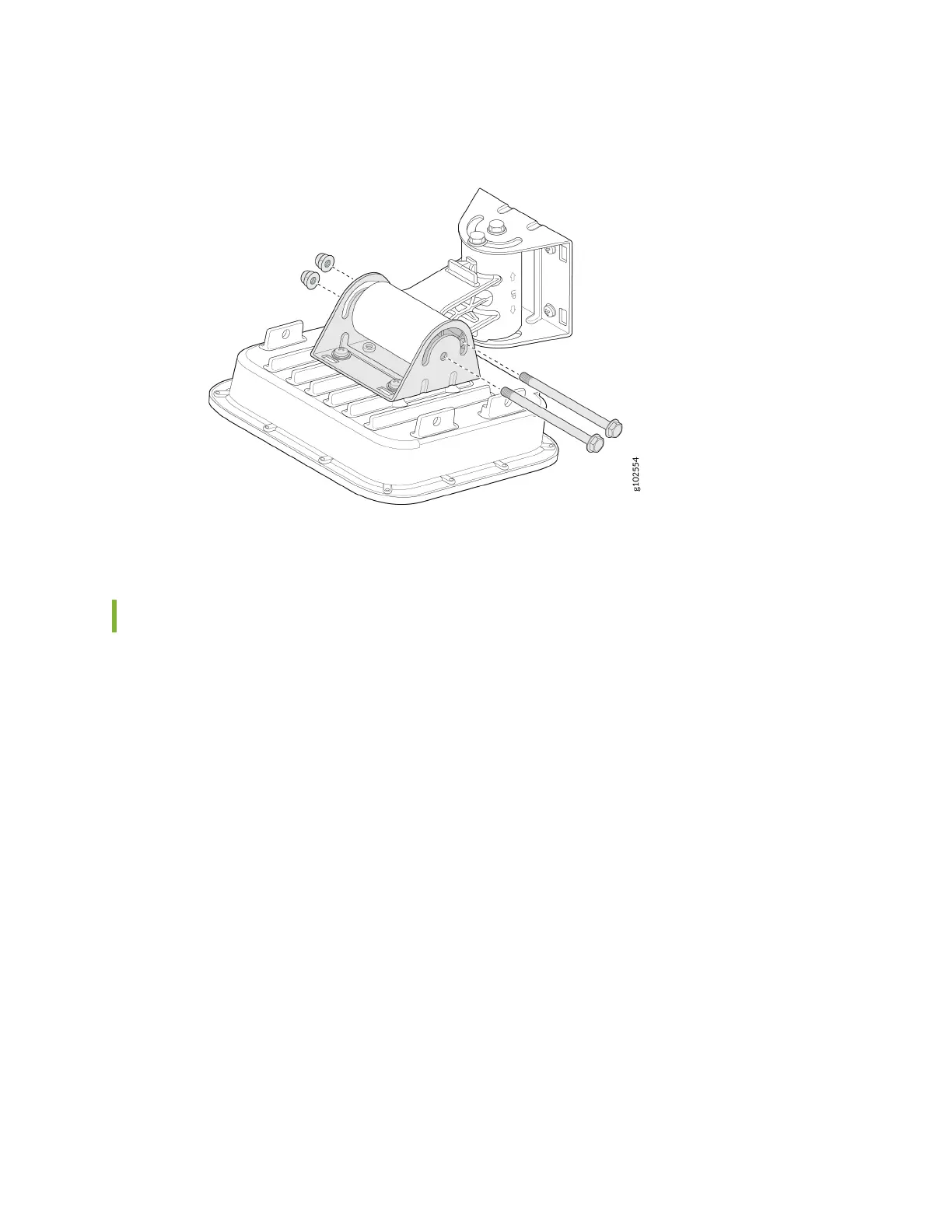
Figure 20: Mount the AP64 on a Wall (Arculang Mount)
Mount the AP64 on a Pole (Arculang Mount)
To mount the AP64 on a wall using the arculang mount bracket:
1. Aach the hose clamps to the APOUTBR-ART2 mounng bracket 1. Use a screwdriver to release the
hose clamps and then pass the hose clamps through the slots on the bracket.
2. Aach the APOUTBR-ART2 mounng bracket 1 to the pole. Wind the open end of the hose clamps
around the pole and ghten the hose clamp screws by using a screwdriver. Tighten the screws unl
the bracket is secured in place.
22



 To Next Page