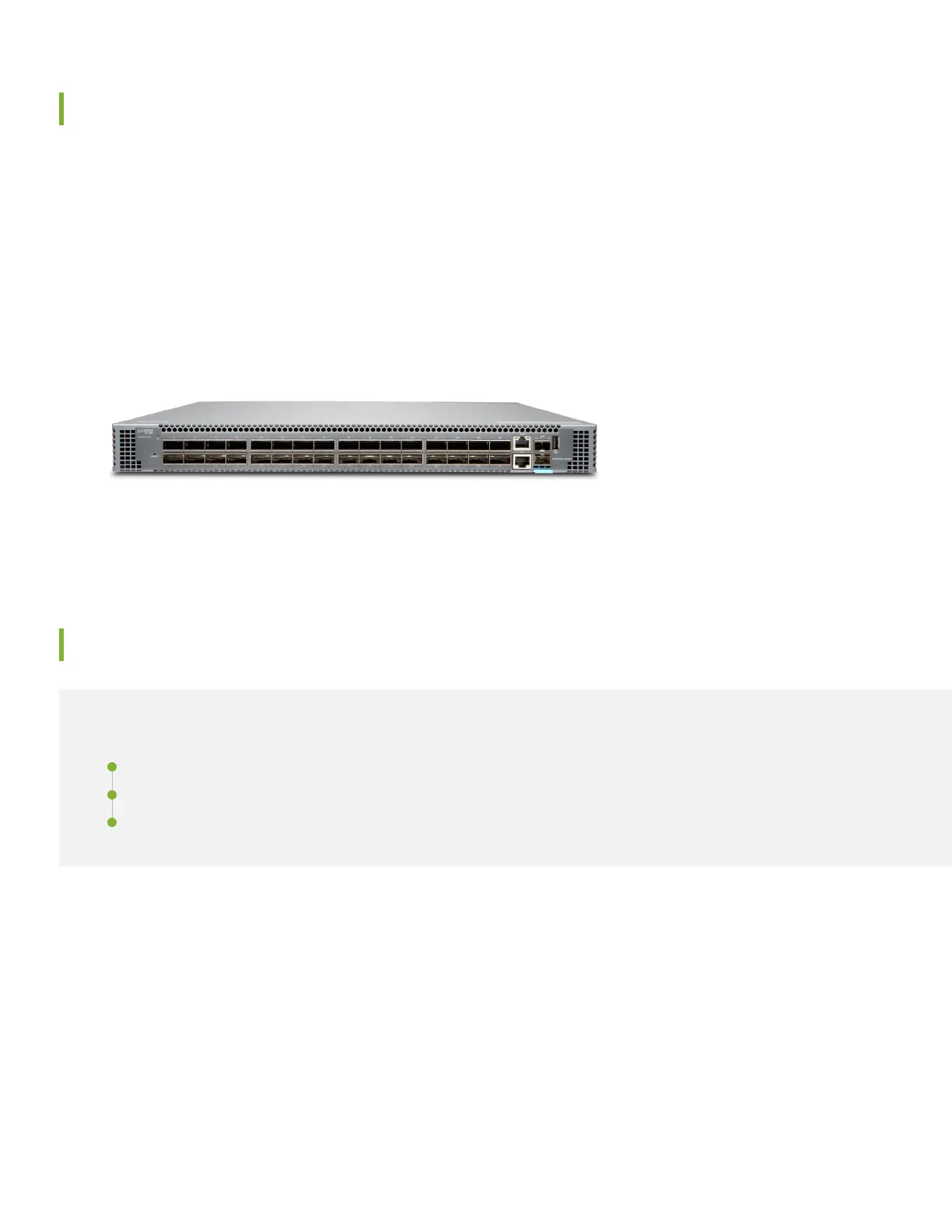
Meet the QFX5120-32C Ethernet Switch
The Juniper Networks
®
QFX5120-32C is a compact, 1-U fixed configuration switch with 32 100GbE or 40GbE QSFP28
ports, making it ideal for data centers that require top-of-rack and spine-and-leaf deployments. You can also use the
QFX5120-32C for high-density server connectivity, with options to channelize the QSFP28 ports. Along with 32 QSFP28
ports, the QFX5120-32C has two SFP+ ports, an RJ-45 management port, an RJ-45 console port, and a USB port. Dual
hot-swappable AC or DC power supplies provide 1+1 redundancy. Six hot-swappable fan trays with N+1 redundancy
maintain high system availability.
The QFX5120 supports many network automation features and plug-and-play features, including zero-touch provisioning
(ZTP), making it simple to deploy on your network.
In this guide, we show you how to install, power on, and configure the basic settings for an AC-powered QFX5120-32C
switch to get you up and running on the network quickly. There’s a separate Day One+ guide for the QFX5120-48T,
QFX5120-48Y, and QFX5120-48YM switches (see QFX5120 on the Day One+ webpage).
Install the QFX5120-32C
IN THIS SECTION
What's in the Box? | 2
What Else Do I Need? | 3
Install the QFX5120-32C in a Four-Post Rack | 3
What's in the Box?
•
QFX5120-32C switch with six preinstalled fan modules and two preinstalled AC power supplies
•
Two AC power cords appropriate for your geographical location
•
An Ethernet cable
2








 To Next Page