Name and Function of
Parts (Continued)
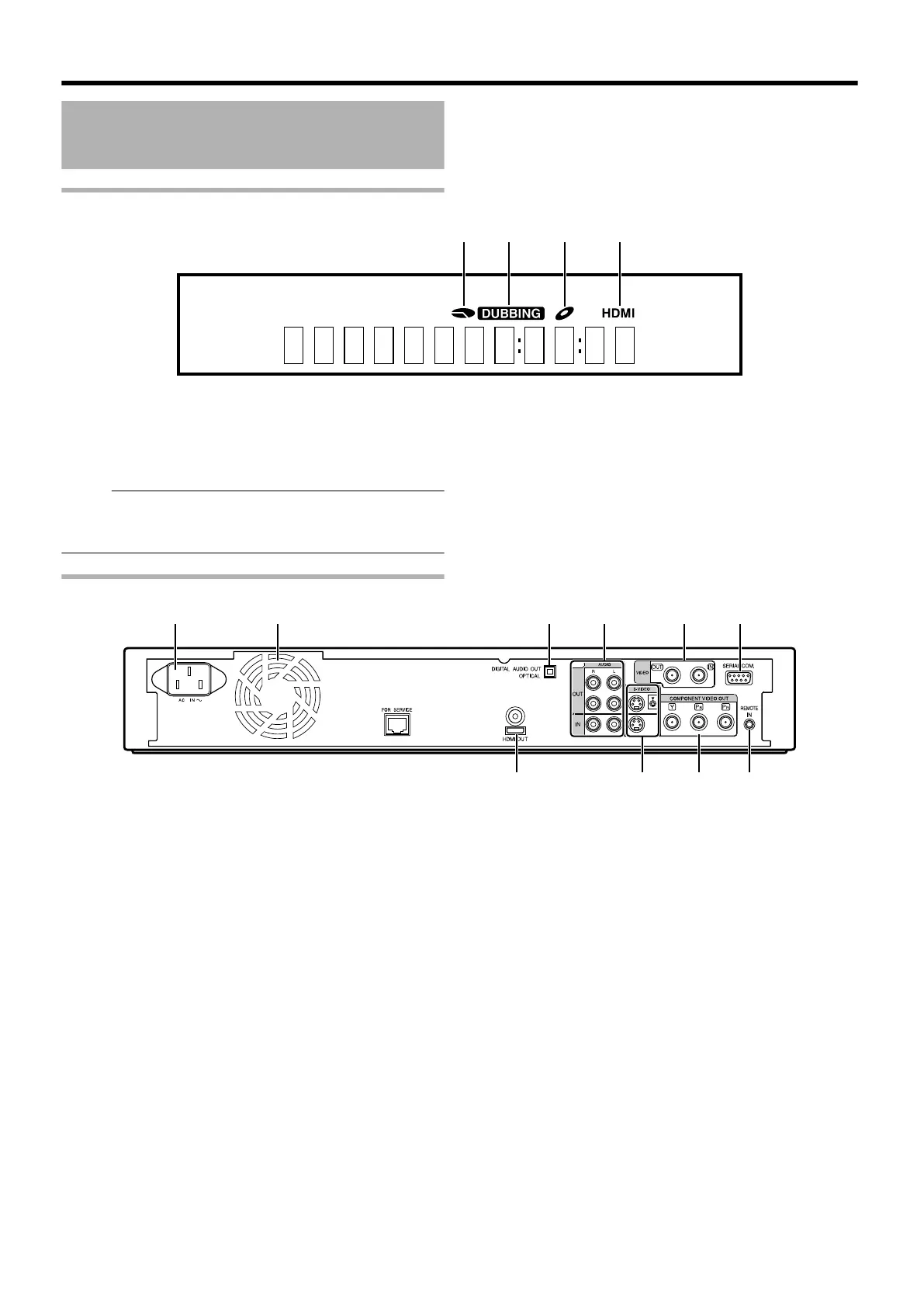
Display window
.
A HDD/DISC remaining level display
B Dubbing display
C Disc status display
D HDMI output display
Memo:
v
The brightness of the display window can be adjusted.
For more details, refer to “PANEL DISPLAY BRIGHTNESS”
(A page 75) .
English messages appear for a number of operations.
(Examples)
HELLO : When the power plug is inserted
READING : When reading the disc
ONSCREEN : Upon moving to the playback navigation
screen
Rear panel
.
A AC inlet
For connecting the power supply.
B Cooling fan
C [DIGITAL AUDIO OUT (OPTICAL)] terminal
For connecting to the amplifier using an optical audio cable.
D [AUDIO OUT/IN] terminals
For connecting using an audio cable.
E [VIDEO OUT/IN] terminals
For connecting using a video cable.
F [SERIAL COM.(RS-232C)] terminal
(only for SR-HD1500)
For connecting to a computer using a serial cable.
G [HDMI] terminal
For connecting using an HDMI cable.
H [S-VIDEO OUT/IN] terminals
For connecting using an S-video cable.
I [COMPONENT VIDEO OUT] terminals
For connecting using a component video cable.
J [REMOTE IN] terminal
For connecting a wired remote control.
Getting Started
14



 To Next Page
 Loading...


