Changing the Disc Name
The name of a BD or DVD disc can be changed as follows.
1
Set the BD or DVD for which the disc name is to
be changed on the disc tray
2
Press the [MEDIA MANAGE] button on the
remote control unit
v
The Media Management menu screen appears.
.
/'&+#/#0#)'/'06
$&&8&
(14/#6
(+0#.+<'
4'0#/'&+5%
5&%#4&
$&8+&'1#'4#5'
*&&
(14/#6
(14/#6
3
Select “RENAME DISC” under “BD/DVD”, and
press the [OK] button
v
A disc name modification screen appears.
.
!CDE
IJKLMNOPQ
RSTUVWX
YZ[\
FGH
2#)'248
2#)'0':6
126+10
1-
4'6740
24'8%*#4#%6'4
0':6%*#4#%6'4
%*#4#%6'46;2'
%.'#4
':+6
/'&+#/#0#)'
5'.'%6
%10(+4/
4'0#/'&+5%
2.'#5'4'0#/'6*'&+5%
4
Modifying the Disc Name
v
The new disc name is now saved.
Memo:
v
For details on the method of character input, refer to
“Entering Characters” (A page 59) .
Changing the Shooting
Date/Time
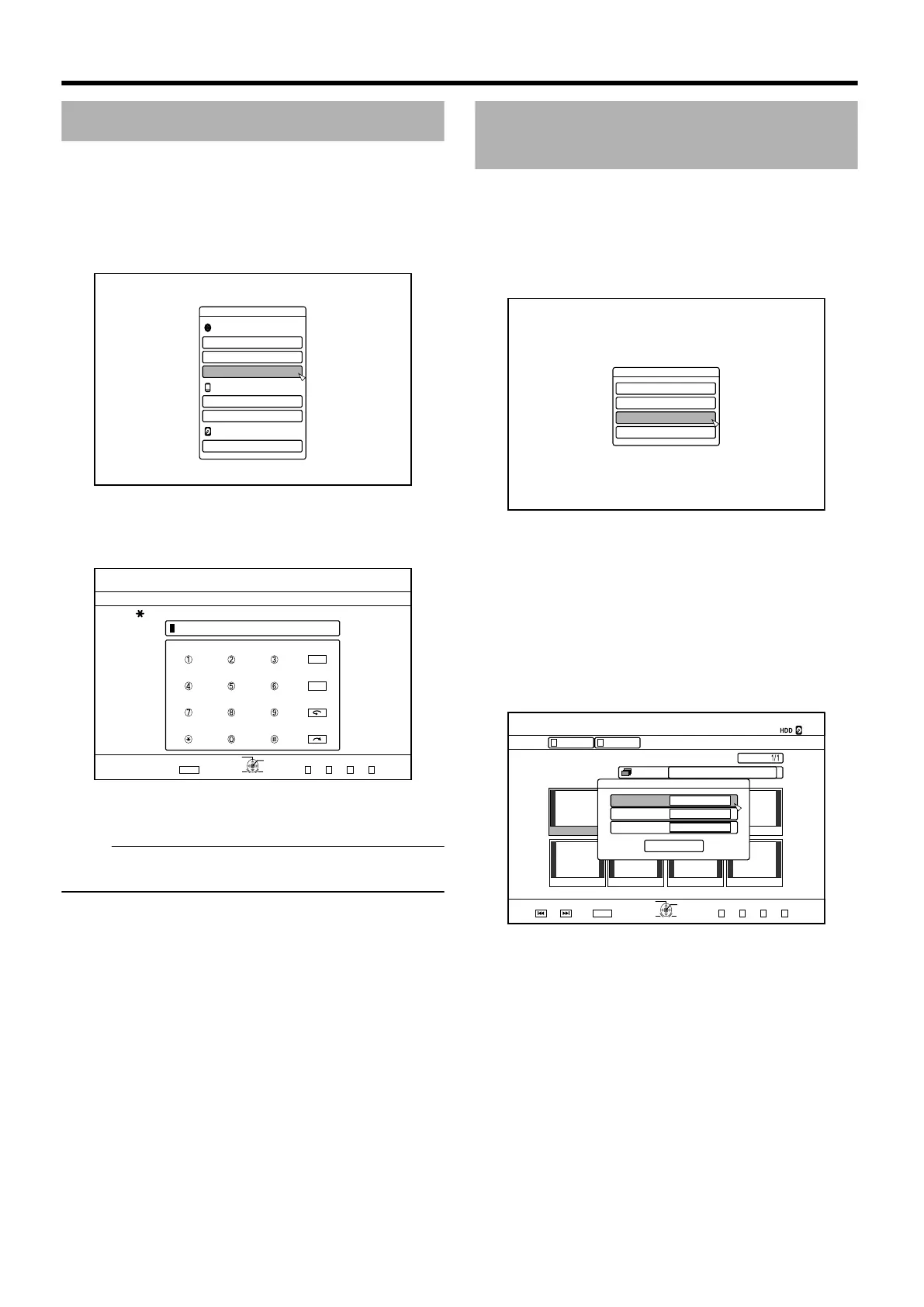
The date/time of the stored video can be changed as follows.
v
The shooting date/time of videos stored on the HDD can be
changed.
1
Press the [INFORMATION CORRECT] button on
the remote control unit
v
An information correct screen appears.
.
+0(14/#6+10%144'%6
/1&+(;6+6.'0#/'
/1&+(;6*7/$0#+.
2416'%6
%*#0)'5*116+0)'6+/'
2
Select “CHANGE SHOOTING DATE/TIME”, and
press the [OK] button
v
A thumbnail screen appears.
3
Select the title for which the shooting date/time
is to be changed, and press the [OK] button
v
The screen for changing the shooting date/time appears.
4
Change the shooting date/time
v
Perform the following steps to change the shooting date/
time.
.
2CIG
+0(1%144'%6
126+10
1-
4'6740
24'82)0':62)
':+6
5'.'%6
)4172
6+6.'
6*7/$0#+.
8+&'12+%674'
4'/#+0
)4172#..
2+%674'.+56
+0(1%144'%6
%*#0)'5*116+0)'6+/'
;'#4
/106*&#;
6+/'
'06'4
,#0
① Use the [ J ] and [ K ] buttons to move the cursor to
the item you want to change
② Press the [OK] button to display the pop-up screen
③ Use the [ J ] and [ K ] buttons to select a desired
value
④ Press the [OK] button to choose the value
⑤ Repeat Steps 1 to 4 to change settings for any
desired items
Editing
72



 To Next Page
 Loading...


