18
ON-SCREEN DISPLAY
–
Regarding on-screen display
–
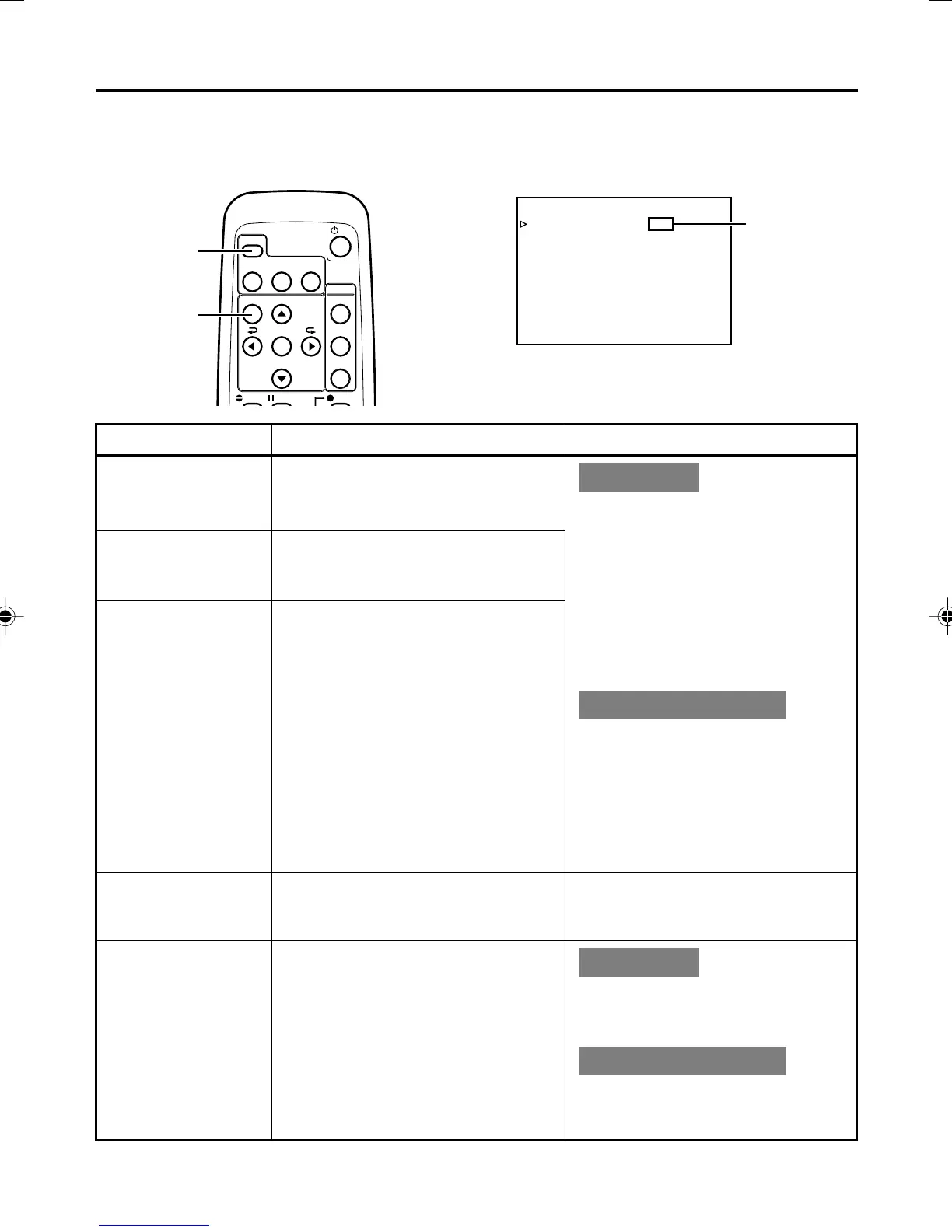
Besides E-E images and playback images, the monitor connected to the VIDEO LINE OUT terminal and Y/
C OUT terminal provides the following on-screen information.
DISPLAY
BARS
MENU SEARCH+
SEARCH–
A.DUB PAUSE
SET
BLANK
STILL
MODE
AUDIO
MUTING
OUT SEL.
OUT LEV.
REC
MENU
button
DISPLAY
button
–––D ISPLAY[1/2]–––
DIPLAY ON
COUNT ER POS I . LO
W
ER - R
TIME CODE ON
VTR MODE ON
TAPE REMA IN OFF
TIME DATE DATE+TM
AUD I O I NFO . CH+RATE
NEXT PAGE
PAGE BACK
Set at ON
or AUTO
Wireless remote controller
DISPLAY (1/2) menu
On-screen display Contents Method
Status display
Event display
Alarm display
It displays the setting status of date/
time, time code and VTR operation
mode.
It displays the operating status of the
blank search, index recording/search,
or the wireless remote control.
It displays alarm messages upon op-
eration errors or if the unit is in a poor
state for operation.
Main unit
Set the DISPLAY item of the DISPLAY
(1/2) menu as follows:
ON : Always display. Depending
on the items, Event and
Alarm displays are shown for
about 3 seconds.
AUTO : It displays for about 4 sec-
onds after switching between
modes.
OFF : No on-screen display.
Remote controller
The display can be turned ON/OFF
with the DISPLAY button. Each time
the DISPLAY button is pressed, the
display mode changes in the follow-
ing sequence: ON (Always display)
¥AUTO ¥ OFF.
*The settings for the DISPLAY menu
items will also change accordingly.
Warning display It displays warning messages with er-
ror codes in the event of VTR anoma-
lies. (
☞
Page 66)
It is displayed automatically when
anomalies happen.
Menu display It displays the menu setting screen.
(
☞
Page 53)
Main unit
If no cassette is loaded and the EJECT
button is pressed for at least 2 sec-
onds, the menu will be displayed.
Remote controller
If the unit is in the STOP mode and
the MENU button is pressed, the menu
screen will be displayed.
BR-DV3000U_p02-49 06.8.24, 2:01 PM18



 To Next Page
 Loading...











