15
Getting Started Preparation Basic Operation Settings Troubleshooting Others
ENGLISH
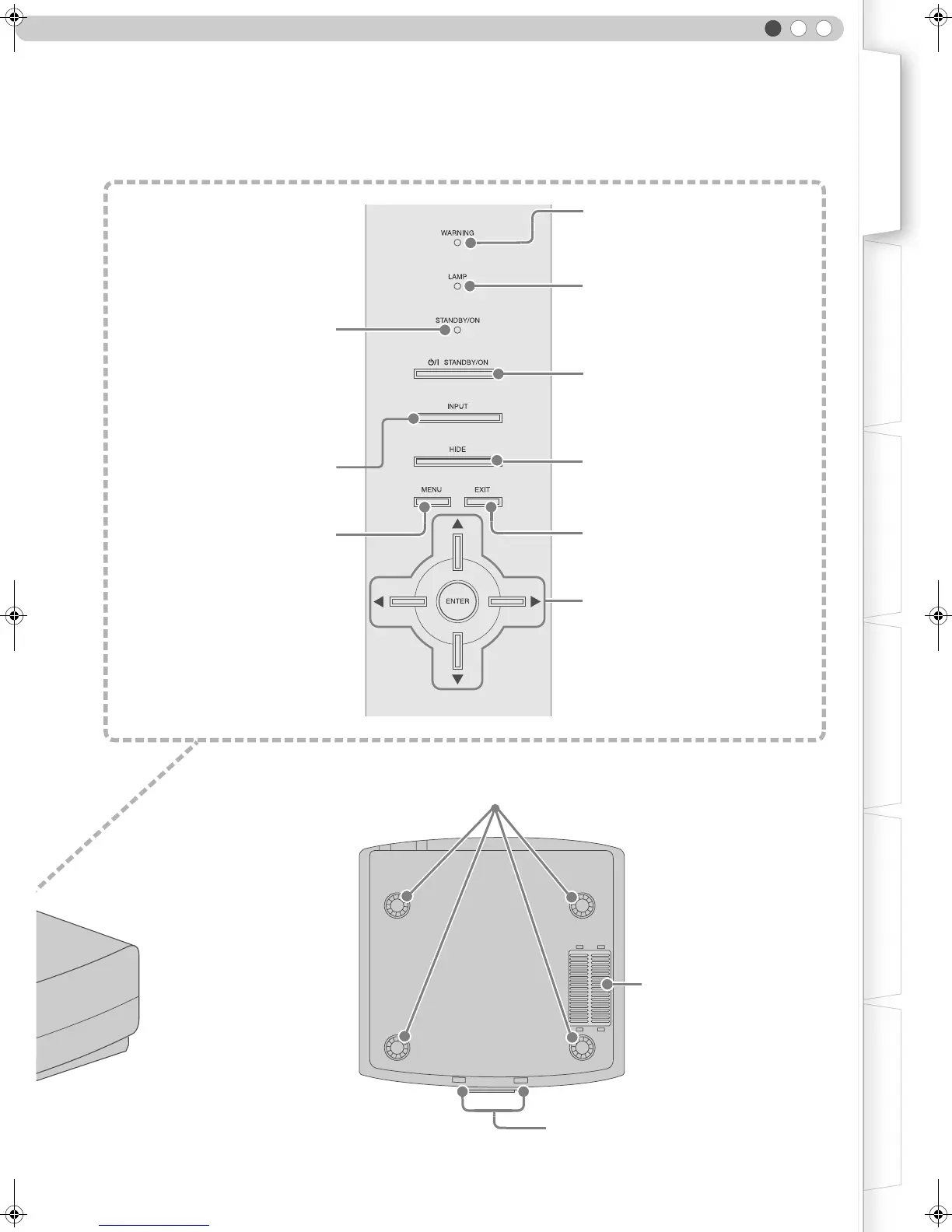
Light on (Red):
Warning mode (pP41)
Light on/Blinking (Orange):
Lamp warning (pP41)
To turn on/off the power
To hide the image temporarily (pP25)
To return to the previous menu
To switch input
(pP24)
To display the menu
(pP28)
Light on (Red):
Standby mode
Light on (Green):
During projection
Blinking (Green):
Image is temporarily hidden
(pP25)
Blinking (Red):
Cool Down mode (pP25)
To select or confirm
Air Inlets/Filter (pP45)
To adjust the position of the image (pP23)
Feet:
The height (0 - 5 mm) can be adjusted by turning the foot.
Bottom Surface
DLA-HD1D_EN.book Page 15 Tuesday, January 30, 2007 2:54 PM



 To Next Page