Installing the Projector and Screen
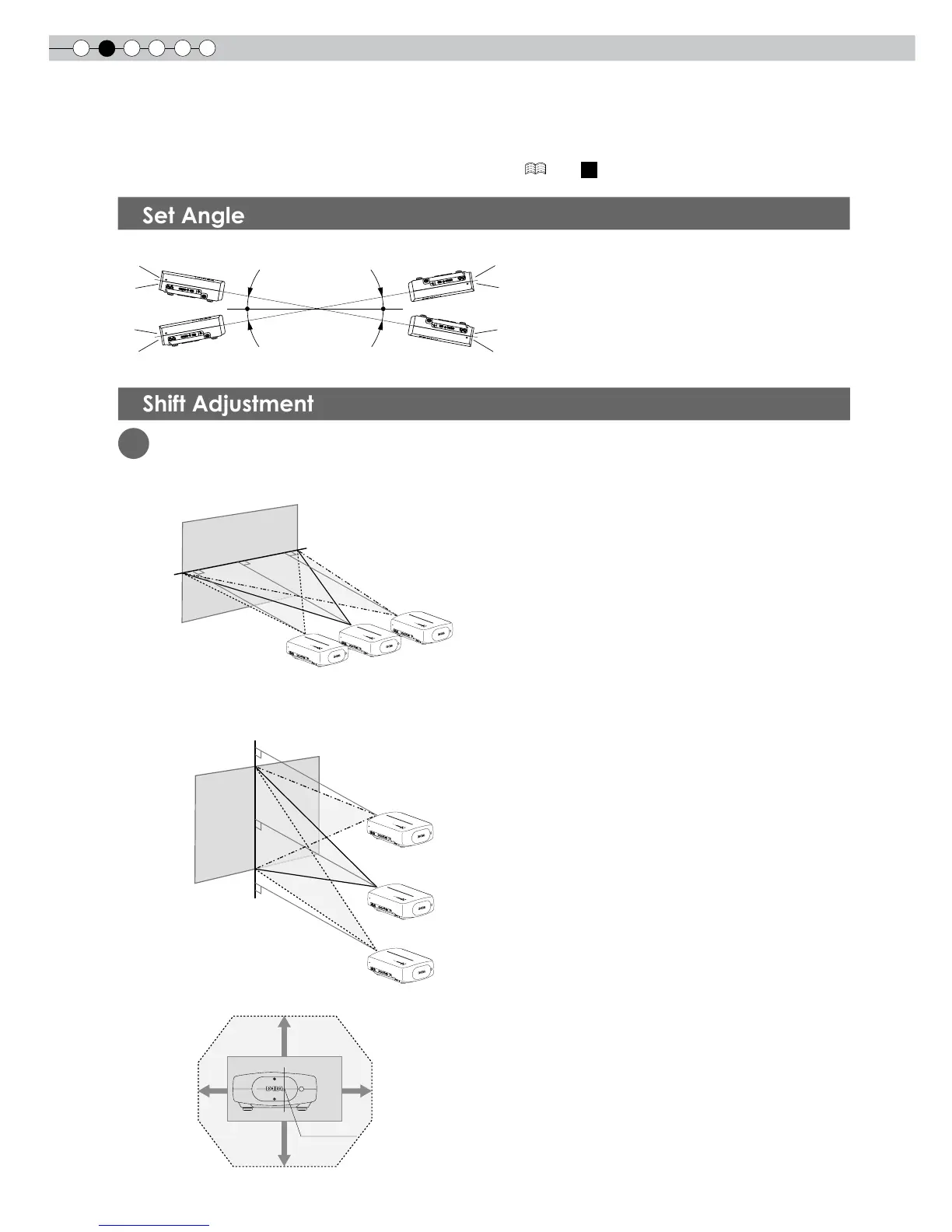
While installing, please place this unit and the screen perpendicular to each other. Failing to do so may
increase trapezoidal distortion. Please refer to “Keystone”. ( P36 -
24
)
● The angle range which can be set for this unit is ±10°.
● Malfunctions may occur if the angle is not set within the above-mentioned range.
1
Installing the projector and screen
■
Left/Right position
* 0% up/down position (center)
■
Up/Down position
* 0% left/right position (center)
■
Shifting range of projected image
10°
10°
10°
10°
Approximately 34% (maximum) of
the projected image
Approximately 34% (maximum) of
the projected image
Approximately 80% (maximum) of
the projected image
Approximately 80% (maximum) of
the projected image



 To Next Page