Preparation
1
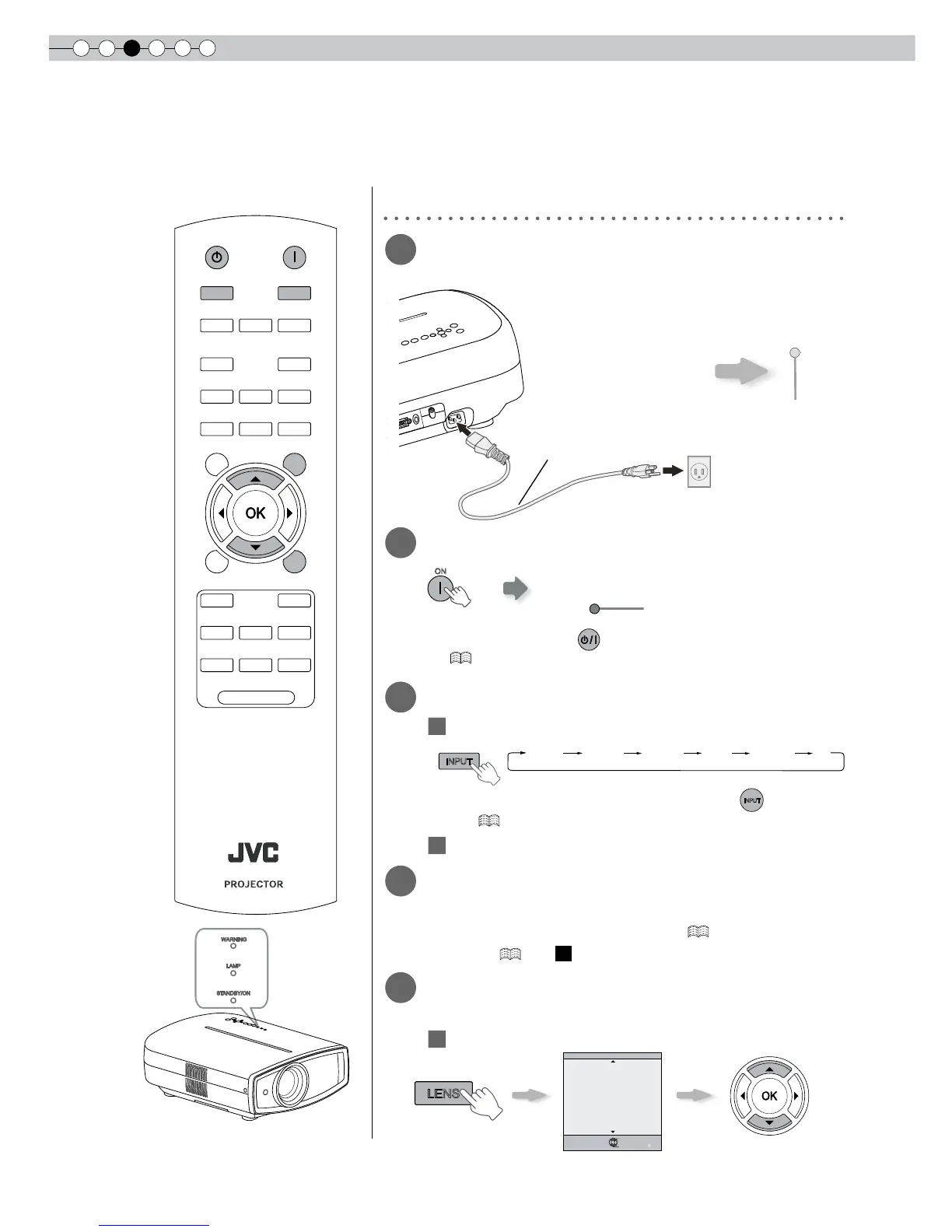
Insert the power plug to the power
outlet
2
Turn on the power
● You can also press the button on the unit to turn on the power.
( P15)
● The lens cover will be opened.
3
Project the image
1
Select input mode
● You can also select the input mode by pressing the
button on the
unit. ( P15)
2
Play back the selected device
4
Adjust the position of the projection
screen
● See “Installing the Projector and Screen” ( P23) and “Lens
Control” ( P38 -
22
) for the adjustment method.
5
Adjust the image size (zoom) and the
focus
1
Adjust the focus
① Connect to this unit
② Connect to the power outlet
Light on (Green)
Adjust accordingly by pressing
the up/down buttons
Power Cord
(Supplied)
Light on (Red)



 To Next Page