EasyManua.ls Logo

JVC DLA-HD350 - Page 87

JVC DLA-HD350
118 pages
Print Icon
To Next Page IconTo Next Page
To Previous Page IconTo Previous Page
Loading...
MENU
2
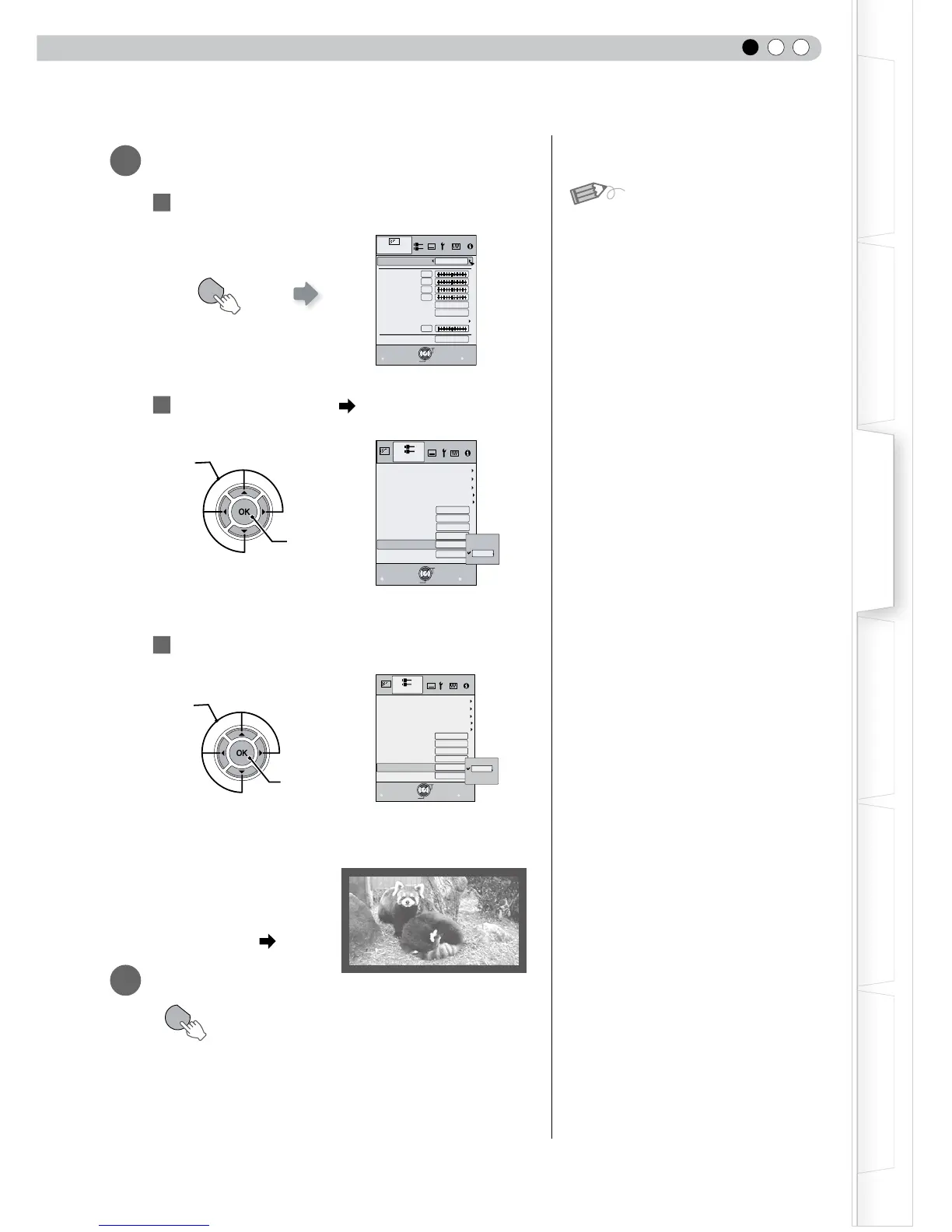
Mask the image
1
Display the setting menu
2
Select “Input Signal” “Mask”
3
Set a mask value
Example:
When the “Mask” value is
changed from “Off” “5%”
3
To end
MENU
Exit
BACK
Back
Select
Operate
0
0
0
0
6500K
Normal
Picture Mode
Contrast
Brightness
Color
Tint
Color Temp.
Gamma
Advanced
Lens Aperture
Picture Adjust
Natural
Reset
0
Video/S-Video
COMP.
Picture Position
Exit
MENU
BACK
Back
Select
Operate
HDMI
Film Mode
Auto
Over scan
Off
Aspect(Video)
Aspect(Computer)
V-stretch
16:9
Auto
Off
Mask
Off
5%
Off
2.5%
Input Signal
PC
Exit
MENU
BACK
Back
Select
Operate
Video/S-Video
COMP.
Off
16:9
Aspect(Video)
Aspect(Computer)
V-stretch
Picture Position
HDMI
Auto
自动
Input Signal
5%
Over scan
Film Mode
Auto
Mask
Off
5%
2.5%
Off
PC
● Masking is available only when high
denition images are input.
MENU
①Select
②Confirm
①Select
②Confirm
MEMO

Table of Contents