EasyManua.ls Logo

JVC GC-PX100 - User Manual

JVC GC-PX100
231 pages
Print Icon
To Next Page IconTo Next Page
Loading...
Basic User Guide
HD MEMORY CAMERA
GC-PX100 A
Verifying the Accessories
AC Adapter
AP-V20U
Battery Pack
BN-VF815U
HDMI Mini
Cable
USB Cable
(Type A - Mini Type B)
CD-ROM
AV Cable
QAM1322-001
Please consult your JVC dealer or the nearest JVC service center when purchasing
a new AV cable.
Lens Hood Shoulder Strap Monitor Hood Lens Cap Core Filter
LYT2592-001A-M
BC mark means complies with Energy Efficiency Law.
BC
EN
.
Detailed User Guide
For more details on operating this
product, please refer to the “Detailed
User Guide” at the following website.
o
http://manual3.jvckenwood.com/
index.html/
.
Mobile User Guide
When you are outside, refer to the
“Mobile User Guide”. Mobile User Guide
can be viewed with standard browser for
Android tablet and iPhone.
o
http://manual3.jvckenwood.com/mobile/
us/
Dear Customers
Thank you for purchasing this JVC product.
Before use, please read the Safety Precautions
and Cautions on p. 2 and p. 18 to ensure
safe use of this product.
For Future Reference:
Enter the Model No. (located on the bottom of the camera)
and Serial No.
(located on the battery pack mount of the camera) below.
Model No.
Serial No.

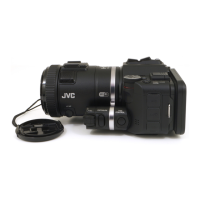
Table of Contents

Other manuals for JVC GC-PX100

Questions and Answers

  • E
    elizabethgordonAug 14, 2025
    What to do if my JVC Camcorder recording stops automatically?
    • J
      Jessica DiazAug 14, 2025
      If your JVC Camcorder recording stops automatically, try the following: * Turn the unit off and on again. * Remove the AC adapter and battery pack, then remove and re-insert the SD card. * Remove any dirt from the SD card terminals. If the problem persists, back up your files and execute [FORMAT SD CARD] in the [MEDIA SETTINGS] menu. Note that all data will be deleted.
  • A
    Ashley SheltonAug 17, 2025
    What to do if JVC GC-PX100 recording cannot be performed?
    • A
      Anthony JenkinsAug 17, 2025
      If your JVC Camcorder is unable to record, try turning the unit off and on again. If the problem persists, back up your files and execute [FORMAT SD CARD] in the [MEDIA SETTINGS] menu. Please be aware that all data will be deleted.
  • M
    Mrs. Maria JohnsonAug 20, 2025
    Why is sound or video interrupted on my JVC GC-PX100 Camcorder?
    • C
      Colton ParksAug 20, 2025
      Sound or video interruptions on your JVC Camcorder are not a malfunction. The unit may become warm when used for extended periods.
  • J
    joseph62Aug 25, 2025
    How to fix Intelligent Auto mode on JVC GC-PX100?
    • C
      Cindy WilliamsonAug 25, 2025
      When there are multiple light sources and depending on the shooting conditions, exposure and focus may not be adjusted correctly in the Intelligent Auto mode on your JVC Camcorder. In this case, adjust the settings manually.
  • J
    Juan CarpenterAug 27, 2025
    Why is the POWER/CHARGE lamp blinking on my JVC Camcorder?
    • J
      Jeff MendozaAug 27, 2025
      Check the remaining battery power of your JVC Camcorder. When the battery pack is fully charged, the lamp does not flash.
  • A
    Anthony MillerAug 30, 2025
    What to do if JVC GC-PX100 Camcorder shows 'ERROR IN BUILT-IN MEMORY!/MEMORY CARD ERROR!'?
    • J
      Joshua CarterAug 30, 2025
      If your JVC Camcorder displays the error 'ERROR IN BUILT-IN MEMORY!/MEMORY CARD ERROR!', try turning the unit off and on again. If the problem persists, back up your files and format the built-in memory or SD card in the [MEDIA SETTINGS] menu. Note that all data will be deleted during formatting.
  • R
    rachel95Sep 3, 2025
    How to fix recording if JVC GC-PX100 Camcorder cannot record?
    • D
      David MortonSep 3, 2025
      If your JVC Camcorder is not recording, try turning it off and on again. If this doesn't solve the problem, back up your files and format the built-in memory or SD card using the [MEDIA SETTINGS] menu. Please note that all data will be erased.
  • G
    Gregory NewmanSep 6, 2025
    What to do if JVC Camcorder shows 'RECORDING FAILURE DATA RECORDED FILE IS TOO SMALL TO BE SAVED ?CONTINUE RECORDING??'?
    • B
      benjaminsantanaSep 6, 2025
      If your JVC Camcorder displays the message 'RECORDING FAILURE DATA RECORDED FILE IS TOO SMALL TO BE SAVED ?CONTINUE RECORDING??', try turning the unit off and on again.
  • A
    anthonymillerSep 9, 2025
    Why does my JVC GC-PX100 heat up?
    • J
      jorgemartinezSep 10, 2025
      This is not a malfunction. Your JVC Camcorder may become warm when used for an extended period.

JVC GC-PX100 Specifications

General IconGeneral
BrandJVC
ModelGC-PX100
CategoryCamcorder
LanguageEnglish

Related product manuals