EasyManua.ls Logo

JVC GY-HM200E - User Manual

JVC GY-HM200E
184 pages
Print Icon
To Next Page IconTo Next Page
Loading...
.
4K MEMORY CARD CAMERA RECORDER
GY-HM200U/GY-HM200E
GY-HM170U/GY-HM170E
INSTRUCTIONS
.
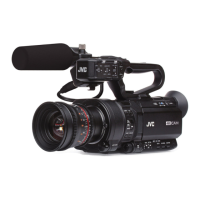
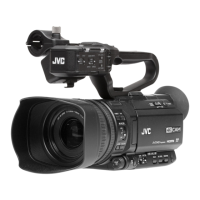
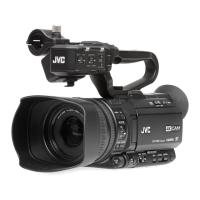
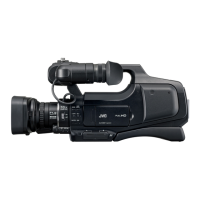
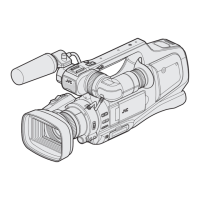
The illustration here shows how the handle unit is attached using the unit supplied with
GY-HM200U/GY-HM200E.
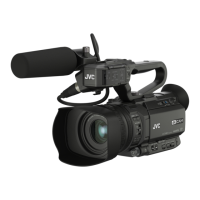
GY-HM170U/GY-HM170E do not come with a handle unit.
The specifications and appearance of this product are subject to changes for further improvement
without prior notice.
Please check the latest version of the INSTRUCTIONS from the following Mobile User Guide. You can
also download the PDF from the Mobile User Guide.
Mobile User Guide
When you are outside, you can refer to the instructions from your Android phone or iPhone.
http://manual3.jvckenwood.com/pro/mobile/global/
You can view the Mobile User Guide using the browser on your Android phone or iPhone.
Thank you for purchasing this JVC product.
Before operating this unit, please read the
instructions carefully to ensure the best
possible performance.
In this manual, each model number is
described without the last letter (U/E) which
means the shipping destination.
(U: for USA and Canada, E: for Europe)
Only “U” models (GY-HM200U/GY-HM170U)
have been evaluated by UL.
Please read the following before getting started:
For Customer Use:
Model No.
Serial No.
Enter below the Serial No. which is located
on the body.
Retain this information for future reference.
GY-HM200U/GY-HM170U
IM 1.00
B5A-0573-00

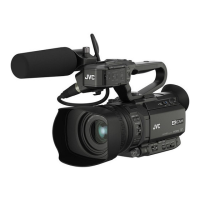
Table of Contents

Other manuals for JVC GY-HM200E

Questions and Answers

  • J
    Julia ButlerSep 18, 2025
    What to do if playback does not start on my JVC Camcorder after selecting a clip thumbnail?
    • M
      Mr. Kevin WilliamsSep 18, 2025
      If playback does not start on your JVC Camcorder after selecting a clip thumbnail, ensure the selected clip is a playable clip. Playback is not possible if the clip has a different video format setting.
  • A
    Angela WadeAug 25, 2025
    What to do if my JVC GY-HM200E Camcorder is unable to start recording?
    • J
      Judith AlvaradoAug 25, 2025
      If your JVC Camcorder is unable to start recording, check the following: Ensure the record trigger button/lock switch on the handle is turned on. Verify the write-protect switch of the SD card is turned off. Confirm the camera recorder is set to the Camera mode using the [MODE] selection button. Ensure the SD card inserted is compatible with the recording format.
  • K
    Katherine WilliamsAug 25, 2025
    How to fix a JVC GY-HM200E Camcorder when the power does not turn on?
    • M
      Michael LeeAug 26, 2025
      If your JVC Camcorder's power does not turn on, check if the AC adapter is properly connected and the battery is charged. If you've just turned it off, wait at least 5 seconds before turning it on again.
  • R
    rbrennanAug 26, 2025
    What to do if images on the LCD monitor and viewfinder screen appear dark or blurred on my JVC GY-HM200E?
    • R
      Robert FarmerAug 27, 2025
      Readjust the brightness of the LCD monitor and viewfinder. Check if the [ND FILTER] switch is set to “1/16”, or if the iris is closed. Also, verify if the shutter speed setting is too high or if the amount of peaking is too little. To adjust the contour for the LCD monitor image and viewfinder image, use the [LCD/VF Peaking] menu by adjusting the contour of the viewfinder image. (The contour of the LCD monitor will also be adjusted at the same time.) This can be found under [Main Menu] B [LCD/VF] B [LCD/VF Peaking].
  • R
    Robert LawsonSep 22, 2025
    Why are the images and audio during live streaming choppy on my JVC Camcorder?
    • C
      Christopher BaldwinSep 22, 2025
      If the images and audio sound during live streaming are choppy on your JVC Camcorder, it might be due to the network adapter and connection not supporting the specified encoding bit rate. Try reducing the encoding bit rate.
  • L
    Luis King DDSSep 23, 2025
    Why are the date and time not displayed on my JVC GY-HM200E Camcorder?
    • U
      unguyenSep 23, 2025
      The date and time are only displayed on the Display 1 and Display 2 screens in the Camera mode (during shooting). Check if [System] B [Record Set] B [Time Stamp] is set to “On”? To display the date and time, set it to “Off.”
  • B
    Brooke CoxSep 9, 2025
    Why does playback not start after selecting a clip thumbnail and pressing the Set button (R) on my JVC GY-HM200E?
    • C
      Christopher GoodmanSep 9, 2025
      The selected clip may not be a playable clip. Playback is not possible if the clip has a different video format setting.
  • J
    jack63Sep 12, 2025
    Why is the time code and user’s bit not displayed on my JVC GY-HM200E?
    • S
      Suzanne WoodSep 12, 2025
      Even in Camera mode or Media mode, the time code and user’s bit may not be displayed depending on the type of display. Check if [LCD/VF] B [Display Settings] B [TC/UB] is set to “Off”. To display the time code or user’s bit, set it to “TC” or “UB.”
  • M
    Michael PetersonSep 3, 2025
    Why does battery alarm appear on my JVC GY-HM200E Camcorder even after loading a charged battery?
    • S
      Sara BranchSep 3, 2025
      The battery alarm may appear on your JVC Camcorder even after loading a charged battery if the battery is too old.
  • D
    David PotterSep 1, 2025
    What to do if clips cannot be uploaded to the FTP server from my JVC GY-HM200E Camcorder?
    • M
      Matthew JonesSep 1, 2025
      If clips cannot be uploaded to the FTP server from your JVC Camcorder, adjust the [Clip Server] settings. Note that the maximum size of the recorded clip is 64 GB. If a file size limit is set in the FTP server settings, set the size limit to more than 64 GB.

JVC GY-HM200E Specifications

General IconGeneral
Camera TypeProfessional Camcorder
Optical Zoom12x
Image StabilizationOptical
Video ResolutionUp to 1920 x 1080
Audio Channels2
Recording FormatMP4
LCD Screen Size3.5-inch
Memory Card Slots2 x SD/SDHC
ConnectivityHDMI, USB, Composite

Related product manuals