EasyManua.ls Logo

JVC GY-HM70 - User Manual

JVC GY-HM70
136 pages
Print Icon
To Next Page IconTo Next Page
Loading...
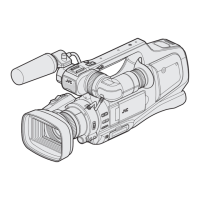
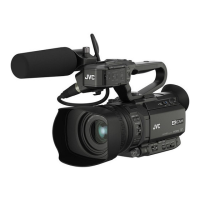
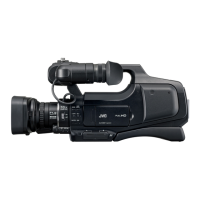
* This illustration shows the GY-H M 70 with an optional microphone.
HD MEMORY CARD CAMERA RECORDER
LYT2624-001A
Detailed User Guide
GY-HM70

Table of Contents

Other manuals for JVC GY-HM70

Questions and Answers

  • G
    Gary JohnsonAug 11, 2025
    What to do if recording stops automatically on my JVC GY-HM70?
    • J
      John AndersenAug 11, 2025
      If your JVC Camcorder's recording stops automatically, try the following: 1. Turn the unit off and on again. 2. Remove the AC adapter and battery pack, then remove and re-insert the SD card. 3. Remove any dirt from the SD card terminals. 4. If the problem persists, back up your files and format the SD card in the 'MEDIA SETTINGS' menu (note that all data will be deleted).
  • B
    Brandon HerreraAug 17, 2025
    What to do if recording cannot be performed on my JVC GY-HM70?
    • K
      Kathryn WhitneyAug 17, 2025
      If your JVC Camcorder is unable to record, try turning the unit off and on again. If that doesn't work, back up your files and format the SD card in the 'MEDIA SETTINGS' menu. Keep in mind that all data will be deleted.
  • J
    Jason KimAug 25, 2025
    What to do if the POWER/CHARGE lamp is blinking on my JVC GY-HM70 Camcorder when off?
    • T
      tannerayalaAug 25, 2025
      If the POWER/CHARGE lamp on your JVC Camcorder is blinking when the power is turned off, check the remaining battery power. The lamp will not flash when the battery pack is fully charged.
  • A
    Allison FowlerAug 29, 2025
    Why POWER/CHARGE lamp is blinking when the JVC GY-HM70 power is turned off?
    • T
      torreskimAug 29, 2025
      If the POWER/CHARGE lamp on your JVC Camcorder starts blinking when the power is turned off, check the remaining battery power. The lamp does not flash when the battery pack is fully charged.
  • O
    Olivia ReidSep 4, 2025
    Why sound or video is interrupted on my JVC GY-HM70?
    • L
      Lance SalasSep 4, 2025
      If the sound or video on your JVC Camcorder is interrupted, try turning the unit off and on again. If the problem continues, back up your files and format the SD card in the 'MEDIA SETTINGS' menu. Be aware that this will delete all data.

JVC GY-HM70 Specifications

General IconGeneral
Sensor Type1/2.3-inch CMOS
Optical Zoom10x
Digital Zoom200x
FocusAuto/Manual
Image StabilizationOptical
Recording FormatAVCHD, MP4
Video Resolution1920 x 1080
Frame Rate60p, 30p, 24p
MicrophoneBuilt-in stereo microphone
Recording MediaSD/SDHC/SDXC
Audio FormatDolby Digital
LCD Screen3.0-inch LCD
Viewfinder0.24-inch LCD
InterfaceHDMI, USB

Related product manuals