ENGLISH
25SETTINGS
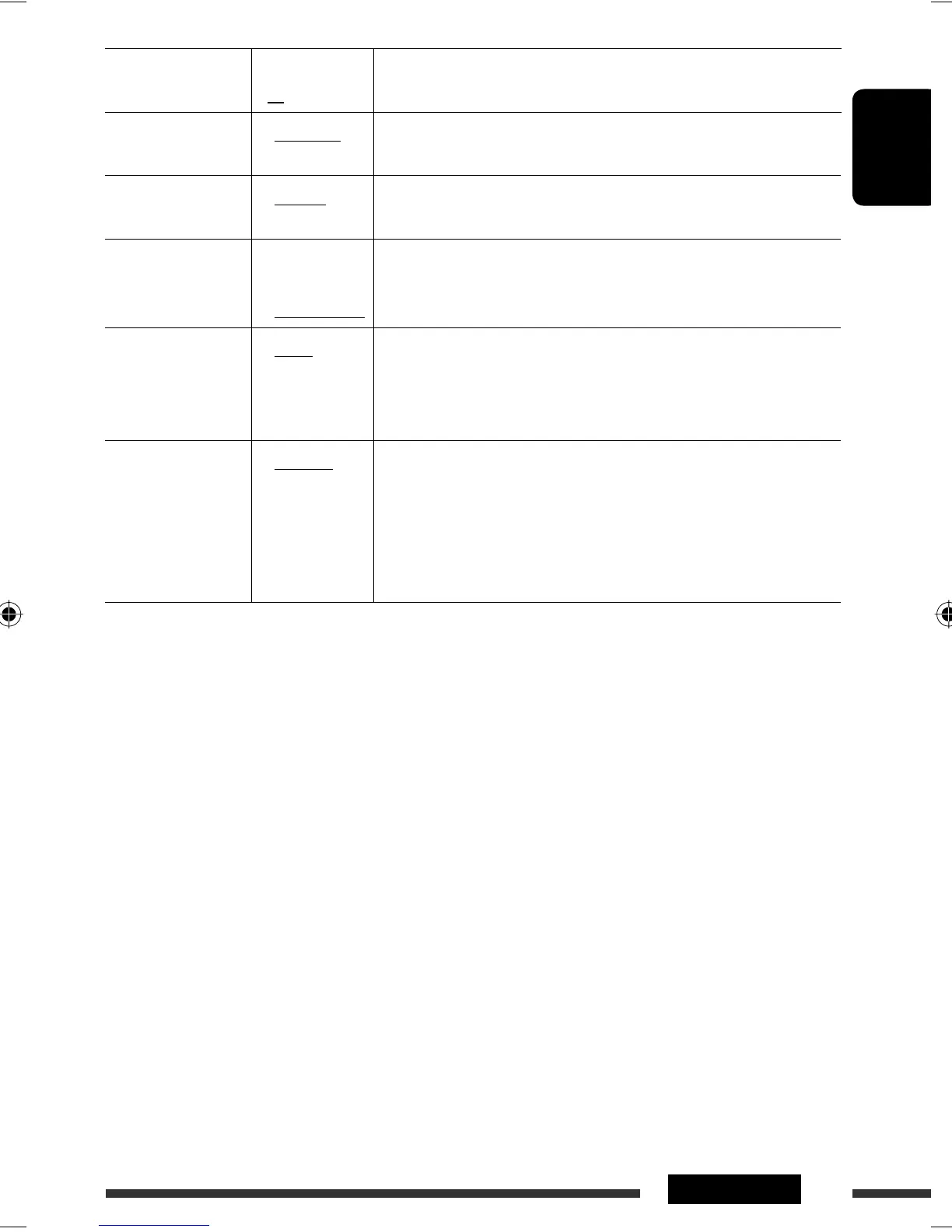
Indications Item
( : Initial)
Setting, [reference page]
EXT INPUT *
8,
*
9
External input
• CHANGER
• EXT INPUT
: To connect a JVC CD changer, [16], or an Apple iPod, [19].
: To connect portable audio player to the CD changer jack, [20].
TAG DISPLAY
Tag display
• TAG ON
• TAG OFF
: Shows the Tag information while playing MP3/WMA tracks.
: Cancels.
AMP GAIN
Amplifier gain
control
• LOW POWER
• HIGH POWER
: VOLUME 00 – VOLUME 30. (Select this if the maximum power of the
speaker is less than 50 W to avoid damaging the speaker.)
: VOLUME 00 – VOLUME 50.
IF BAND
Intermediate
frequency band
• AUTO
• WIDE
: Increases the tuner selectivity to reduce interference noises between
adjacent stations. (Stereo effect may be lost.)
: Subject to interference noises from adjacent stations, but sound
quality will not be degraded and the stereo effect will remain.
AREA
Tuner channel
interval
• AREA US
• AREA EU
• AREA SA
: When using in North/Central/South America. AM/FM intervals are set
to 10 kHz/200 kHz.
: When using in any other areas. AM/FM intervals are set to 9 kHz/
50 kHz (100 kHz during auto search).
: When using in South American countries where FM interval is
100 kHz. AM interval is set to 10 kHz.
*
8
Displayed only when one of the following sources is selected—FM, AM, CD, BLUETOOTH, AUX IN.
*
9
Not required for HD Radio broadcast/SIRIUS/XM tuners.
EN22-29_KD-BT11[J]2.indd 25EN22-29_KD-BT11[J]2.indd 25 10/31/07 3:41:50 PM10/31/07 3:41:50 PM



 To Next Page