17
ENGLISH
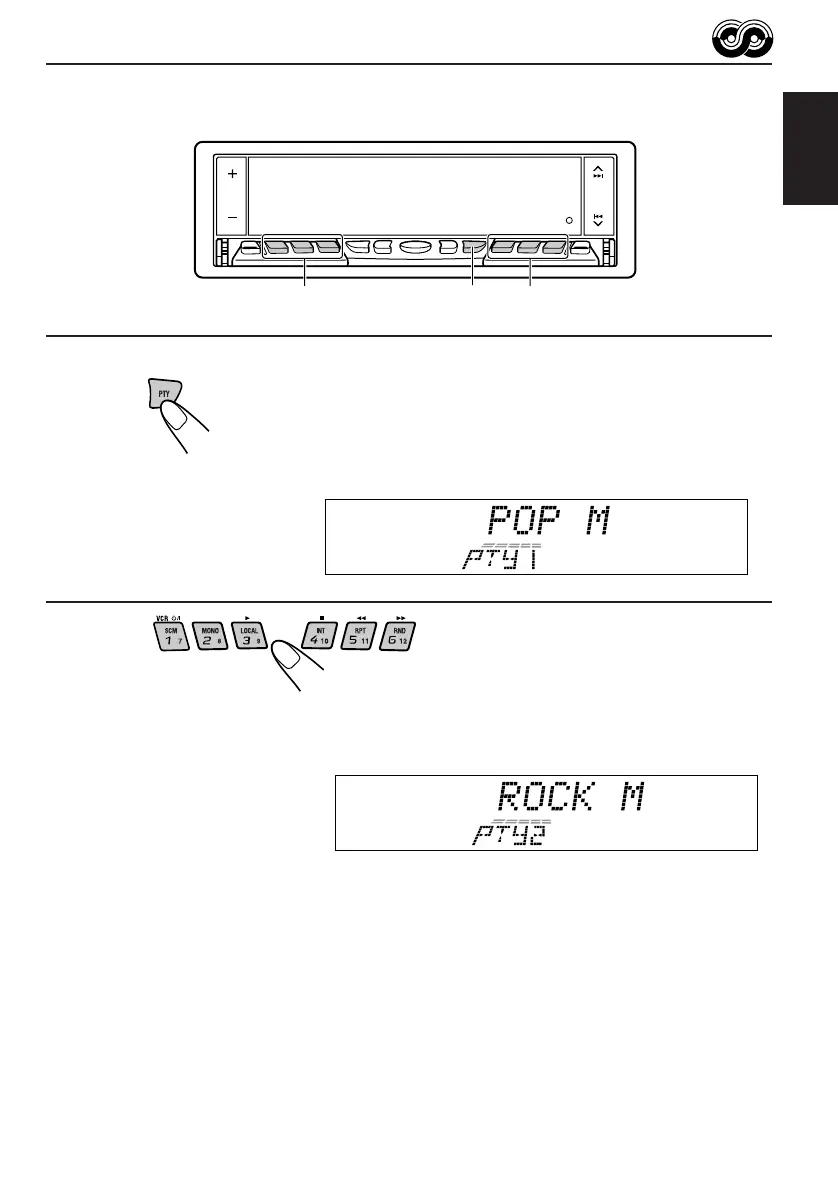
To search your favorite programme type
1
Press and hold PTY (programme type) for
more than 1 second while listening to an FM
station.
The last selected PTY code and preset number appear.
2
Select one of PTY codes stored in preset
number buttons (1 to 6).
PTY search for your favorite programme starts after 5
seconds.
• If there is a station broadcasting a programme of the same PTY code you selected, that
station is tuned in.
• If there is no station broadcasting a programme of the same PTY code you selected, the
station will not change.
Note:
In some areas, the PTY search will not work correctly.
Ex. When “ROCK M” is stored in preset number button 2.
1
2 2
EN12-19.KD-LX50R[E]/f 00.3.22, 10:34 AM17



 To Next Page
 Loading...