40
ENGLISH
STOP
PLAY
Voice remote
2,6
3
Registering procedure (Continued for the second Access
Command by following the previous one)
EXAMPLE:
Storing an operation of “selecting disc number 01 in the CD changer,” and registering word
“Classics” as your Access Command to that operation into Access Command number 15.
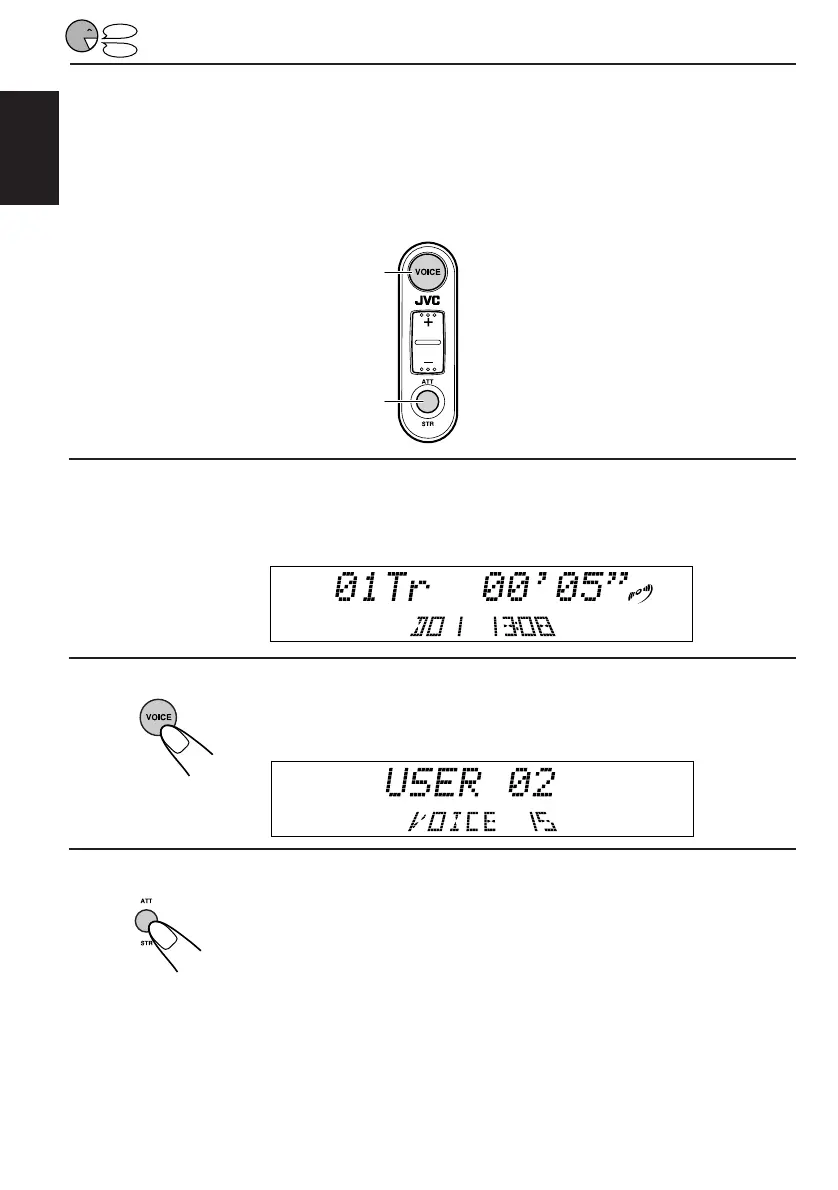
1
Select the operation you want to store into the Access Command.
(In this case, select “disc number 01 in the CD changer.”)
2
Press and hold VOICE until Access Command (VOICE
15) appears on the display.
3
Press STR (ATT) to make the System ready to record
your voice.
“SPEAK” starts flashing on the display after the voice navigation “Please
speak now.”
EN30-47.KD-LX50R[E]/f 00.3.22, 10:36 AM40



 To Next Page
 Loading...