41
ENGLISH
STOP
PLAY
4
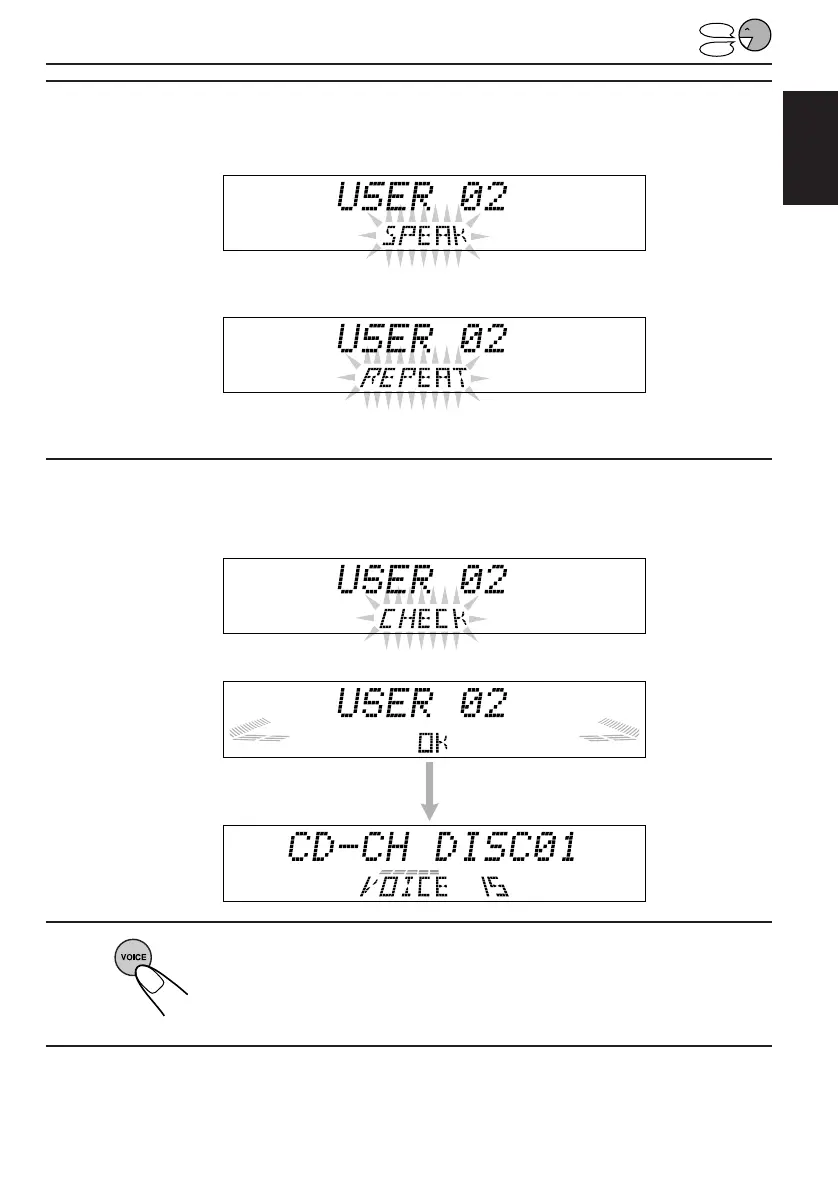
Speak the word(s) you want to record while “SPEAK” is flashing
on the display. (In this example, speak “Classics.”)
• If the System recognizes your word(s), “REPEAT” starts flashing on the display after
the voice navigation “Please repeat.”
• If the System does not recognize your word(s), it will ask you to speak again. In this
case, speak the word(s) again.
5
Speak the same word(s) again while “REPEAT” is flashing on
the display. (In this example, speak “Classics.”)
“CHECK” appears on the display while recording your voice,
“OK” appears when
recording is complete.
6
Press and hold VOICE again to finish the
recording.
7
Repeat the above procedure to store other Access Commands.
EN30-47.KD-LX50R[E]/f 00.3.22, 10:36 AM41



 To Next Page
 Loading...