9
ENGLISH
Connecting the other external components
Listening to the other external components
3.5 mm stereo mini plug
(with “L” shaped connector)
(not supplied)
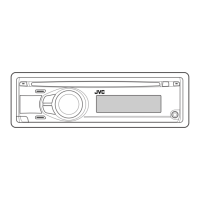
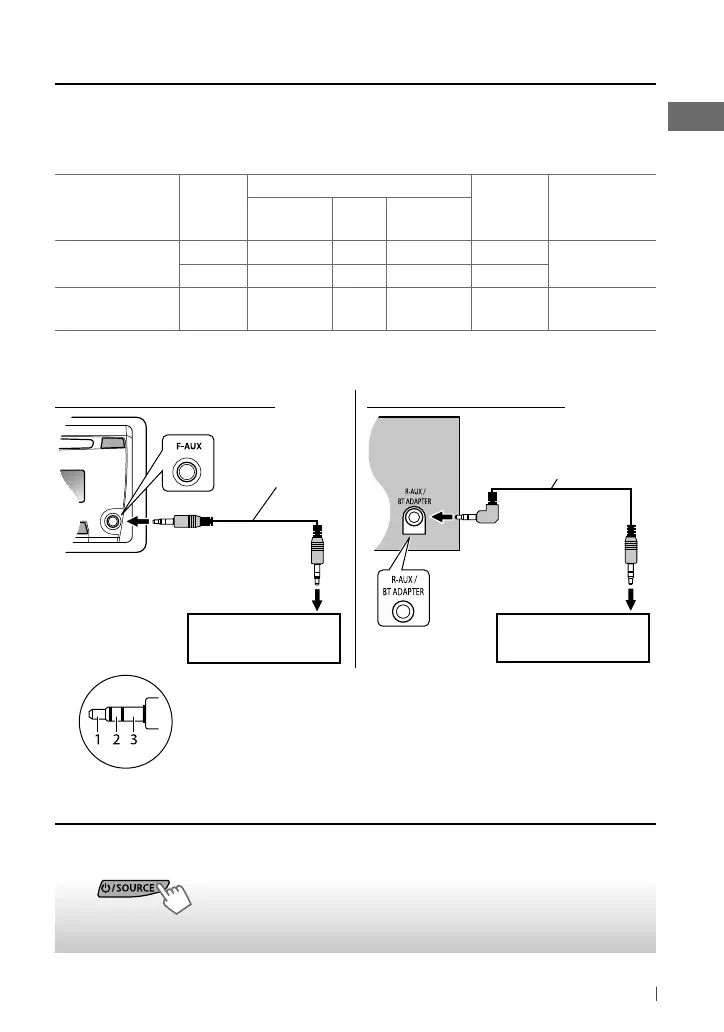
You can connect an external component to the auxiliary input jack on the control panel (F-AUX)
and/or on the rear side of the unit (R-AUX).
Summary of using the external components through the auxiliary input jacks:
External component
Auxiliary
input jack
Preparation
Source
name
Connecting
cable/device
(not supplied)
Menu setting
item
Sub-
item
Setting
Portable audio
player
Front SRC SELECT F-AUX ON F-AUX
See below.
Rear SRC SELECT R-AUX ON R-AUX
Bluetooth device Rear SRC SELECT R-AUX BT ADAPTER BT AUDIO/
BT PHONE *
KS-BTA100
(page 14)
* ”BT PHONE” appears when a Bluetooth phone is in use.
For details, refer also to the instructions supplied with the external components.
~
]
“F-AUX” or “R-AUX”
Ÿ
Turn on the connected component and
start playing the source.
On the control panel (F-AUX): On the rear panel (R-AUX):
Portable audio player,
etc.
Portable audio player,
etc.
3.5 mm stereo mini
plug (not supplied)
Recommended to use a 3-terminal plug head stereo mini plug for
optimum audio output.
EN02-15_KD-R336_5_004A_f.indd 9EN02-15_KD-R336_5_004A_f.indd 9 9/7/11 10:13:36 AM9/7/11 10:13:36 AM



 To Next Page
 Loading...