21ENGLISH
3
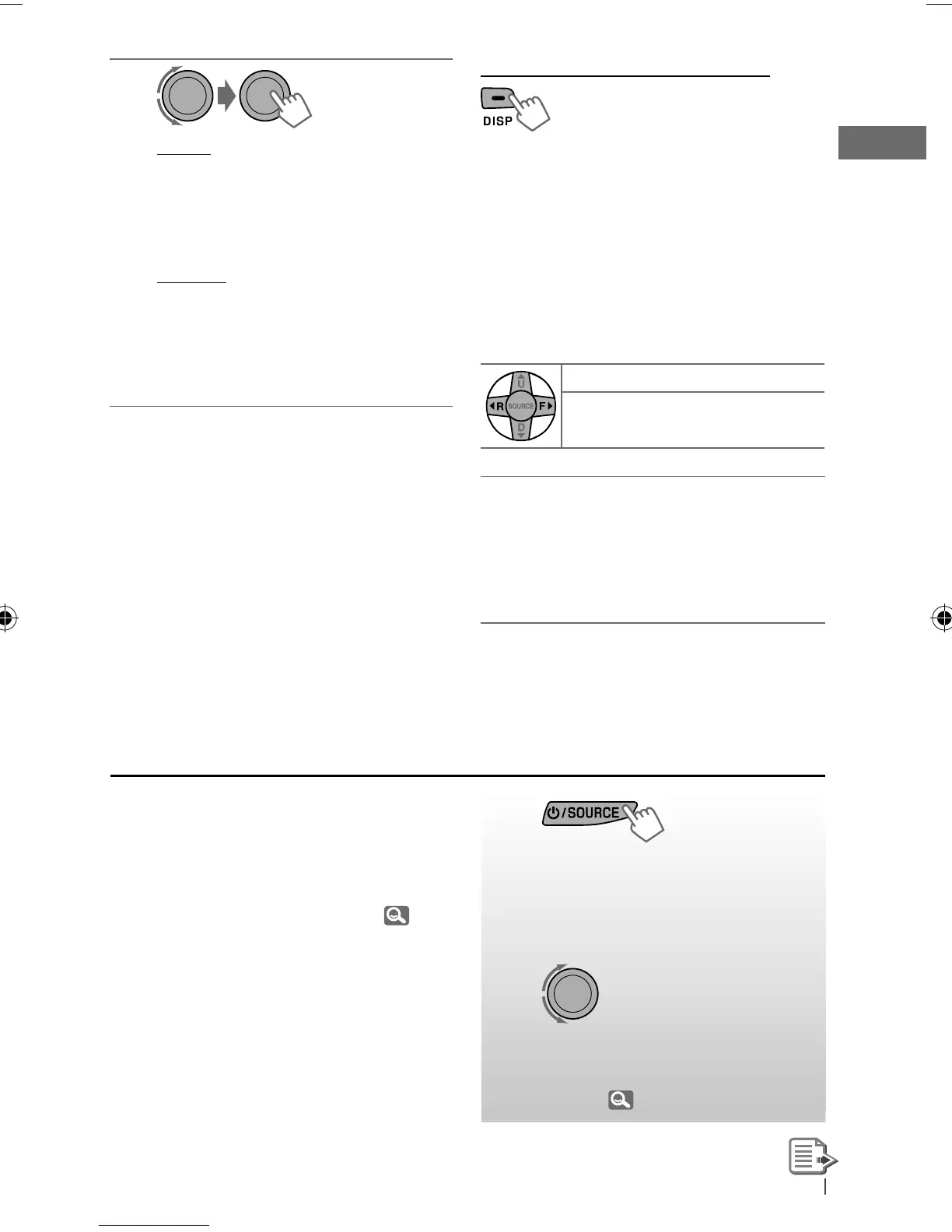
REPEAT
ONE RPT : Functions the same as
“Repeat One” of the iPod
ALL RPT : Functions the same as
“Repeat All” of the iPod
RANDOM
SONG RND :
Functions the same as
“Shuffle Songs” of the iPod
ALBUM RND : Functions the same as
“Shuffle Albums” of the
iPod
• To cancel repeat play or random play, select
“RPT OFF” or “RND OFF.”
• “ALBUM RND” is not available for some iPod/
iPhone.
• To return to the previous menu, press
BACK
.
Changing the display information
Album name/performer
=
Track title
=
Current track number with the elapsed
playing time
=
Current track number with
the clock time
=
(back to the beginning)
In <EXT MODE>: EXT MODE
j
EXT MODE
with clock time
Using the remote controller
The following is not applicable in <EXT MODE>.
2
R
/
F
3
: Selects track or chapter
2
R
/
F
3
[Hold]
: Fast-forwards or
reverses the track
Notice:
When operating an iPod, some operations
may not be performed correctly or as
intended. In this case, visit the following JVC
web site: <http://www.jvc.co.jp/english/car/>
(English website only).
~
]
“AUX IN”
Ÿ Turn on the connected
component and start
playing the source.
!
]
Adjust the volume.
⁄ Adjust the sound as you
want. ( 22)
Listening to the other external
components
You can connect an external component to the
AUX (auxiliary) input jack on the control panel.
Preparation:
Make sure <AUX ON> is selected for the
<SRC SELECT>
=
<AUX IN> setting. ( 25)
• For details, refer also to the instructions
supplied with the external components.
EN12-21_KD-R716_001A_f.indd 21EN12-21_KD-R716_001A_f.indd 21 12/17/09 3:04:08 PM12/17/09 3:04:08 PM



 To Next Page
 Loading...