EasyManua.ls Logo

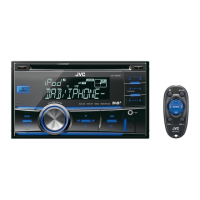
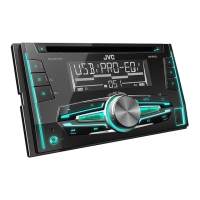
JVC KW-DB92BT - User Manual

JVC KW-DB92BT
96 pages
Print Icon
To Next Page IconTo Next Page
Loading...
Data Size: B6L (182 mm x 128 mm)
Book Size: B6L (182 mm x 128 mm)
ENGLISH
FRANÇAIS
DEUTSCH
B5A-0833-00 [E]
KW-R920BT / KW-DB92BT
CD RECEIVER
INSTRUCTION MANUAL
RÉCEPTEUR CD
MANUEL D’INSTRUCTIONS
CD-RECEIVER
BEDIENUNGSANLEITUNG
JS_JVC_KW_R920BT_DB92BT_E_C_00.indd 1JS_JVC_KW_R920BT_DB92BT_E_C_00.indd 1 2/11/2015 5:33:52 PM2/11/2015 5:33:52 PM

Questions and Answers

  • J
    Jill GonzalezSep 12, 2025
    What does “CHK ANTENNA” mean on JVC KW-DB92BT Car Receiver?
    • T
      Tammy GarciaSep 12, 2025
      If “CHK ANTENNA” appears on your JVC Car Receiver, and you are using a passive antenna (without a booster), set [DAB ANT PWR] to [OFF].
  • B
    bryantkennethSep 9, 2025
    What does “RELATED SRV FOUND” mean on my JVC KW-DB92BT?
    • R
      rothnatashaSep 10, 2025
      If “RELATED SRV FOUND” appears on your JVC Car Receiver, you can press the volume knob to activate Soft-Link or press to cancel.
  • J
    jonathan68Sep 8, 2025
    Why do I see “NO DEVICE” or “READING” flashing on my JVC Car Receiver?
    • S
      Samantha WoodSep 8, 2025
      If “NO DEVICE” or “READING” keeps flashing on your JVC Car Receiver, switch off the developer options on the Android device. If the issue persists, reconnect the Android device. If the problem still occurs, the connected Android device may not support [AUTO MODE].
  • M
    Marcus AtkinsSep 7, 2025
    Why does “READING” keep flashing on JVC KW-DB92BT?
    • J
      Jeffery SchultzSep 7, 2025
      If “READING” keeps flashing on your JVC Car Receiver, avoid using too many hierarchical levels and folders. Also, try reloading the disc or reattaching the USB device.
  • A
    Andrew GriffithAug 23, 2025
    How to fix sound if it cannot be heard on JVC KW-DB92BT Car Receiver?
    • W
      William Shaw Jr.Aug 23, 2025
      If you can't hear any sound from your JVC Car Receiver, first, make sure the volume is at an audible level. If that doesn't work, inspect the cords and connections to ensure they are properly connected.
  • M
    Melissa BauerSep 5, 2025
    How to fix source selection issues on JVC KW-DB92BT Car Receiver?
    • C
      Clinton CohenSep 5, 2025
      If a source cannot be selected on your JVC Car Receiver, check the [SRC SELECT] setting.
  • M
    Mr. Edward Brown MDSep 4, 2025
    What causes intermittent playback or sound skipping on JVC KW-DB92BT Car Receiver?
    • A
      adampetersonSep 4, 2025
      If the playback is intermittent or the sound skips on your JVC Car Receiver, turn off the power saving mode on your Android device.
  • A
    Amy RojasSep 3, 2025
    How to improve DAB reception on JVC Car Receiver?
    • M
      Mrs. Samantha JordanSep 3, 2025
      If DAB reception is poor on your JVC Car Receiver, make sure [ON] is selected for [DAB ANT PWR].
  • J
    Jeffrey BrownSep 2, 2025
    Why is phone sound quality poor on JVC KW-DB92BT Car Receiver?
    • W
      William CameronSep 2, 2025
      If the phone sound quality is poor on your JVC Car Receiver, try reducing the distance between the unit and the Bluetooth device. Also, move the car to a location with better signal reception.
  • E
    Eileen MyersAug 31, 2025
    What to do if iPod/iPhone does not turn on or does not work with JVC KW-DB92BT Car Receiver?
    • C
      Charlotte MooreSep 1, 2025
      If your iPod/iPhone isn't working or turning on with the JVC Car Receiver, check the connection between the unit and your device. If the issue continues, detach and reset the iPod/iPhone using a hard reset.

JVC KW-DB92BT Specifications

General IconGeneral
MP3 playbackYes
DIN size2 DIN
Impedance4 Ω
Output power22 W
Product colorBlack
Volume controlRotary
Frequency range20 - 20000 Hz
Audio output channels- channels
Maximum power per channel50 W
Signal-to-Noise Ratio (SNR)105 dB
AM band range531 - 1611 kHz
FM band range87.5 - 108 MHz
LW band range153 - 279 kHz
Supported radio bandsAM, DAB+, FM, LW, MW
Display typeLCD
USB version2.0
USB port positionFront
Bluetooth profilesA2DP, AVRCP, HFP, PBAP
Line outputs (RCA)6
USB ports quantity1
Weight and Dimensions IconWeight and Dimensions
Weight1600 g
Dimensions (WxDxH)178 x 112 x 158 mm

Related product manuals