15
ENGLISH
Basic operations
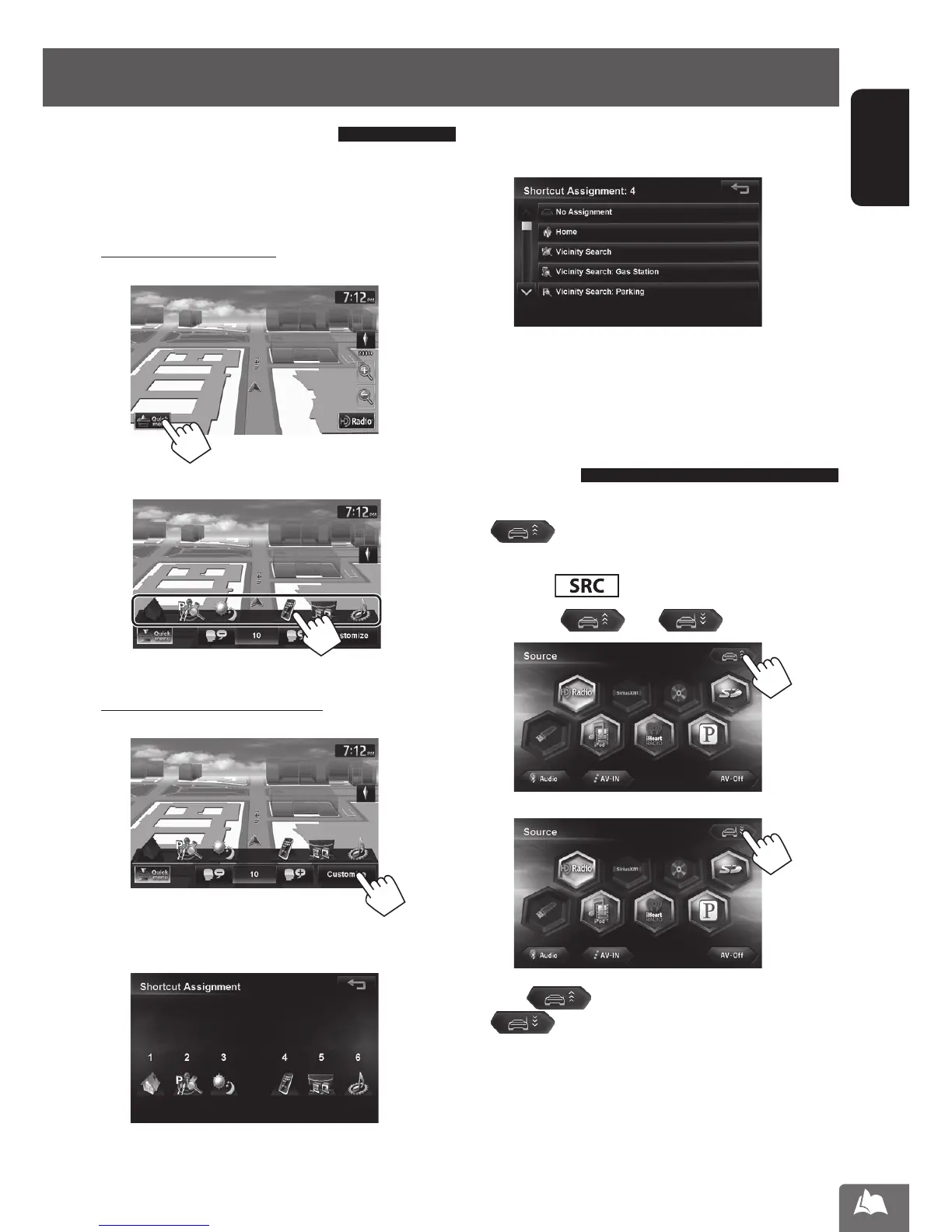
Using the Quick menu
Quick menu is assigned a set of frequently used
features, which is user-changeable. It is activated from
the current position screen.
To use the quick menu
1
2
Assigning different features
1
2 Touch the button you want to configure.
3 Touch the feature you want to assign to the
button.
You can also change these settings through
<Settings> - <System>-<Others> -
<Shortcut Button>. (☞ page 86)
Extending/shortening the auto
antenna
When <Antenna Remote> is set to <Auto>,
[
] is not displayed. (☞ page 86)
1 Press .
2 Press [ ] or [ ] .
Press [ ] to extend the antenna, and press
[
] to shorten the antenna.
• If you turn off the unit the antenna is shortened, then
“Antenna remote is turned off” is displayed the
next time the unit is turned on. Touch <OK> to clear
the message.
EN_KW-NT810HDT[J].indb 15 11/8/2012 2:51:11 PM



 To Next Page