22
ENGLISH
Registering your home/favorite points
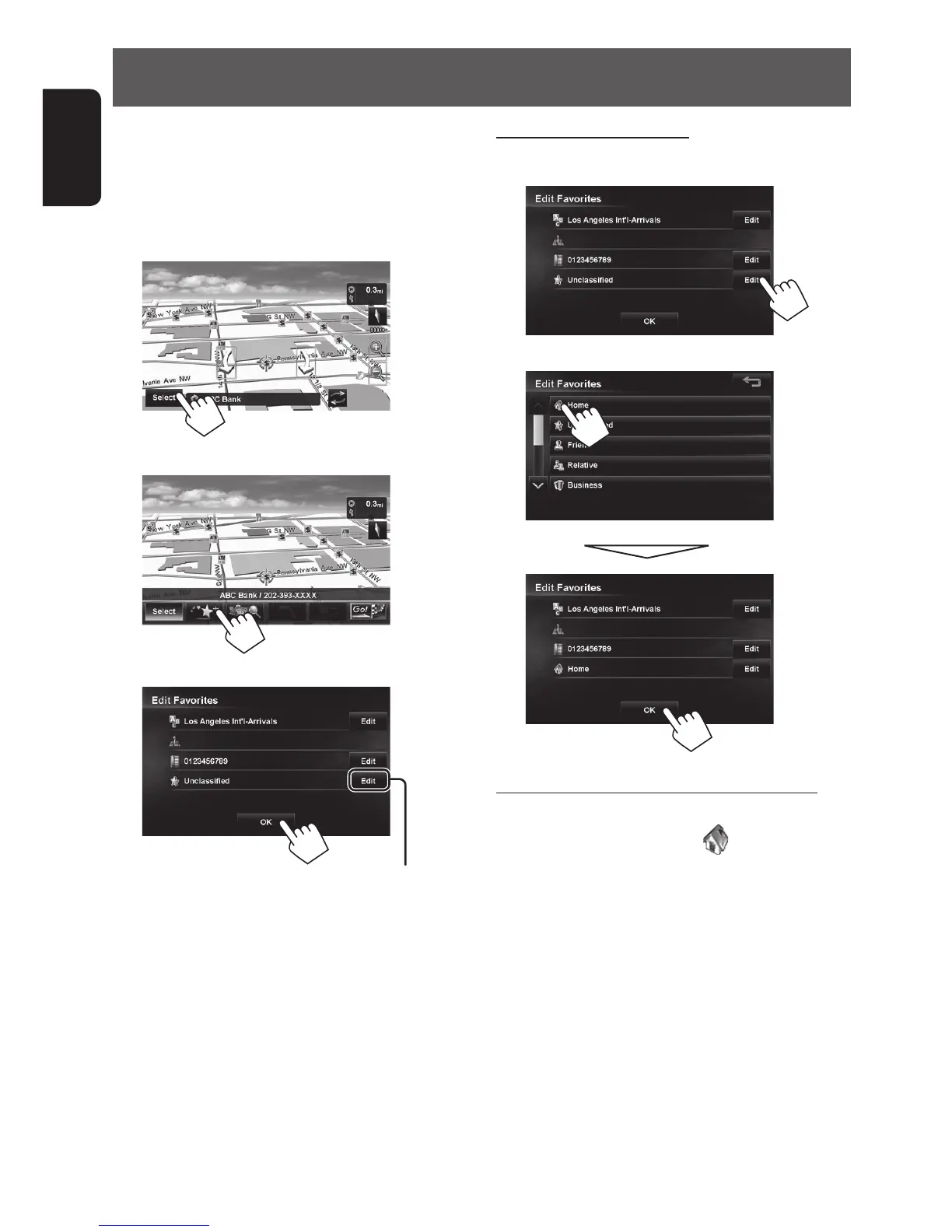
You can register up to 300 favorite points (including
one home).
1 Scroll the map to select the point you want to
register.
2
3
4
To register as your home (☞ right)
• To edit the registration, ☞ page 36.
• To search from register points, ☞ page 23.
To register as your home
1 In step 4 on the left...
2
To change your registered home location
When you search for a new location that you want to
register as your home and select
via step 2 (above),
a confirmation message is displayed. Select [Yes] to
save the new destination as your home. The previous
home destination is moved to the unclassified category.
EN_KW-NT810HDT[J].indb 22 11/8/2012 2:51:12 PM



 To Next Page