25
ENGLISH
Searching for a place
1
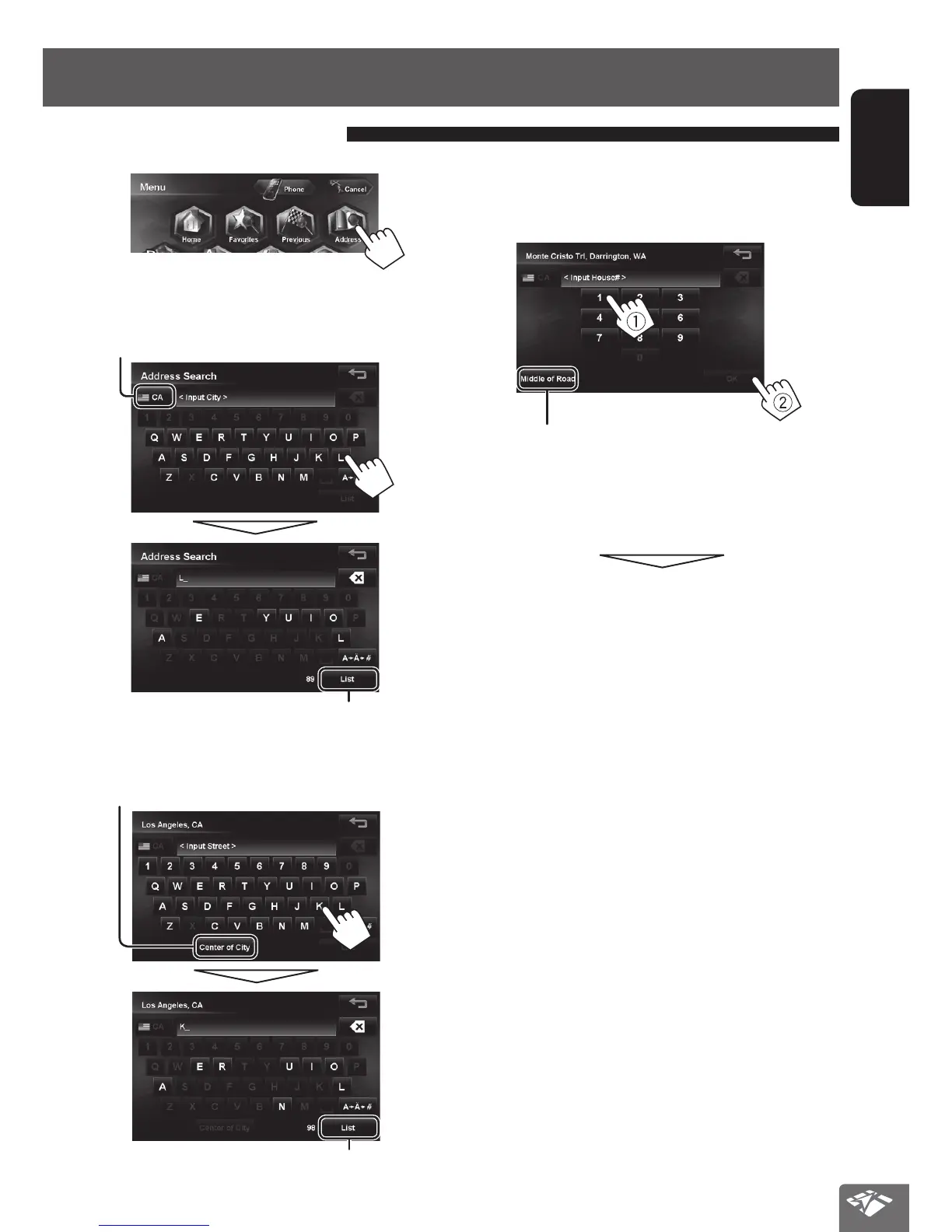
2 Enter the city name, then select from the list.
(☞ page 24)
Changes State or Province
Displays the list of matches
3 Enter the street name, then select from the
list. (☞ page 24)
Selects the center of the city
Displays the list of matches
By address <Address>
4 Enter the house number, then press [OK].
•
If you don’t know the number of house for the
selected street, you can select [Middle of Road].
Selects the center of the street
• If the house number you entered is not found in the
database, the map with the nearest house number is
displayed.
The search result is displayed.
• To start guidance, ☞ page 29.
EN_KW-NT810HDT[J].indb 25 11/8/2012 2:51:13 PM



 To Next Page