9
Adjusting the Angle
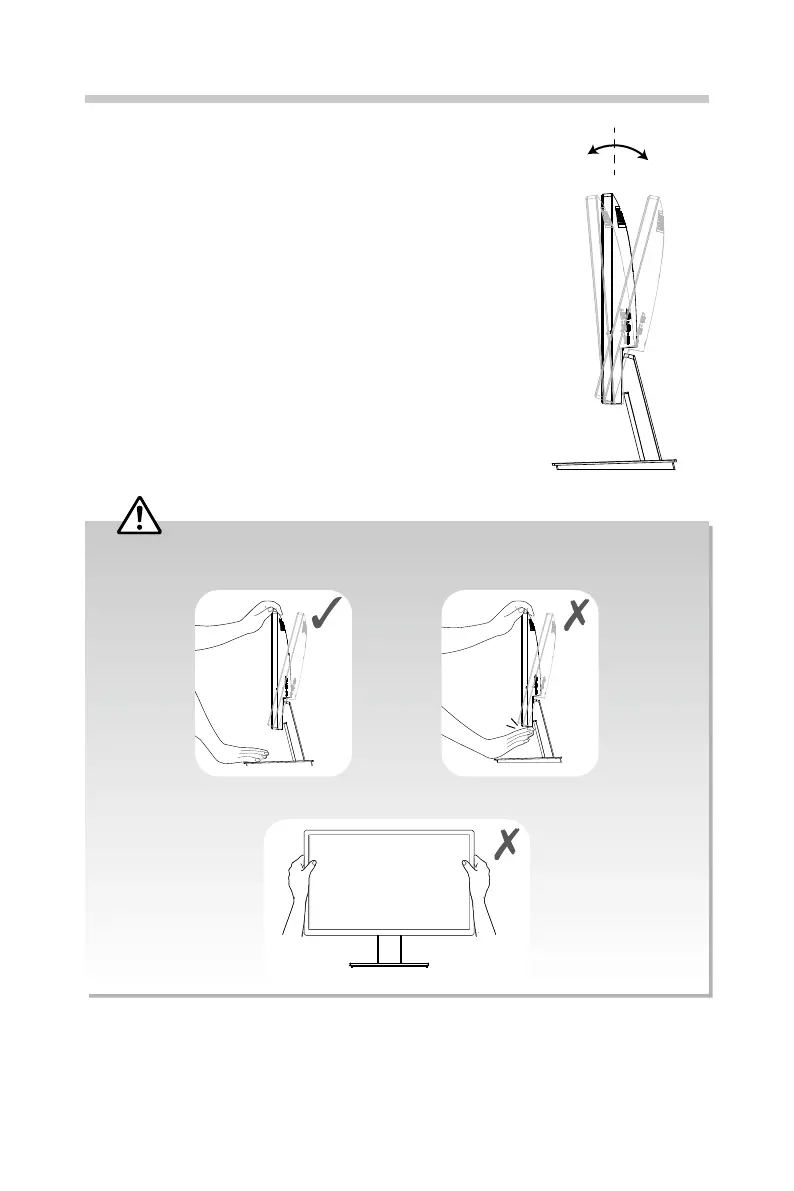
1. Place the monitor in an upright position, mounted
on the stand base.
2. Adjust the angle of the screen. The angle of the
screen can be adjusted forwards or backwards from
-5° to 15° for a comfortable viewing experience.
–5° 15°
Front
side
Rear
side
• When you adjust the angle, do not hold the bottom of the monitor set frame as shown, it may
injure your ngers.
• Be careful do not touch or press the screen area when adjusting the angle of the monitor.


 To Next Page